69.1.1.4 EPG SKY XML, SKY TXT, TXT, COLBY XML and 3 XML
Export Scope
The F90 - EPG SKY XML, SKY TXT, TXT, COLBY XML, and 3 XML exports allow to export all EPG data related to the selected days.
Export Parameters
To activate any of these functions you need to configure the following parameters:
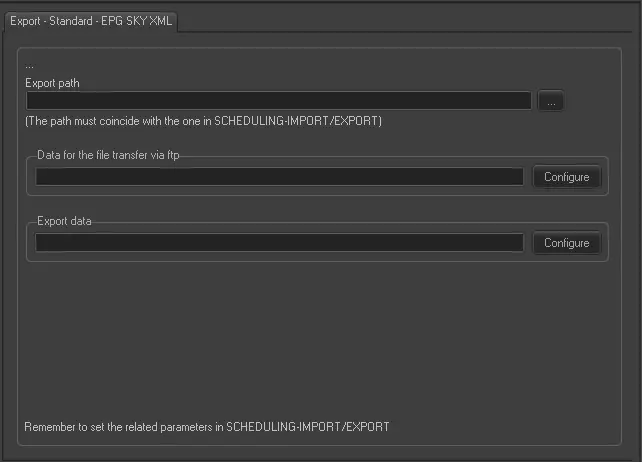
Export - Standard - EPG SKY XML
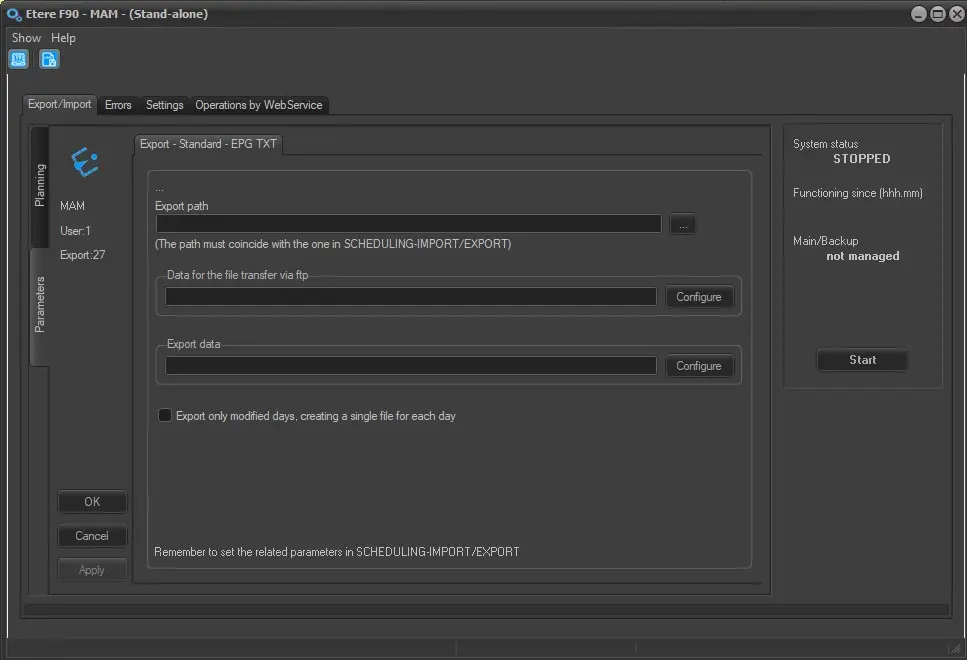
Export Path (leave it blank to not export it) - This parameter is required only if you intend to save the to a folder on a computer in your network.
This path must coincide with the path set in Etere Scheduling > Import/Export.
Data for the file transfer via FTP - Click on the Configure button and define the FTP parameters as described in Configure Data File Transfer via FTP chapter.
Export data - Opens the Configure Export window to specify the days that would be exported and the frequency they would be exported.
Only for EPG TXT export, in this section is present an additional parameter, called Export the whole month of the current date. This option allows to export, for example, from 01/03/2026 to 31/03/2026 if the current day is 03/03/2026. However, in case less than 7 days are left until the end of the month, F90 will export automatically also the next month.
Export only modified days, creating a single file for each day - Allows to export only the changed schedules, instead of exporting always every schedule day in the configured range of days to export.
For example, if F90 is set to export the next 7 days and this option is enabled, the first time this export is launched all of them will be exported, but at the next runs, only the days which have been modified compared to the last run will be exported, creating a file for each day.
Instead, if this option is disabled, F90 will always export all the schedule days in the range, creating a single file for the whole range.
This option is available only for EXPORT STANDARD EPG TXT.
export_standard_epg_txt
So not forget to APPLY the changes once you have configured this function.
Scheduling related export
Remember to set the same parameters in Etere Scheduling > Import/Export module (EPG TXT, EPG XML-3, EPG XML-LA7, EPG XML-COLBY and EPG XML-TIMB.).
EXPORT_STANDARD_EPG_TXT -> The file can be exported on AMAZON AWS3 by starting from ETERE EtereInstall_36.1.120.9214.zip
 Export_-_Standard_-_EPG_SKY_XML
 export_standard_epg_txt