59.8.2.7 View the cleanup logs
Monitoring the status of the automatic cleanup process is possible through the View > Devices space cleanup menu function; it is also possible to consult all the cleanup operations performed by the Monitoring Console:
Devices_space_cleanup
Example: Cleanup not needed
2012/09/25 15:45:37 [INFO] [checking device VS-MTX3] BEGIN
2012/09/25 15:45:37 [INFO] - cleanup polling frequency: 15 minutes (s)
2012/09/25 15:45:37 [INFO] - used space: 43%
2012/09/25 15:45:37 [INFO] - threshold: 80%
2012/09/25 15:45:37 [INFO] [checked device VS-MTX3] END
Example: Cleanup needed
2012/09/25 15:51:13 [INFO] [checking device VS-MTX3] BEGIN
2012/09/25 15:51:13 [INFO] - cleanup polling frequency: 15 minutes (s)
2012/09/25 15:51:13 [INFO] - used space: 96%
2012/09/25 15:51:13 [INFO] - threshold: 80%
2012/09/25 15:51:13 [INFO] - cleanup workflow: MM Cleanup on MTX3 (id=124)
2012/09/25 15:51:13 [INFO] - maximum active workflows: 2
2012/09/25 15:51:14 [INFO] - asset ID = 8
2012/09/25 15:51:14 [INFO] - cleanup workflow already running
2012/09/25 15:51:14 [INFO] - asset ID = 10
2012/09/25 15:51:14 [INFO] - attach cleanup workflow
2012/09/25 15:51:18 [INFO] - cleanup workflow started, DONE.
2012/09/25 15:51:18 [INFO] - asset ID = 23
2012/09/25 15:51:18 [INFO] - attach cleanup workflow
2012/09/25 15:51:22 [INFO] - cleanup workflow started, DONE.
2012/09/25 15:51:22 [INFO] [checked device VS-MTX3] END
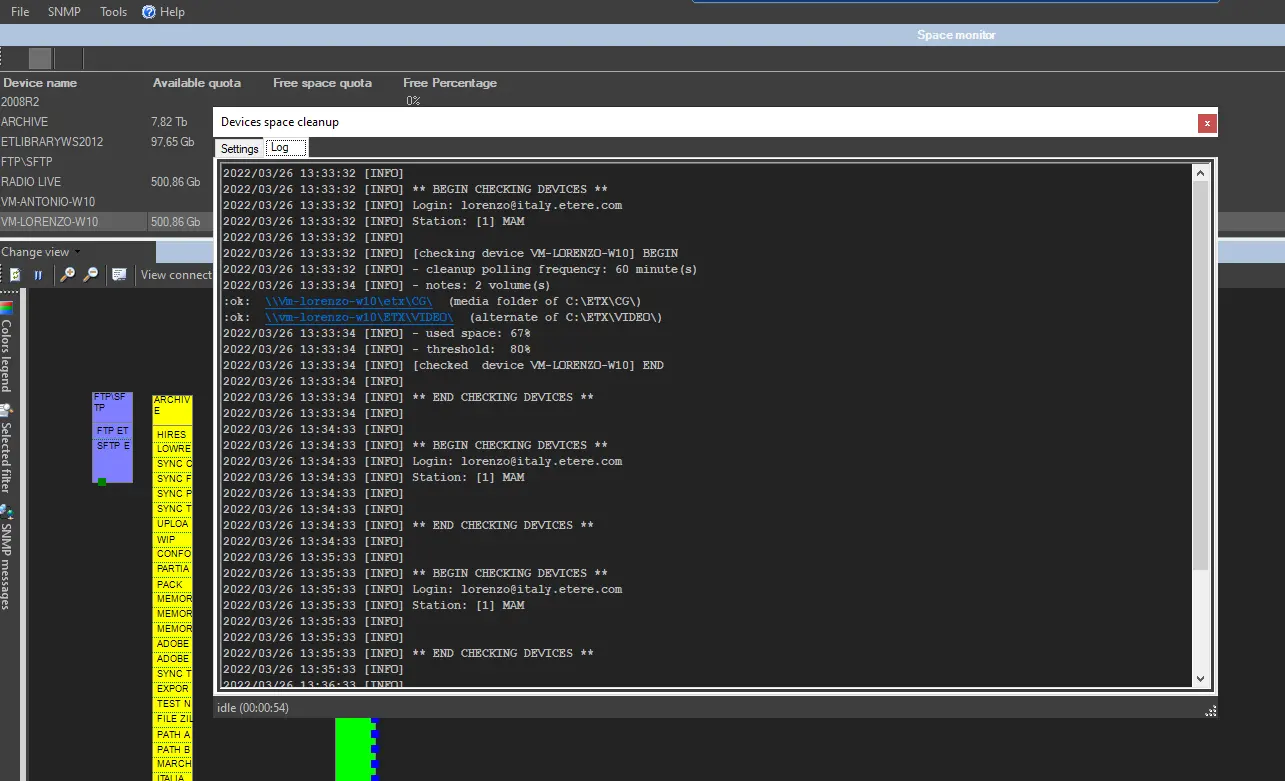 Devices_space_cleanup.