9.2.4.15 Relationship
The Relationship TAB defines the relationship between parent assets and child assets, providing flexibility for the parent asset to handle unlimited child assets with similar functionality.
Relationship
The left panel displays the parent asset with child assets linked to the parent asset. When you click on any asset from the left panel, the asset data will be displayed in the right panel; asset data includes asset ID, asset code and type, asset title, episode number, duration and scheduled duration.
You can view the assets on the left panel by using the expand or collapse all icon.
When managing asset relationships, the following rules are applied:
- The parent asset must be linked to one or more child assets
- One child asset can link to only one parent asset
- For the super-child asset, it allows linking to one parent asset, the parent asset allowed only one super-child asset to be linked
- One sub-parent asset subordinate to one child asset, child asset allowed associate to unlimited sub-parent asset
- Parent and child assets can have multiple versions of metadata
Link child asset
To link a child asset to a parent asset, click the link asset icon on the left panel to launch the dialogue box.
Link_child_asset
You can filter assets by their asset ID, asset code, or titles from the dialogue box to extract the assets. Select the assets to link to the parent asset from the search results by clicking the <Insert> button.
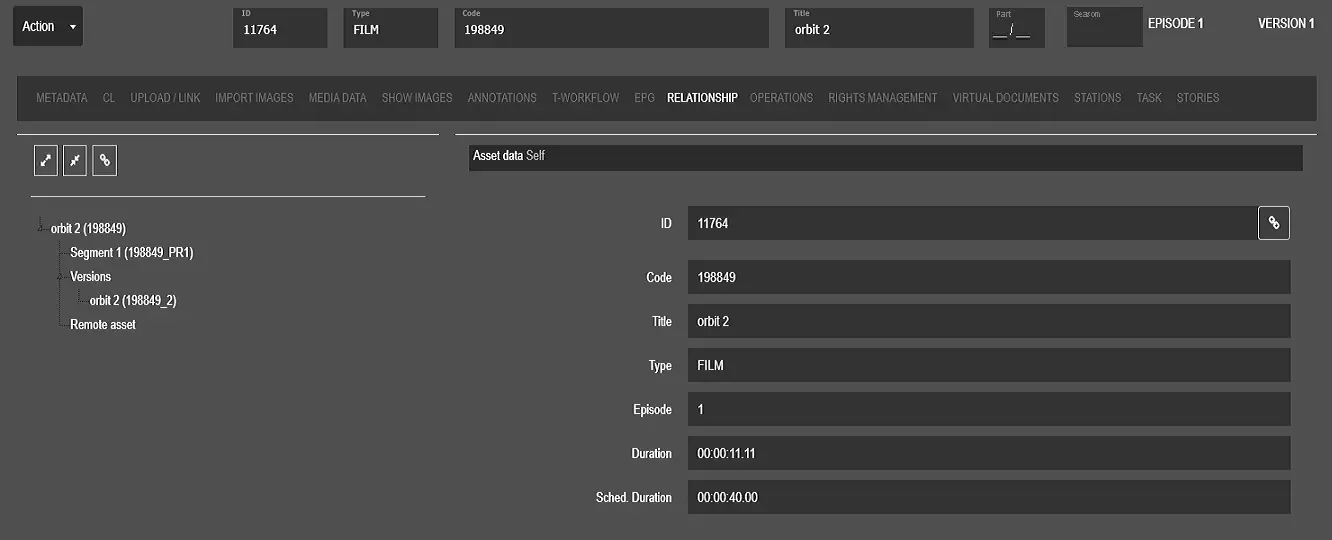 Relationship
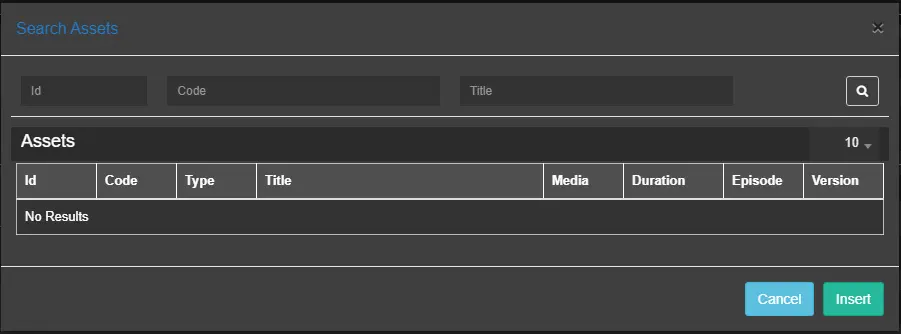 Link_child_asset