59.4.15 Telestream Vantage
Vantage is a software solution for automatic T-workflow-based video transcoding. Vantage transcoding T-workflows make content production, multi-screen delivery, and device interoperability a hands-off process. Vantage brings transcoding, media capture, metadata processing, and analysis features. Groundbreaking process design allows you to build a flexible, scalable system while delivering predictable, visible, reliable results.
Vantage_integration
Etere can integrate with Vantage to trigger transcoding T-workflows and get progress and status updates. Etere provides the capability of creating custom "Vantage integration" actions to request -via T-workflow- the execution of file transcoding based on Vantage T-workflows for media files stored on Etere metadevices.
Note:
The "Vantage Integration" section is available only if the station has a valid license.
Vantage integration actions allows passing extra variables (e.g. EtereDestinationFile1, EtereDestinationFile2, etc.) to Vantage systems (e.g. to improve balanced operations).
Note: Any customers using the Vantage API from version 24 when they upgrade to version 25.2 will need to change due to the support of variables from Vantage.
Creating a new action
This action can be implemented by pressing the [New] button and compiling all required information as follows:
Creating_a_new_action
To create this action, you need to compile all necessary data following the procedure detailed below:
1. Press the [New] button or open an existing action, then set the following parameters:
Devices and Codecs
Parameters: Source device & codec
Description: Indicate the metadevice in which files to be transcoded is stored, specifying the exact codec (extension) to be processed.
Parameters: Destination device & codec
Description: Indicate the metadevice in which files will be stored once transcoded, specifying the exact codec (extension).
Parameters: Process type
Description: Indicates that the current action is a "Vantage integration".
2. Under the Basic settings tab, compile the parameters regarding the identification and behaviour of the action.
3. Under the Process settings tab, set the parameters that define the execution of the action.
4. Press the [Save] button to apply changes and store the action in the database.
5. Use the T-Workflow Designer to include the action in a T-workflow (e.g. to transcode files through a Vantage system):
transcode_files_through_a_Vantage_system
6. During the transfer, the completion progress can be monitored from the "Workflow Monitor":
completion_progress
NB: Besides the Workflow Monitor, a detailed report can also be consulted from the Media Library under the Workflows tab.
7. Once the transcoding is completed, the new media will appear in the Media Library under the Media tab of the asset.
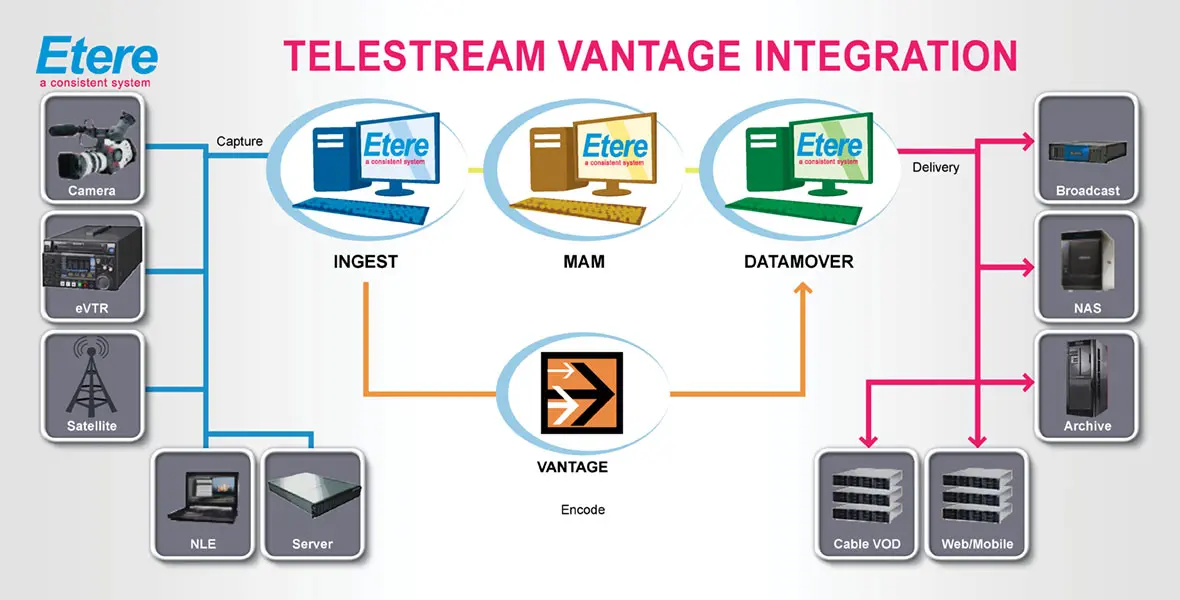 Vantage_integration
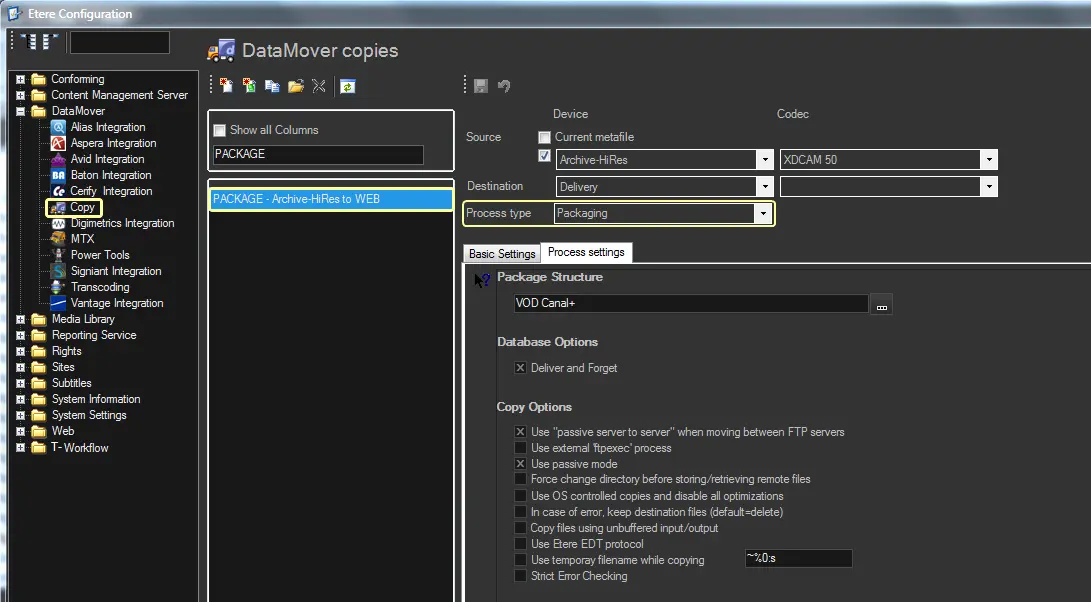 Creating_a_new_action
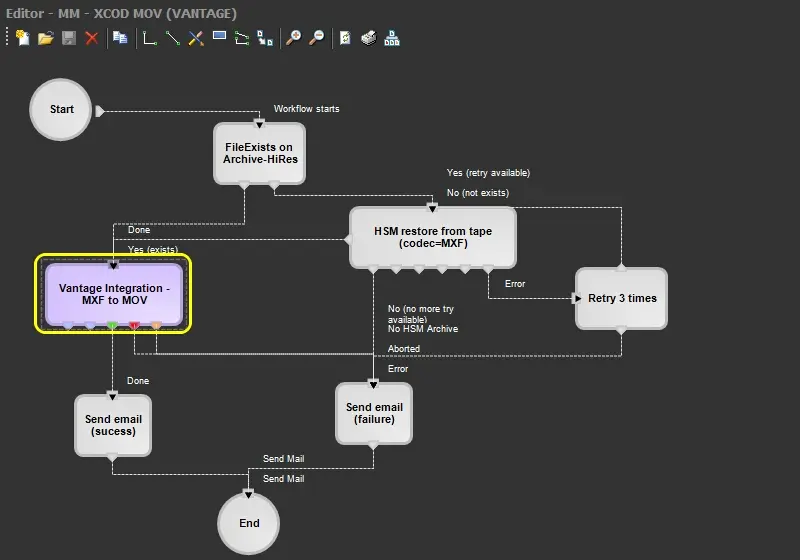 transcode_files_through_a_Vantage_system
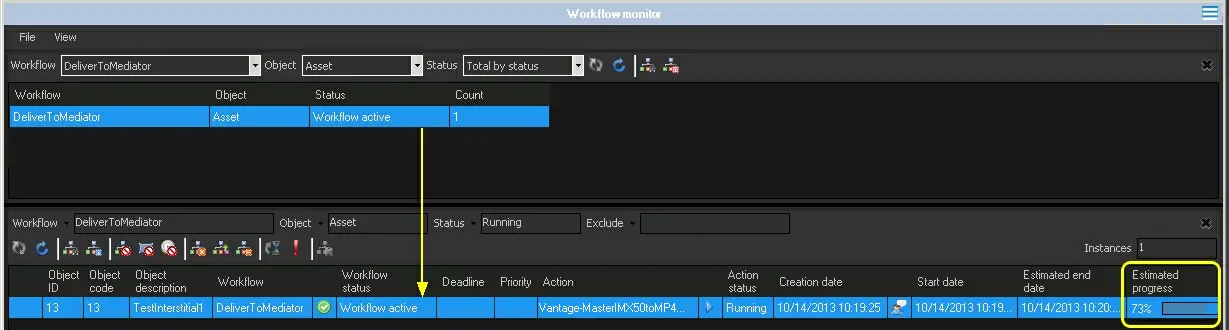 completion_progress