15.17.6 Media manager service
In this section, you can view and configure the general parameters of the Media Manager service and apply them to each instance running within the Etere ecosystem.
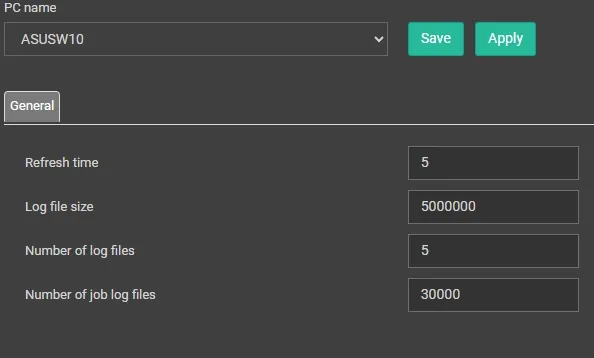
media manager service settings
From the PC Name drop-down list, select the workstation where the Media Manager service you want to configure is running. You can then configure the parameters described below:
• Refresh time: Sets the interval, in minutes, at which jobs are searched for in the database. (Default: 5 minutes)
• Log file size: Specifies the maximum size, in bytes, of each log file saved in the Log folder of the selected workstation. (Default: 5,000,000 bytes = 5MB)
• Number of log files: Specifies the number of general log files that are created before the oldest log file is overwritten with new log entries.
• Number of job log files: Specifies the number of log files retained for individual jobs executed by the Media Manager service.
Once the user has configured all the parameters, they can click Save to store them in the database and Apply to immediately apply the changes to the selected service.
 media_manager_service_settings