70.5.3 Using the HSM Disaster Recovery
Once all installation have been accomplished, in order to start using the HSM Disaster Recovery utility just follow the simple procedure described below:
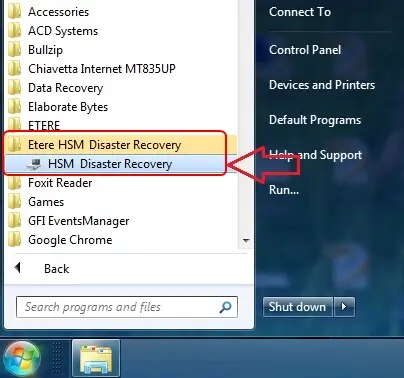
1.Launch the utility from the start menu (Etere HSM Disaster Recovery > "Disaster Recovery") on the same computer on which the tape drive is installed:
HSM Disaster Recovery
2.Select the drive from which content will be restored:
Tape devices
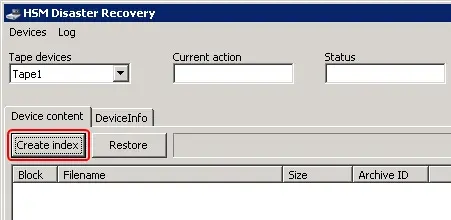
3.Press the [Create index] button to refresh the list of available files:
Create index
Note that the [Stop] button can be pressed at any time to stop the current indexing operation, already indexed files will remain in the list of contents.
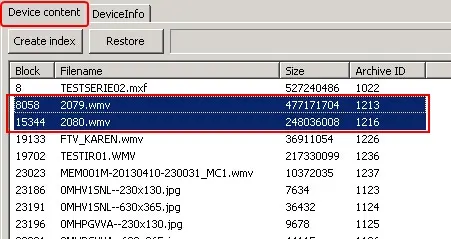
4.Select the files to be restored by clicking on them, multiple files can be selected by using the [Control] and [Shift] keys:
Device content
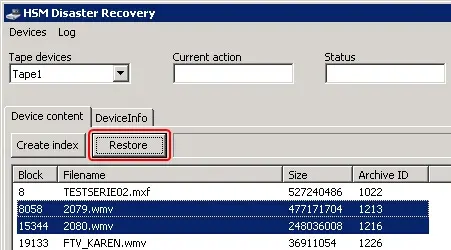
5.Press the [Restore] button to start restoring the selected file(s):
Restore
Note that the [Abort] button can be pressed at any time to cancel the current restore operation.
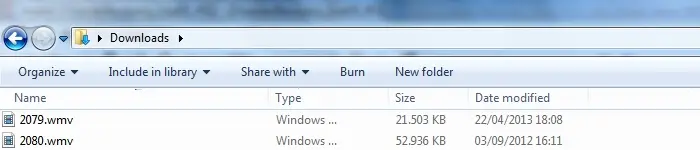
6.A dialog will be prompted to select the directory on which content should be restored, then, all selected files will be restored:
Select directory
Detailed information on all sections, parameters and functions available can be consulted in the User interface chapter.
Note
In order to manage tape drives, user must have local administrator permissions and the Windows UAC must be disabled.
 Device_content
 Restore
 HSM_Disaster_Recovery
 Select_directory
 Create_index
 Tape_devices