94 Stratus Integration
Etere Stratus Console is an application to integrate GV STRATUS MAM in Etere environment.
It is made up of two principal components:
- an internal running service that provides the Etere contents to Stratus.
- a client thread that polls Stratus to query transfer jobs in order to execute the suitable ones.
Preface: GV STRATUS CONTROL PANEL settings
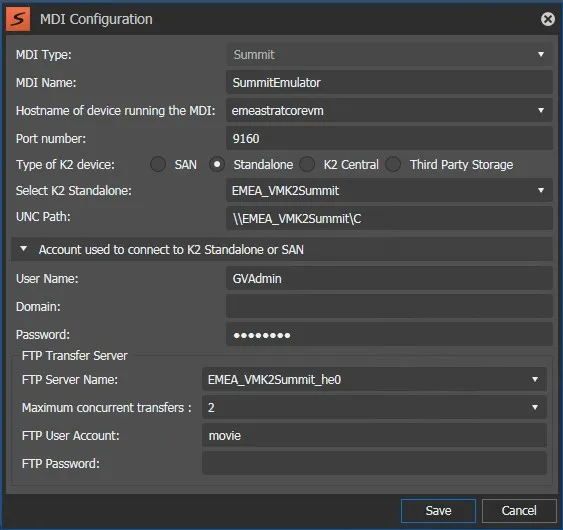
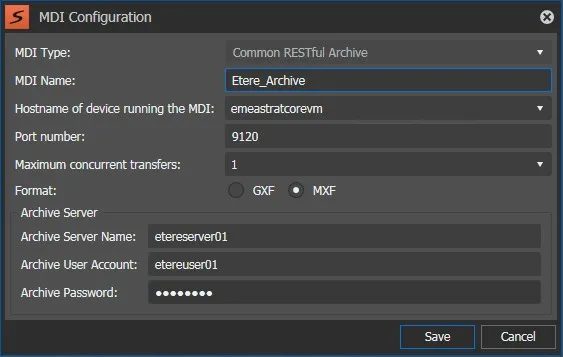
In the GV STRATUS CONTROL PANEL, section MDI Configration, you have to add all the GV devices you want to manage, and also a Common RESTful Archive device for Etere Stratus integration.
[gv managed devices]
Eg. - Summit device.
[MDI configuration]
Eg. - Common RESTful Archive device for Etere Stratus integration.
Type in ‘Archive Server’ the server where Etere Stratus integration service will run, and the credential to access.
[RESTful Archive]
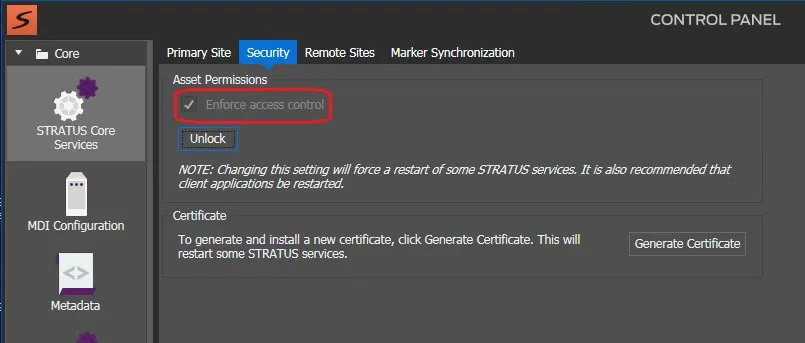
Please also note the Asset Permission setup regarding the access control, this will be useful for Etere Stratus Console configuration.
GV strongly recommends to enforce access control.
[enforce access control]
Preface: GV STRATUS console
So, in the GV STRATUS console, you will see the contents of the configured devices:
[gv devices]
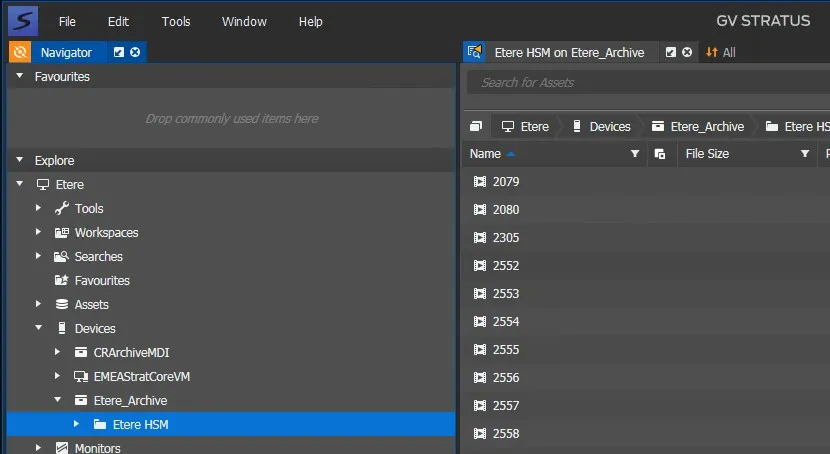
And the contents of Etere, if Etere Stratus integration service is running:
[stratus contents]
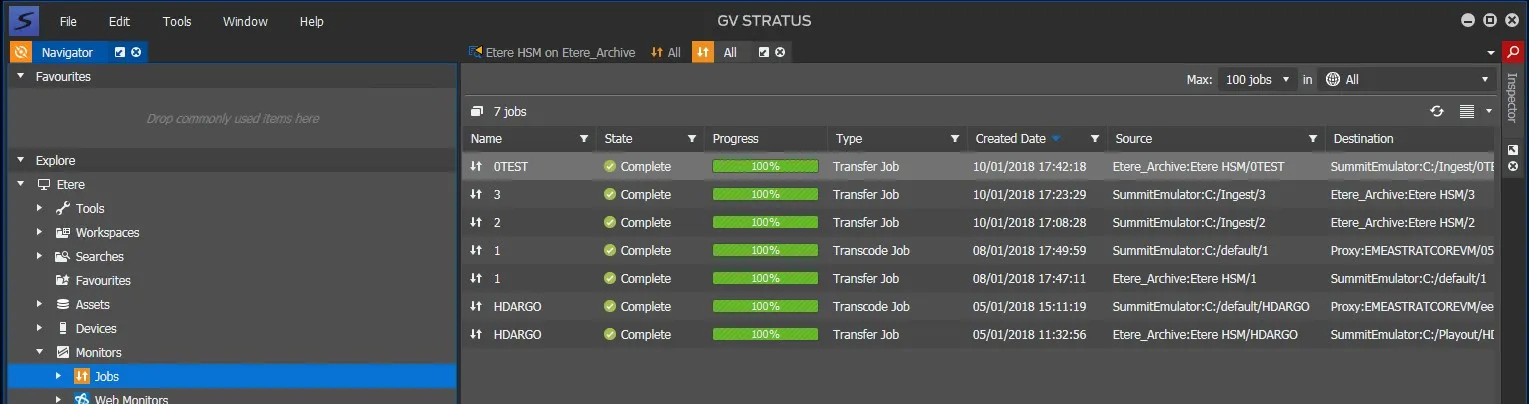
Now you can copy assets among the devices, and watch the operations in the Monitors / Jobs:
[jobs monitor]
Etere startup: Create the videoserver resource in Etere
Whether the GV resource does not already exist in Etere, you need to create it in Etere Configuration / Resource Editor.
Eg. – new resource properties:
[gv properties]
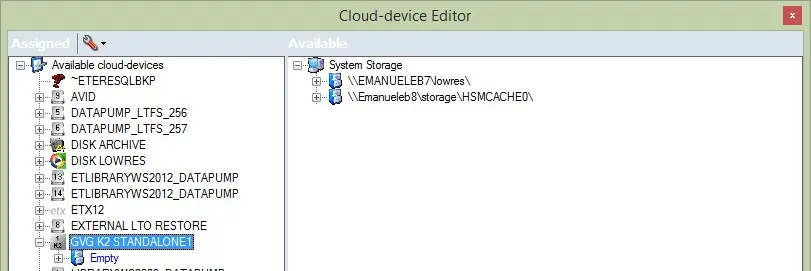
Resource Editor will create automatically a related cloud-device (in this case GVG K2 STANDALONE1), with an empty path inside.
You can rename the cloud-device.
[gv cloud device]
Automatic set up of Media Folders
Etere Stratus Integration will insert automatically the needed videoserver path(s) in Etere Media Folders, with the username and password specified in the DAL of related resource in Resource Editor.
A path is inserted when needed for an Archive o Restore operation.
[gv media folder]
Etere Stratus Integration feature
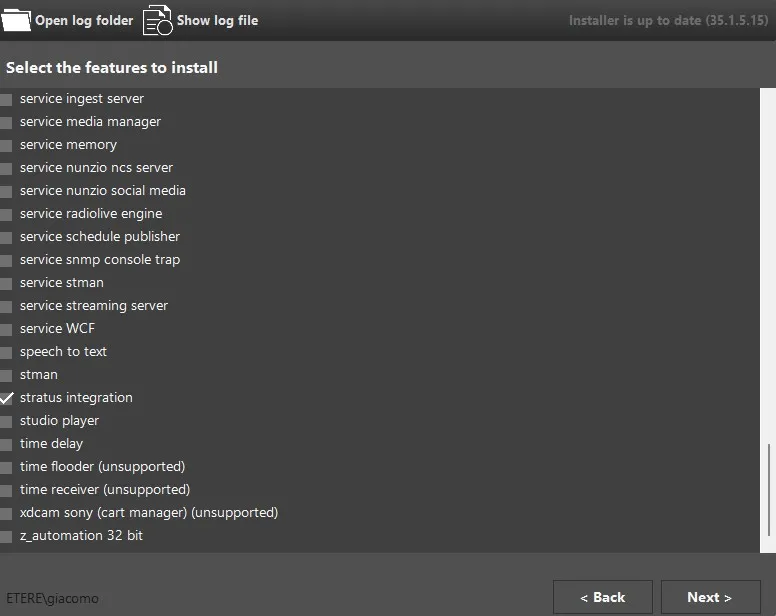
Starting from Etere 28.1, you can install Stratus Integration feature from Etere installation.
[Stratus Integration - Installer]
Etere Stratus Console
Etere Stratus Integration service
Etere Stratus Integration service provides to Stratus the Etere contents to be viewed by Stratus, that is all Etere assets of the types having ‘Stratus’ property. If no type has got this property, then all assets are listed.
Etere Stratus Integration client
Etere Stratus Integration client polls Stratus to query transfer jobs having source or destination as Etere device (see fig. 3 and 7) and:
- for queued jobs to Archive to Etere:
. create an Etere Asset if there is no one matching the Stratus Asset to be archived, that is Etere asset code equals Stratus asset name.
. create the source metafile (if there is no one matching) linked to the Etere Asset
. attach workflow for Stratus Asset Archive to the Etere Asset
. update Stratus job status
- for queued jobs to Restore from Etere:
. get the Etere Asset matching the Stratus Asset to be restored
. attach to the Etere Asset the workflow for Stratus Asset Restore
. update job status
- for running jobs:
. get the Etere Asset matching the Stratus Asset to be restored
. update job status relatively to the its Etere workflow status
Configuration
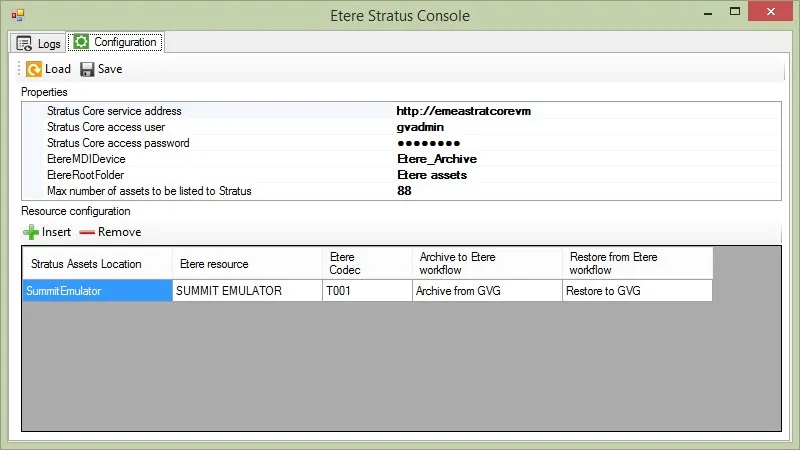
First you have to configure properties:
- Stratus Core service address: that is the host of the server where the Stratus Core is running.
If Stratus Access Control is enabled, it needs to be https, this will make Etere Stratus Console to use Stratus session management to communicate; Stratus Access Control is set in Stratus CONTROL PANEL (see fig. 4).
- Stratus Core access user & password: the credentials to access, whether Stratus Access Control is enabled (and so the service address is https).
- Etere MDI device name: the name of the MDI RESTful Archive configured in Stratus for Etere (see fig. 3).
- Etere MDI device root folder: this is how the root of the Etere MDI Archive will be named (see fig. 6).
And the resources to use:
- Stratus Assets Location: the name of the GV device as it is in the GV STRATUS (see fig. 2 and 5).
- Etere resource: the resource configured in Etere corresponding to the GV device.
- Etere codec: the codec for the metafiles imported from Stratus.
- Archive to Etere workflow: the workflow to use to archive an asset from Stratus to Etere.
Restore from Etere workflow: the workflow to use to restore an asset from Etere to Stratus.
[Etere Stratus Console]
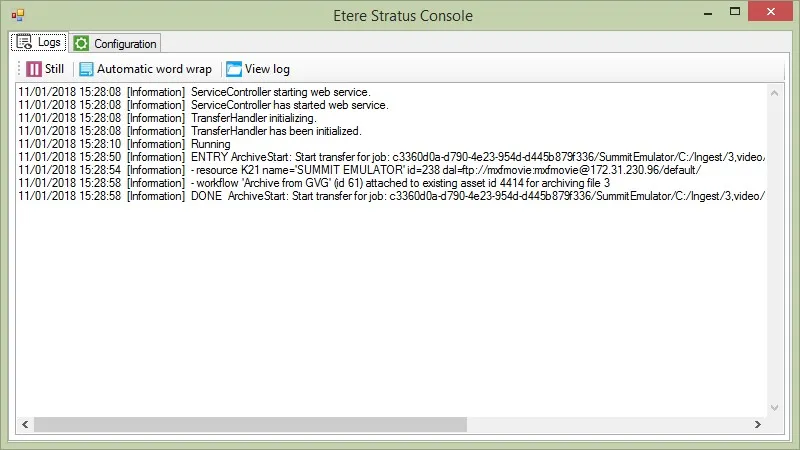
Logs
Here you can monitor the work of the Etere Stratus Integration.
[Stratus logs]
 gv_managed_devices
 MDI_configuration
 RESTful_Archive
 enforce_access_control
 gv_devices
 stratus_contents
 jobs_monitor
 gv_properties
 gv_cloud_device
 gv_media_folder
 Stratus_Integration_-_Installer
 Etere_Stratus_Console
 Stratus_logs