59.2.2.7 Rotation Tables
When scheduling events using the Commercial Orders Air Sales application, one of the rules that can be set is to use a user-defined rotation table. These tables are configured in this section.
Note:
Please note that in the case of using the Lite version of Etere, this section won't
be available due to the capabilities limitations of lite channels.
Creating rotation tables
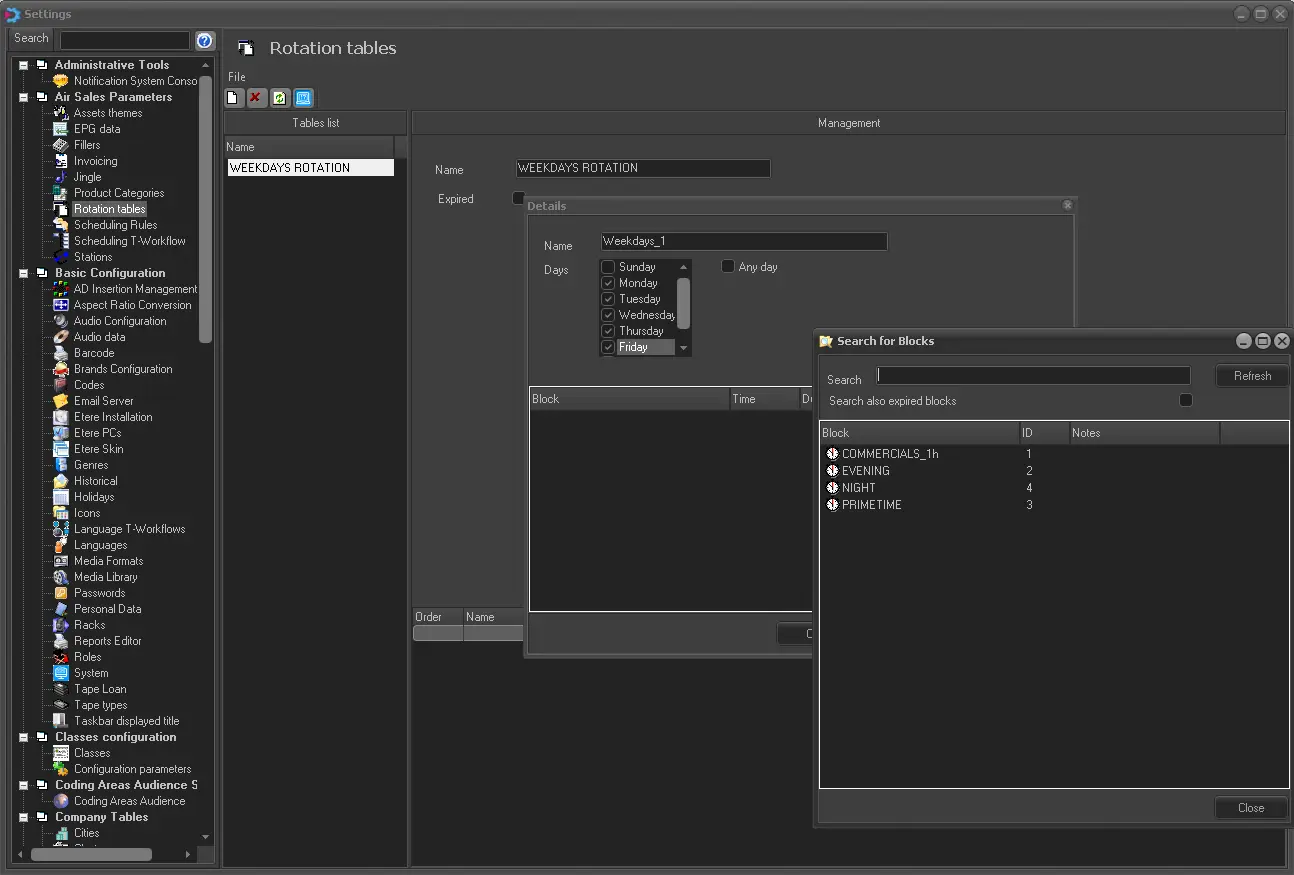
Create a 'new' main table list and in the 'Order / Name' section right, click to add individual tables that feature in the main list. By selecting add, a new window will appear:
- insert the name of the table.
- specify the days in which the event must feature.
- in the bottom section, right-click to add segments from various pre-configured blocks.
creating_rotationtables
Using rotational tables
In the Etere Air Sales > Sales > Orders > Lines > Scheduling > Assets Assignment phase, you can select which rotation table should be used for scheduling.
 creating_rotationtables