Radio Live Playout
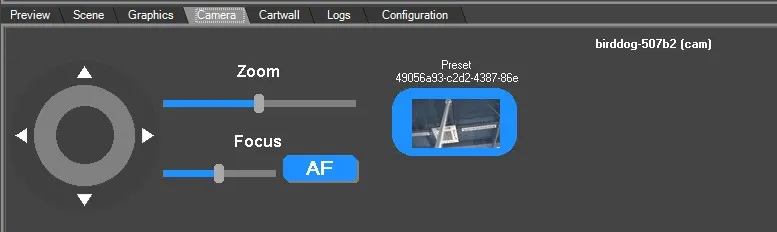
91.4.8 Camera tab
In this part you can set the presets configured by the Etere Camera Control module to display on
Radio Live Playout.
start by checking the "Camera Control" option on Configuration > Automation.
Note: On how to configure presets and camera settings, you need to visit the chapter "Etere Camera Control".
On Camera tab , the set camera preset can be controlled via trackpad and Zoom and Focus can be set on suitable values.
 Camera_Control