Censoring video
58.3.9 Action: Alert
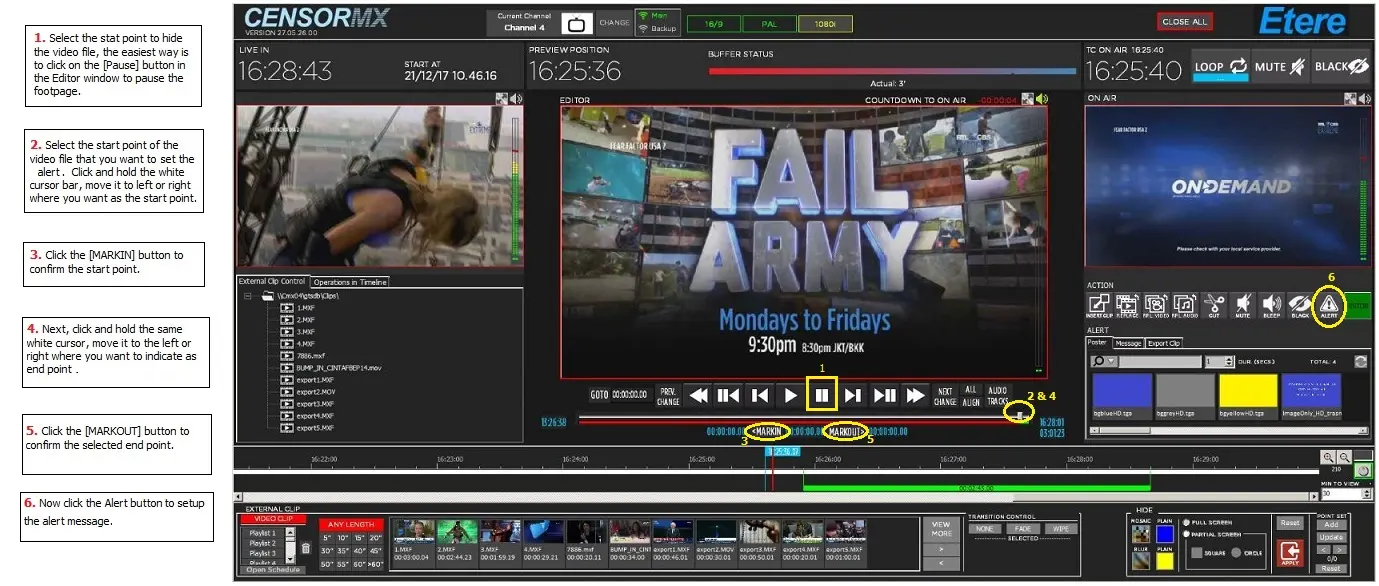
How to apply an alert
Alert_gui_new
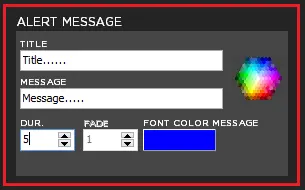
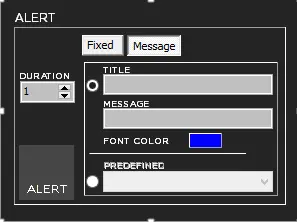
Alert message settings
Alert_new
- The title must be a maximum length of 30 characters.
- The message must be a maximum length of 30 characters.
- It is necessary to set two files in configurations for the alert to apply alert.
- The two files are Graphics Files for Alert Messages Template (vpm) and Background (.tga).
- Fade is not used.
- The duration of the message is dependent on the Marks on the Timeline or only on the MarkIn on the Timeline; in this case, the duration will be set as defined in the alert message parameters.
There are two types of Alert Message:
- Fixed
- Message
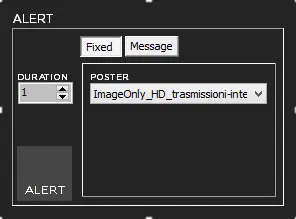
Alert_msg1
Important notes:
- Image files are with extension .tga, .png, and .jpg; the file name start with "ImageOnly" (e.g. ImageOnly_HD_Transmission_Interrupt.png)and have the same video size (es.720x576 or 1920x1080, or 1920x1080 if full HD). The image files must reside in the same path as the graphic files (default files: \\servername\CensorMx\graph).
- All image files in the path will be loaded in a ComboBox during Startup.
Message - After entering the title and message in the fields, set the Timeline and specify the duration in the fields provided.
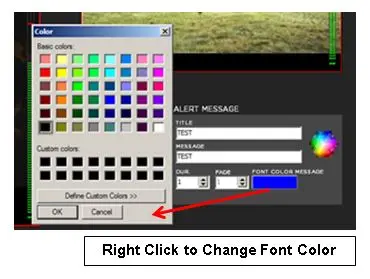
Alert_msg2 - Change the font colour of the message by right click on the panel.
Capture
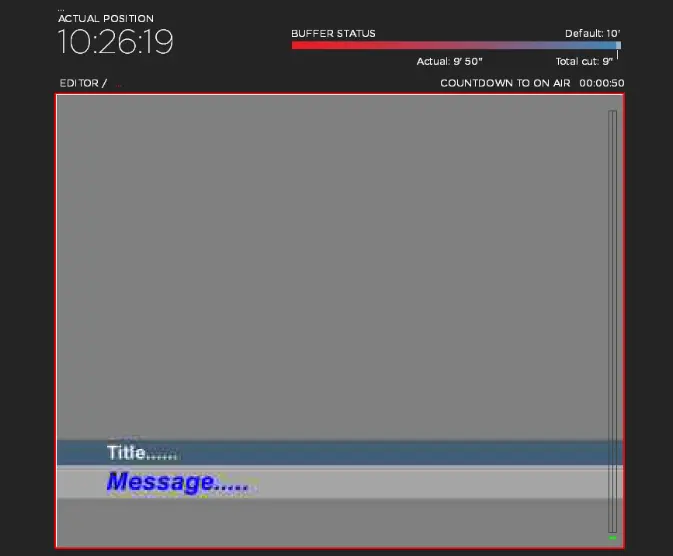
Example of alert message
Example_new
 Alert_gui_new
 Example_new
 Alert_msg1
 Alert_new
 Alert_msg2
 Capture