15.16 T-workflow viewer
Overview
The T-WORKFLOW VIEWER is a feature available in the SYSTEM section of ETERE WEB. It allows users to open and visually explore the structure of a workflow existing in the DB directly from the web interface. This tool is designed to provide a clear and interactive representation of workflow configurations without requiring access to the desktop environment.
Accessing the T-WORKFLOW VIEWER
Navigate to the SYSTEM section in ETERE WEB.
From the left-hand menu, click on T-WORKFLOW VIEWER.
A new form will open, displaying the workflow selection interface.
Workflow Selection
Inside the T-WORKFLOW VIEWER interface, users will find:
Dropdown List
A list containing all available workflows (WF) in the system.Searchable Combo Box
Users can type a workflow name (or part of it) into the combo box.
The system will automatically filter and display only the workflows that match the entered text.“View” Button
Located to the left of the dropdown list.
After selecting a workflow, click this button to open its structure.
Viewing the Workflow Structure
Once the View button is clicked:
A new window will open.
The complete structure of the selected workflow will be displayed in a graphical format.
This visualization allows users to understand the sequence and relationship between workflow actions.
Available Tools
1. Magnify Tool
The MAGNIFY button allows users to zoom into specific areas of the workflow.
This is particularly useful for large workflows that extend beyond the visible screen.
Users can focus on detailed sections without losing clarity.
2. Action Properties
The Action Properties option enables detailed inspection of workflow actions.
By clicking on any action (by using the left mouse button) within the workflow:
A panel or section will display all properties associated with that action.
This includes configuration parameters and relevant settings.
Key Benefits
Web-based access to workflow structures
Easy navigation and filtering of workflows
Interactive visualization for better understanding the wf structure
Detailed inspection of individual workflow actions
Zoom functionality for large and complex workflows
Notes
Ensure that the desired workflow exists in the system before attempting to view it.
Use the search function to quickly locate workflows in environments with many entries.
For optimal usability, use the magnify feature when working with complex or large workflows.
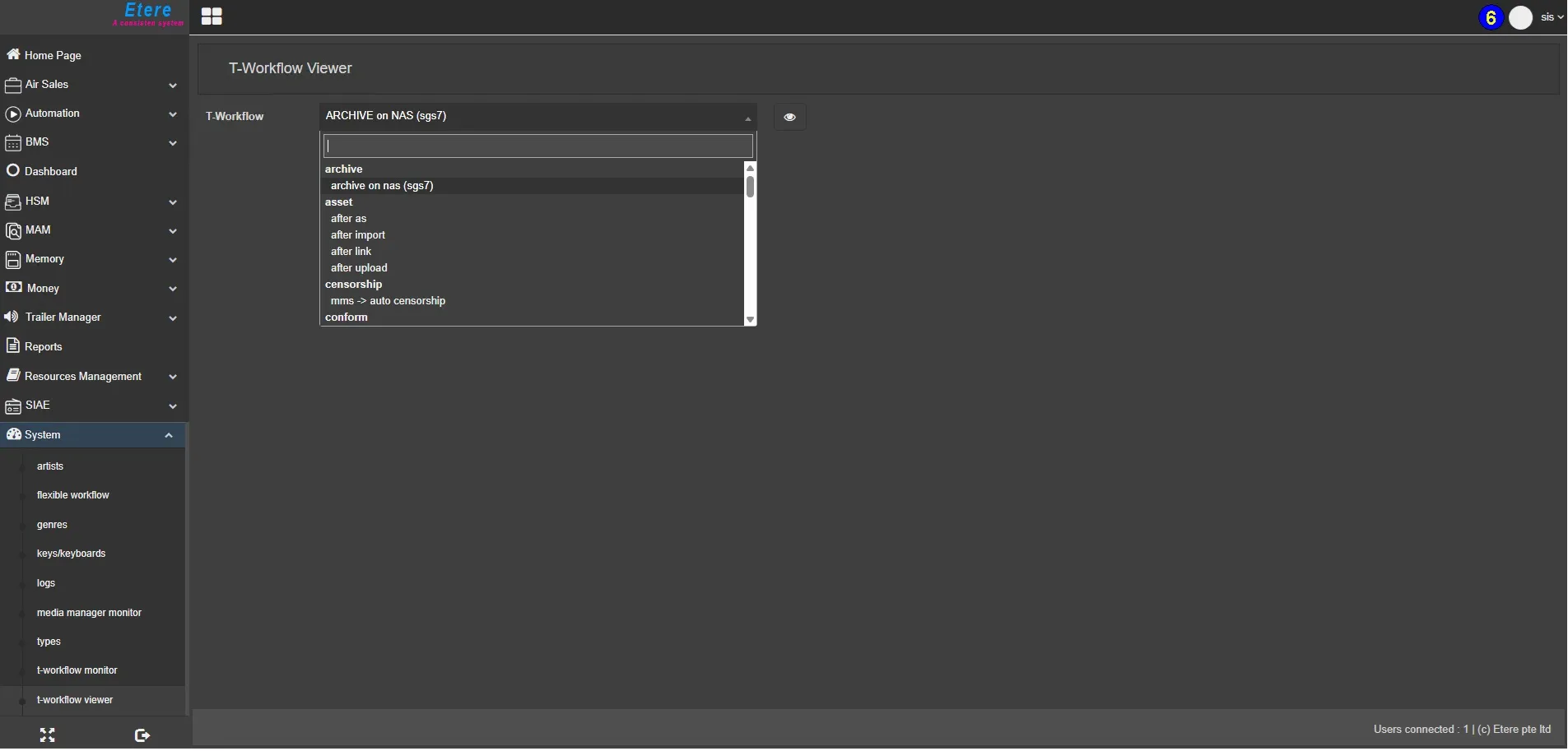 T-Workflow_Viewer
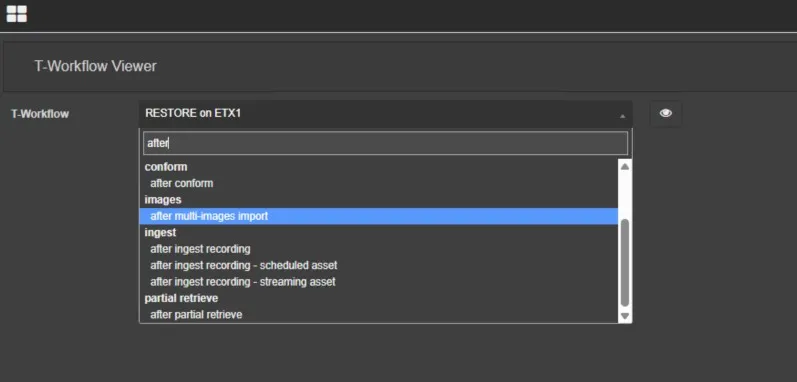 T-WF_searching
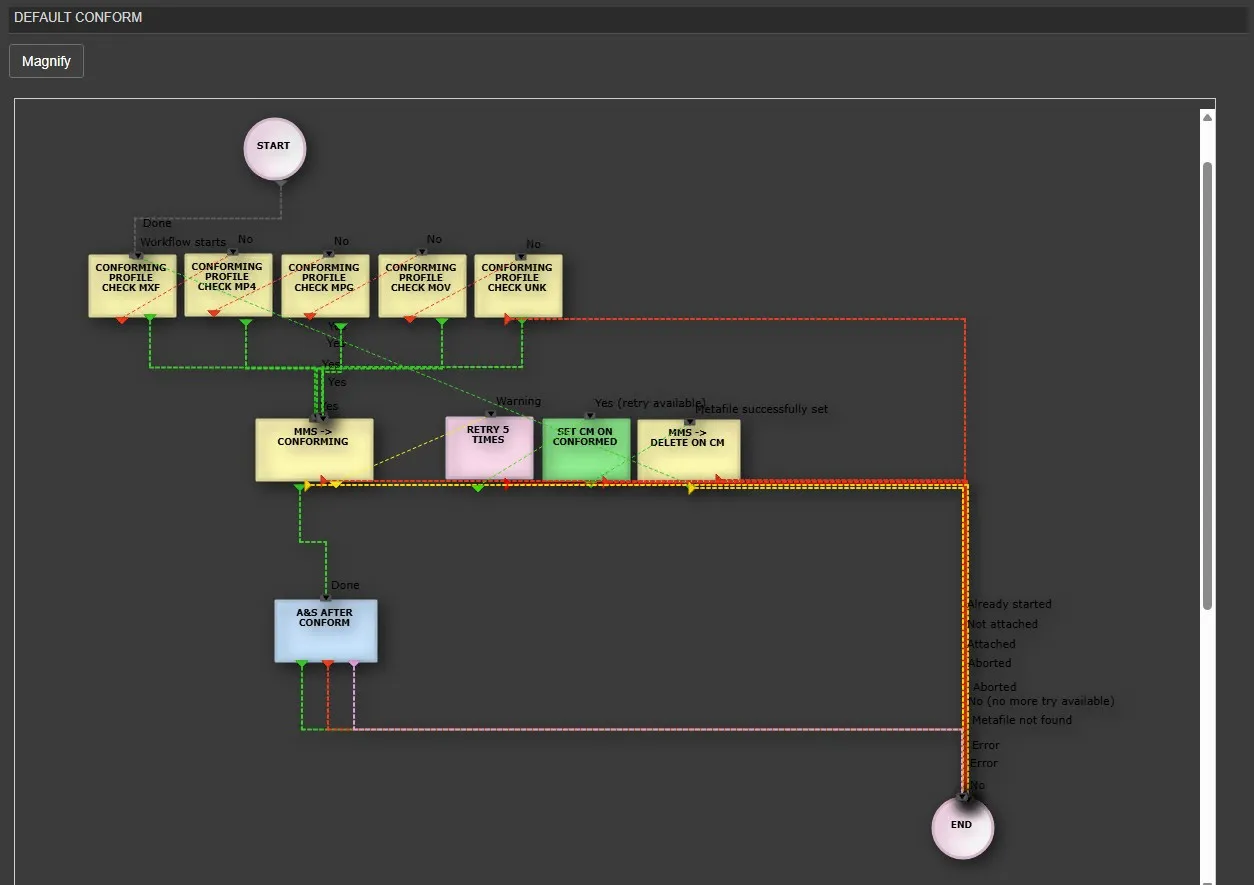 T-WF_Example_1
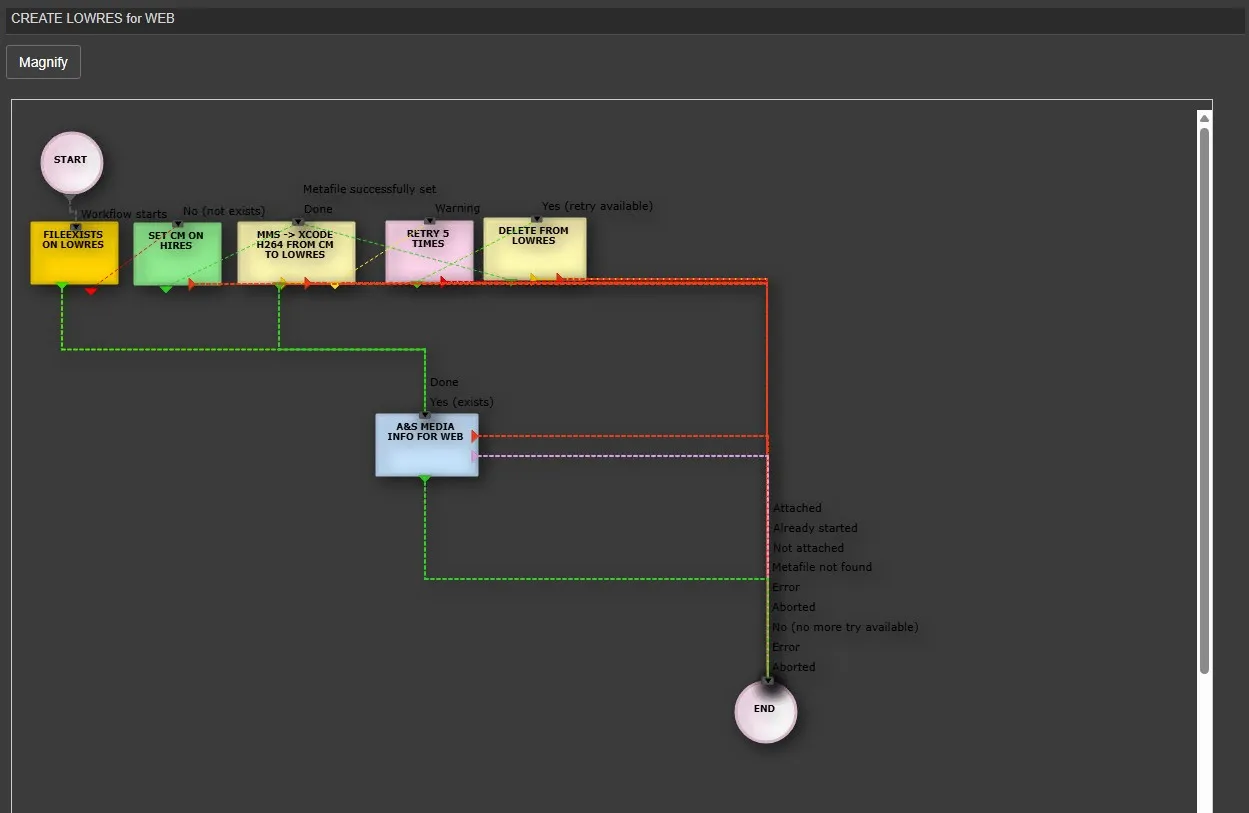 T-WF_Example_2
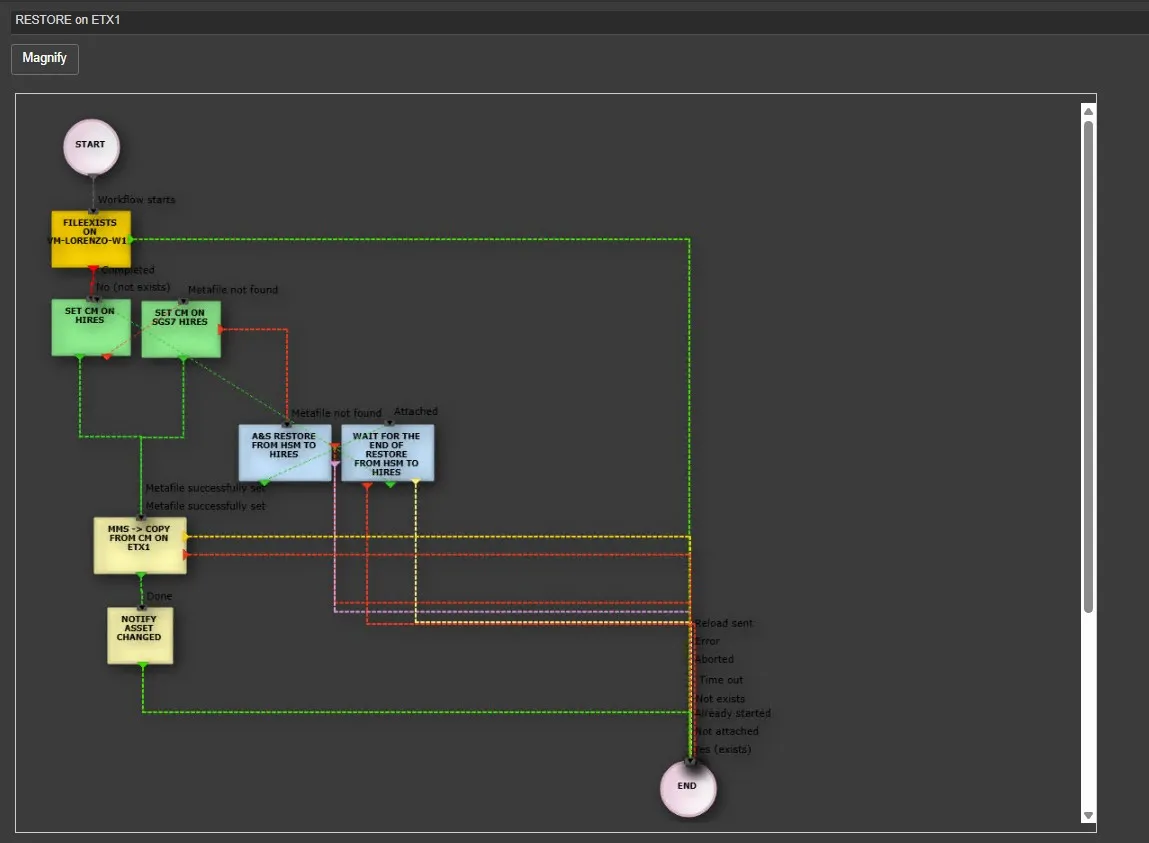 T-WF_Example_3
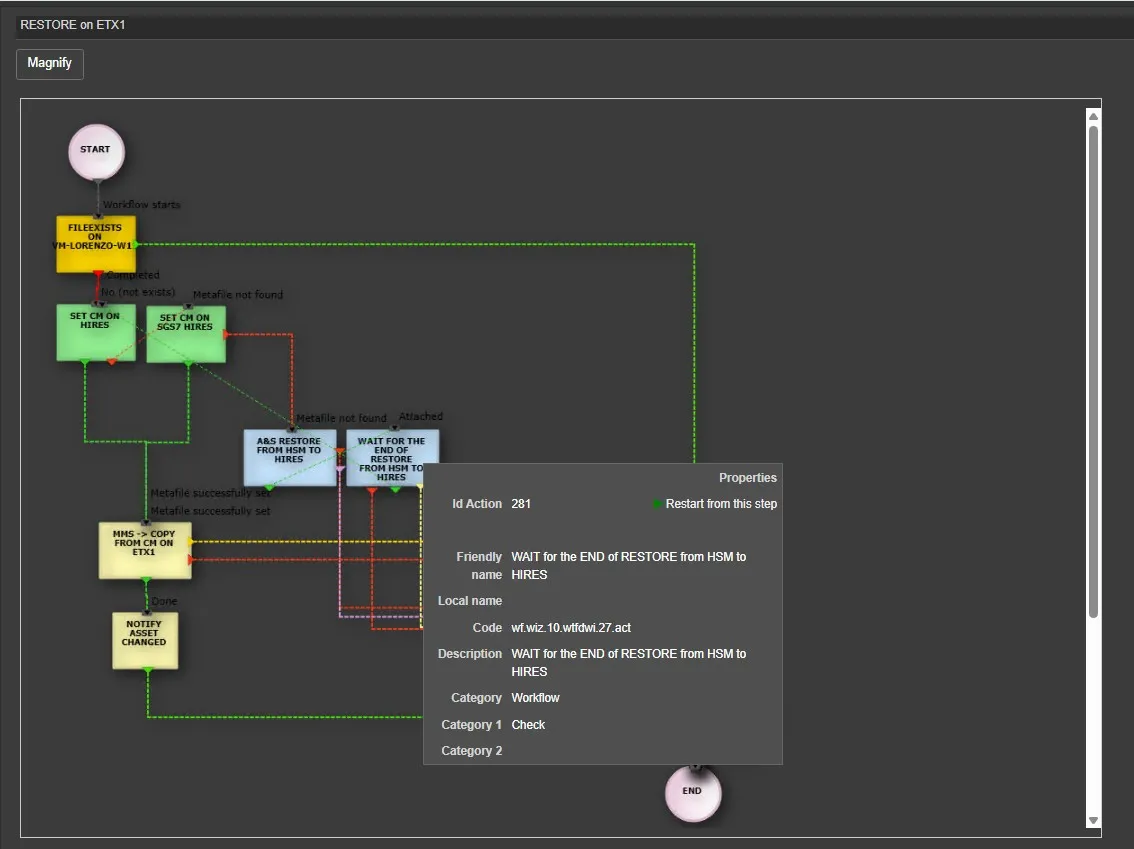 T-WF_Action_Properties
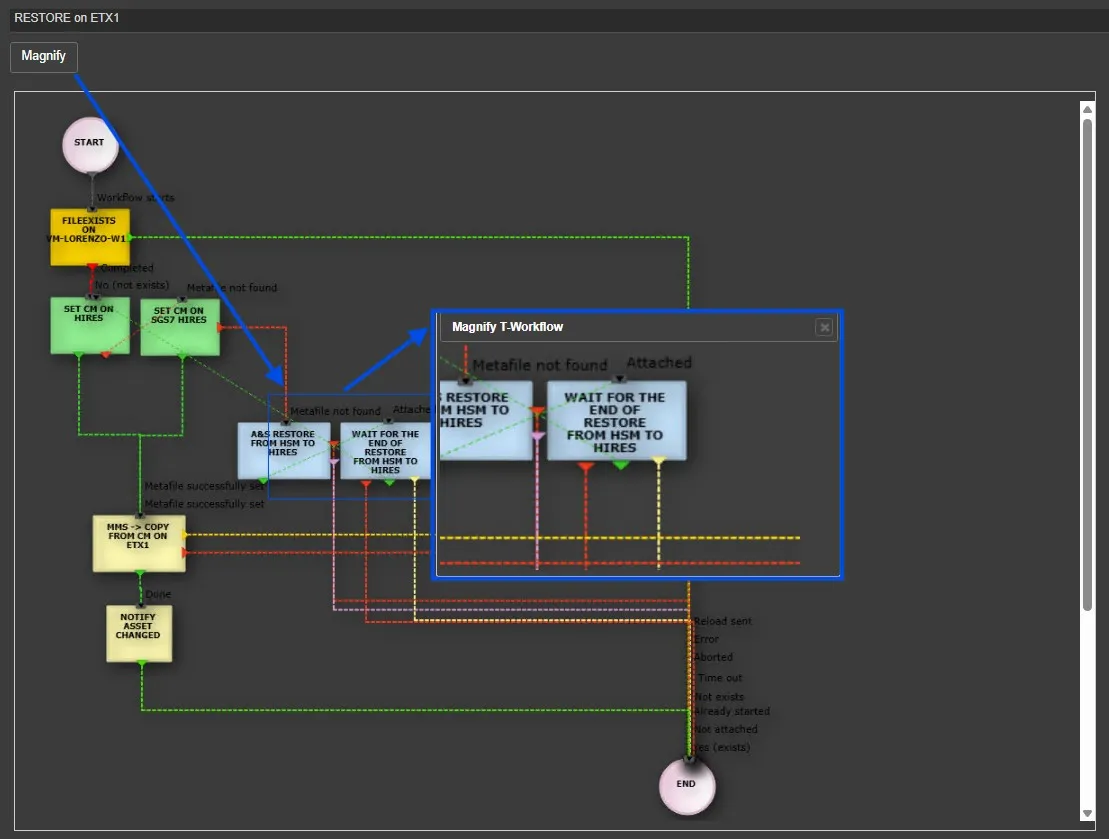 T-WF_Magnify