72.7.1 What is Subtitles Management
Etere allows managing subtitles since their production thanks to Etere Subtitle Tool, the solution that simplify the subtitling T-workflow by providing lowres video for editing and preview. Thanks to the availability of a web-based interface subtitles can be produced anywhere.
Etere Subtitles Tool gives you the chance to migrate from your complex standalone captioning system into a fully software based solution that use all the resources of MAM, able to simplify your subtitles handling thanks to a key set of features that includes the following:
➢User-friendly interface to produce your own subtitles
➢Free speech-to-text and accurate spell-checking
➢Simultaneous preview of multiple languages
➢Integrated T-workflow embedding of subtitles (VBI and VANC)
➢Import and export subtitles in all major standard formats
➢Full support for Unicode characters
➢Facilitated translation of subtitles between languages
➢Automatic playout of subtitles from IT-based servers
If you had installed Etere Closed Captions module in workstation, the “Subtitles Tool” module would be available in the Startup menu when you login to Etere MAM module.
In addition, user(s) that requires access to the Subtitles Tool must be assigned with “Allowed” rights to the “MAM\Subtitles Tool” function in Rights Management to view the icon in MAM Startup Menu.
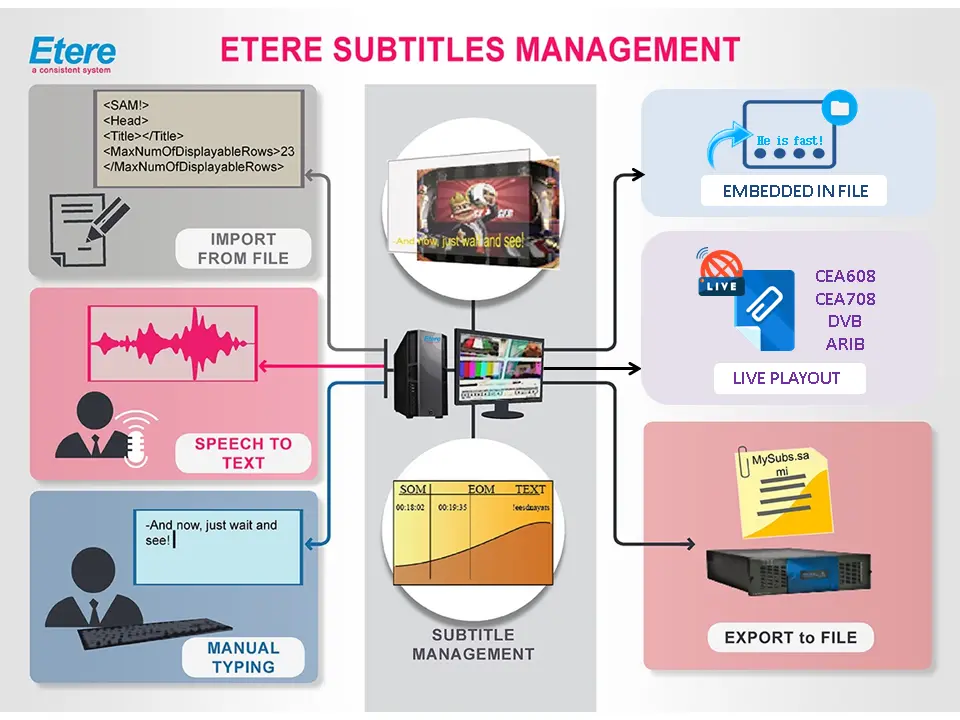 Etere_Subtitles_Management
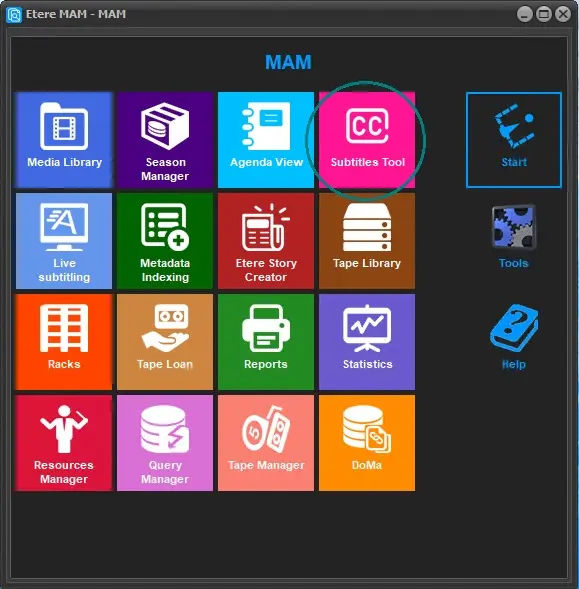 Subtitles_Tool