Etere Nunzio
12.3 View Rundown
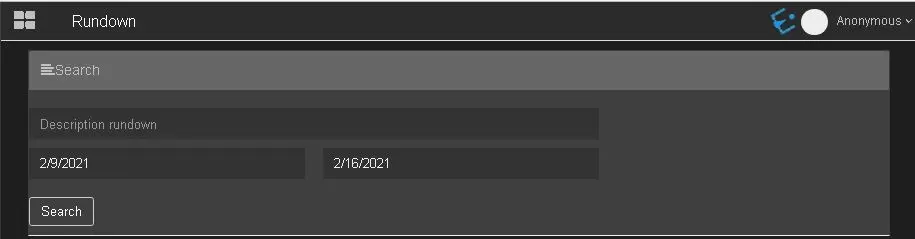
In the Rundown node, you can search for rundowns that match the search criteria.
Rundown 1
The Search filter includes:
- Description rundown: In the text box field, enter the description of the rundown to be filtered. Or leave it unchanged to bypass the description;
- Specify the start date and end date: to filter rundowns created with the date range;
Click the <Search> button to start filtering.
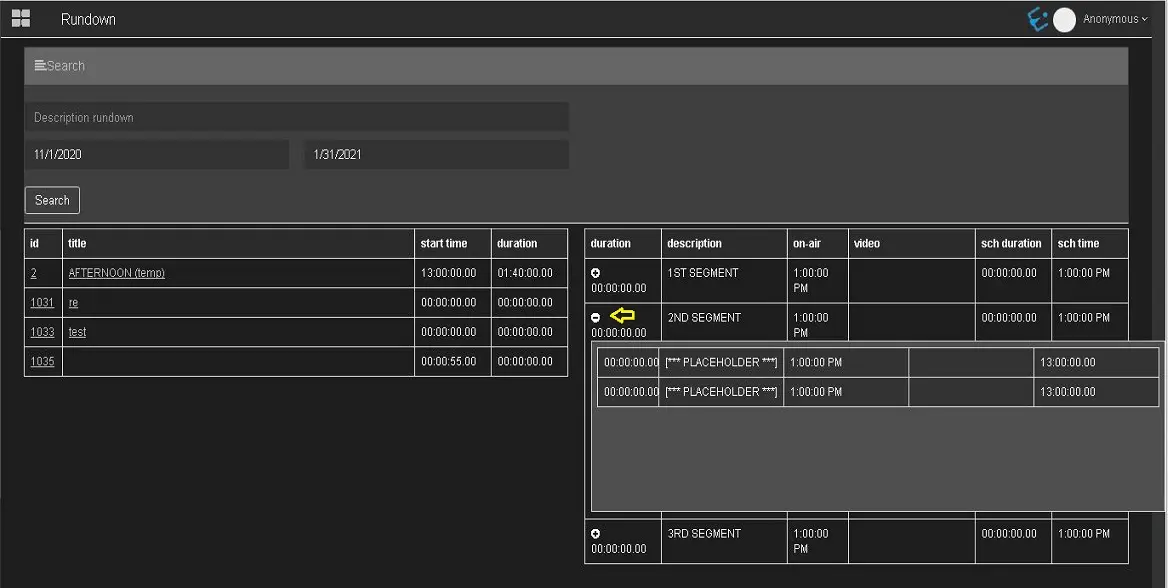
The rundowns that matched the search criteria would be displayed.
Rundown 2
When you click on the ID or title field of the rundown, the rundown details will be displayed on the right panel.
Rundown 3
Moreover, clicking the "+" sign in the duration column displays the durations indicated in the segments.
Rundown 4
 Rundown_1
 Rundown_2
 Rundown_3
 Rundown_4