73.6.1 How to install Memory service
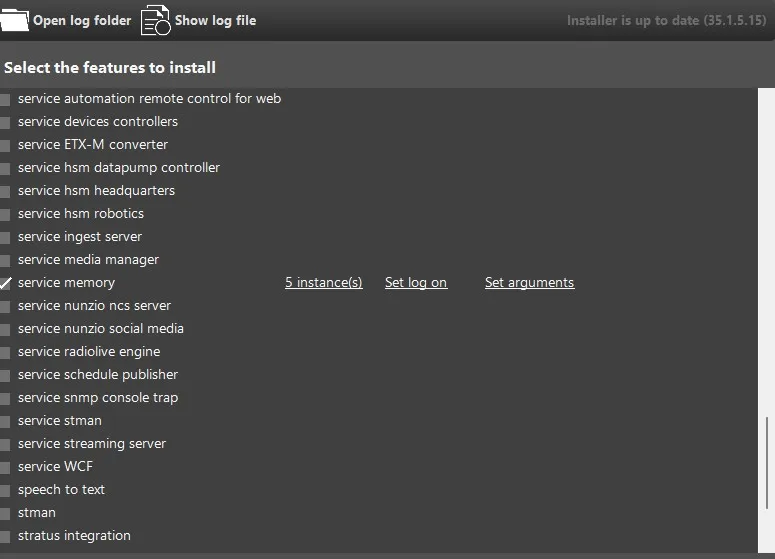
To start using Etere Memory Service, you need to install it using Etere Update Module.
[service memory]
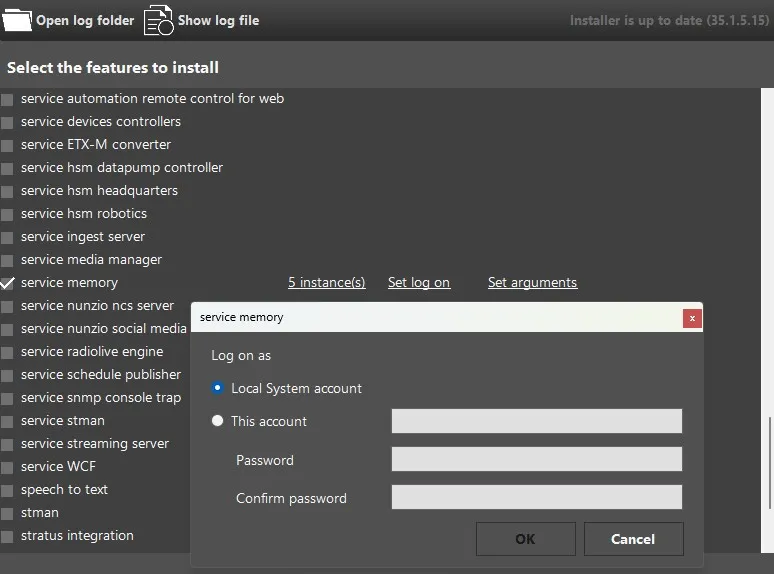
As for any other Etere service, once the feature is selected, you can assign the user which the Service will use as Log On account. You can rely on the Windows Local System account or insert a Windows Domain User (recommended), with the condition to have the proper rights to run the given Service and R/W permissions for the paths where it is going to operate (e.g.: an administrator account).
[login form]
In addition, compared to the other services, in this case also other parameters - by clicking on Set Arguments - should be set by the user:
[set arguments]
According to the number of selected instances, the user here can define the Station and the license number that will be used by each instance.
When everything is selected, the user can complete the installation and the services will be started, ready to be used.
 service_memory
 login_form
 set_arguments