69.2.1.17 TXT
Import Scope
The F90 - TXT import allows importing from text files (plain text, linear text, etc) information required for inserting events into broadcast schedules.
Imported events must be formatted in a linear format separated by a consistent symbol (e.g. semicolon). Each line should contain at least the basic information required to schedule an event, that is: date (position 1: 2013.07.03), start time (position 2: 06:03:48), duration (position 3: 00:04:54:00), code (position 4: C013287) and description (position 5: outside).
Import Parameters
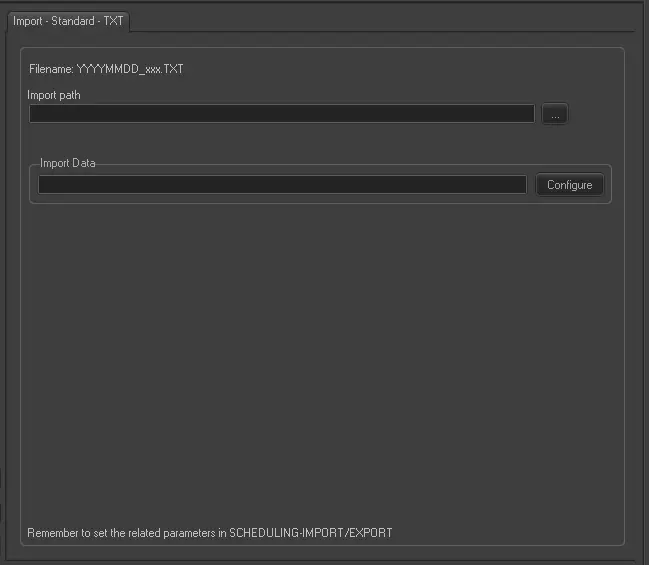
This import needs the following parameters to be configured:
Import - Standard - TXT
Filename - The name of the imported file should comply with the format YYYYMMDD_xxx.TXT, where 'xxx' is a progressive number that starts from 001.
NB: Please note that the scheduling date on which events are imported depends on the date specified in the filename and the date specified for each event within the file. In case no date is specified for single events they would be imported into the "default date" set in Etere Scheduling.
Import Path (leave it blank to not export it) - To be filled only if you intend to import a file located on a PC in your network.
NB: Before carrying out the import, if that day is blocked by some user, it is skipped and F90 retries the import next time. The files imported are renamed in YYYYMMDD.old001, YYYYMMDD.old002, and so on.
Scheduling related import
Remember to set the import parameters in the Etere Scheduling > Import/Export > IMPORT\STANDARD\GENERIC\TXT and APPLY the changes once done.
 Import_-_Standard_-_TXT