70.3.5.7 Full Re-catalogue
The Full Re-catalogue tool allows to completely clean up the Etere's tape inventory by removing from it all formerly catalogued tapes, and repopulate it by cataloguing the content of those tapes actually present in the system.
Re-cataloguing HSM tapes is a very sensitive operation that may require several time (hours and even days depending on the number of tapes) to be completed, however, during the re-cataloguing time it will be possible to use all other Etere HSM functions excepting those regarding the use of the library.
In order to perform a full re-catalogue of the HSM database just open the function present in the Tools menu and launch the [Full Recatalogue]. The following actions will be performed in consecutive order:
1.Eliminate from the database all references (e.g. link to assets) to tape contents,
2.Queue all HSM tapes currently present in the library to be re-catalogued onto the HSM database,
3.Remove clips duplicated in the same Media Pool (only the one with the most recent 'archiving date' will be kept).
Important note:
It is important to note that each time the full re-catalogue function is launched, all currently queued tape operations will be suspended for the time the re-catalogue lasts.
NB: When performing re-catalogue for AXF (Archive Exchange Format) tape, the buffer size of the object footer is set to 1MB to prevent “Out of memory” exception error while reading the last file in AXF tape.
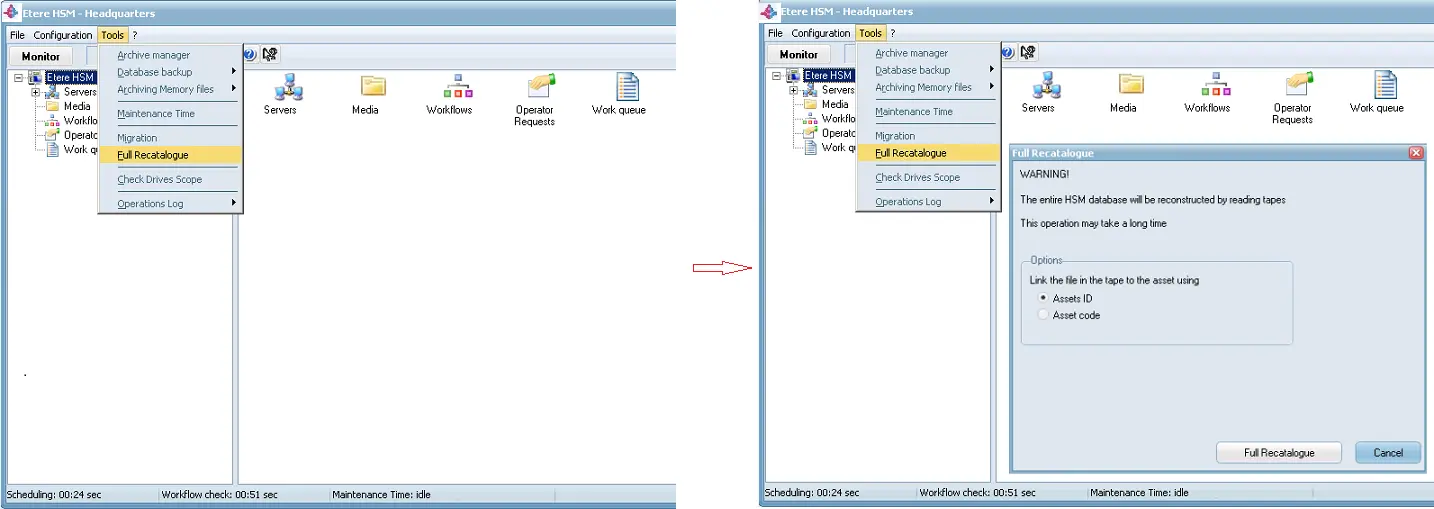 hsm_full_recatalogue_1