Metadata Indexing
72.5.3 Viewing Segments
After creating the segments for the selected asset, if you go into the Asset Form (of that asset) you can find all the created segments (shown as visible segments) in the Media Tab inside the EDL n9. The EDL enabled for EtereMAM is made from Etere Configuration – Settings – Mam parameters. The default is set to 9.
Viewing Segments
Alternatively, you can import the asset in XML file containing the asset metadata (e.g. timecode) with “XML Asset Full for XSLT” in the Import/Export module to import data into EDL for metadata indexing.
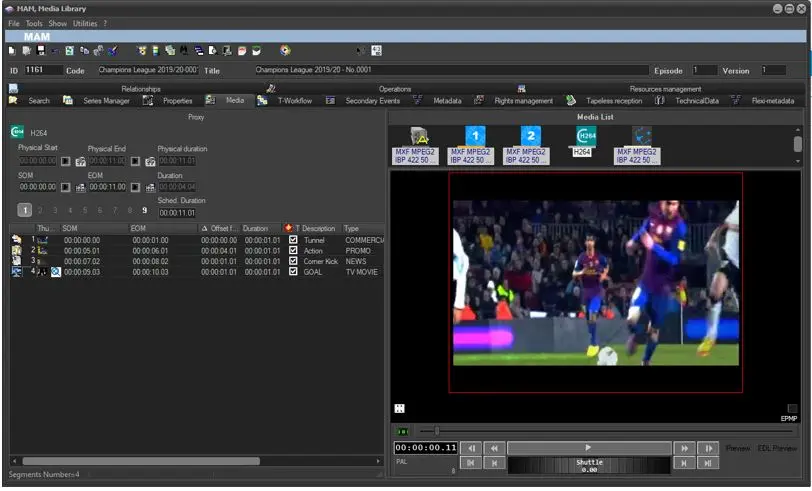 Viewing_Segments