59.2.2.6 Product Categories
The Product categories section display a list of product codes; this list is filled by default with standard values according to Nielsen catalogues; you can insert a new value or modify the existing product code.
product_categ
Following functions are provided to manage categories through the toolbar menu (i.e. at the top of the window) and the contextual menu (i.e. right-clicking on a category):
Function
New record - Add a custom category to the list.
Available in: Toolbar ( Yes) Right-click ( Yes)
Order by - Sort displayed records by either code or description.
Available in: Toolbar ( Yes) Right-click ( No)
Select All - Select all categories in the list.
You could also use the Ctrl key + mouse click to select
multiple categories.
If all product categories were deleted
unintentionally, use the "Load default" function key to
restore all default values to the list.
Available in: Toolbar ( Yes) Right-click ( No)
Load default - Delete ALL records and automatically reload the
default categories (according to the system language).
Available in: Toolbar ( Yes) Right-click ( No)
Delete record - Remove a selected category from the list.
Available in: Toolbar ( no) Right-click ( Yes)
Note:
Product categories are automatically loaded the first time system maintenance is launched in the database according to the language set in the Basic > System section.
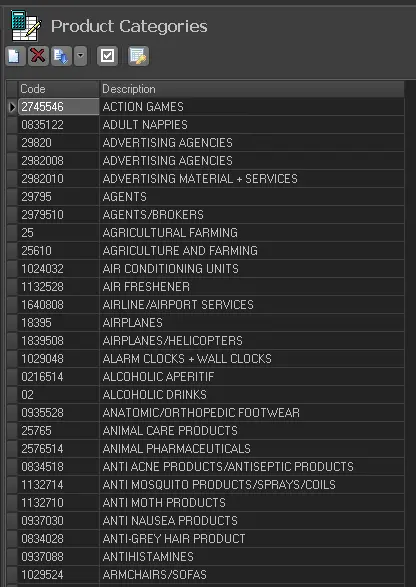 product_categ