59.8.3.1 What is the SNMP service
What is SNMP?
SNMP stands for Simple Network Management Protocol, a network protocol used to manage devices installed in TCP/IP networks. In Windows, SNMP service provides information about a host status (a device linked to the network) on a TCP/IP network. The information retrieved is relative to a host system status, the total free space on the hard disk, the active sessions in a specified moment and other information.
Managing this type of protocol requires installing the SNMP service (i.e. agent) on all computers to control and on the PC chosen to receive messages.
Note: SNMP services described in this chapter must permanently be installed, even if some Etere modules don't require them to send messages.
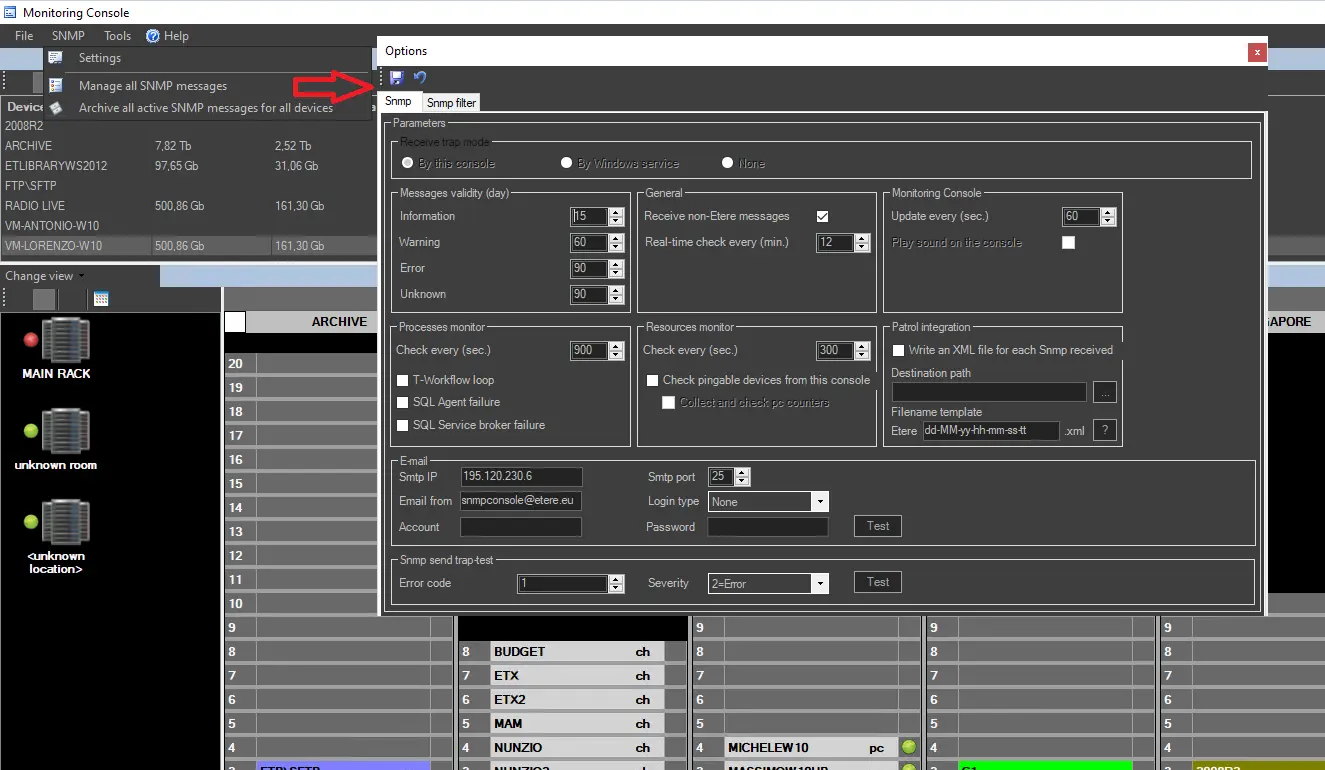
Monitoring Console based on SNMP services
SNMP Service permits the Monitoring Console to monitor all the Etere (and non-Etere) components in the system and to send SNMP messages. The SNMP Service collects information (errors, warnings, etc.) sent by components and stores received information according to fully user-defined policies (content, validity, IP address, filters, etc.).
Sending/Receiving SNMP Messages
Etere can send and receive SNMP trap messages following the specifications below:
▪ Send "Etere" messages: All Etere modules can send SNMP trap messages.
▪ Receive "Etere" messages: Traps received from Etere modules are decoded -based on the Etere MIB structure- into readable information (e.g. severity=warning, code=6456901, sender=Etere, app=automation, msg=clone transmission started, user=j.smith, pc=auserver3, time=2014/11/30 14:53:21, etc.).
▪ Receive "non-Etere" messages: Traps received from non-Etere modules (e.g. Omneon) are displayed without decoding (e.g. ERR6213/OP/6234/Nx34666/20140411), as their MIB structure is unknown.
This chapter is intended to guide administrators on installing and configuring the SNMP Service(s) required for gathering SNMP messages.
For information on consulting and managing gathered information using the Monitoring Console, please refer to the SNMP Console View chapter.
 Monitoring_Console