72.7.2.9 Previewing subtitled events
Etere allows previewing assets alongside to their subtitles (only the default one) through its preview window (see Proxy preview), which is available from the following modules:
Media Library - Go to the Media tab to view the asset available for preview.
Executive Editor - After selecting the event to be previewed, using the 'Preview | Proxy' contextual function.
Ingest - From various of the modules present in Etere Ingest.
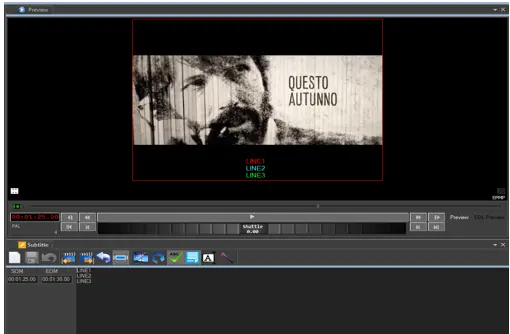
A preview window with its function controls is displayed below:
Preview
When previewing asset with manually created subtitles, the subtitles font size is not taken in absolute value, the font size is calculated with the division of preview window panel height and the screen line number to determine the displayed font size.
Preview Subtitles for CEA608 and CEA708
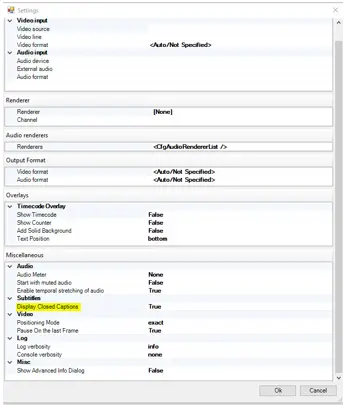
Etere Subtitles Management support 2 standards of closed captions, the CEA608 standard captions for analog broadcast television (can be embedded in digital television) and CEA708 captions for digital television. The <Subtitles> parameter in preview settings enable to display subtitles created using CEA608 or CEA708 standards.
Preview_settings
In the Settings properties, set the “Display Closed Captions” option to “True” to enable displaying subtitles in video file.
 Preview
 Preview_settings