72.2.2.30 Annotations - Proxy Functions
The following functions are provided for managing Proxy media files:
Explore and select video file: Access the XDCAM via FTP and opens the VTR explorer, which displays the disc/tape contents (e.g. to select a clip for editing).
NB: When selecting a LoRes media file from the material sheet, set the codec to “Etere Player” in the Configuration > Settings to enable the preview.
Download video file: Download a file stored in the selected disc/tape to a media folder (i.e. cloud-device path). Once the download is complete, the Media List will be updated with the XDCAM media proxy file archived:
Asset form
NB: In order to preview the low quality XDCAM file the PC needs to have an audio card and relevant codecs installed (i.e. xdcam proxy player sdk 1.6).
Explore and download video file: Access the XDCAM via FTP and opens the VTR explorer, which allows to choose and download a file stored in the disc/tape to a media folder (i.e. cloud-device path):
VTR explorer
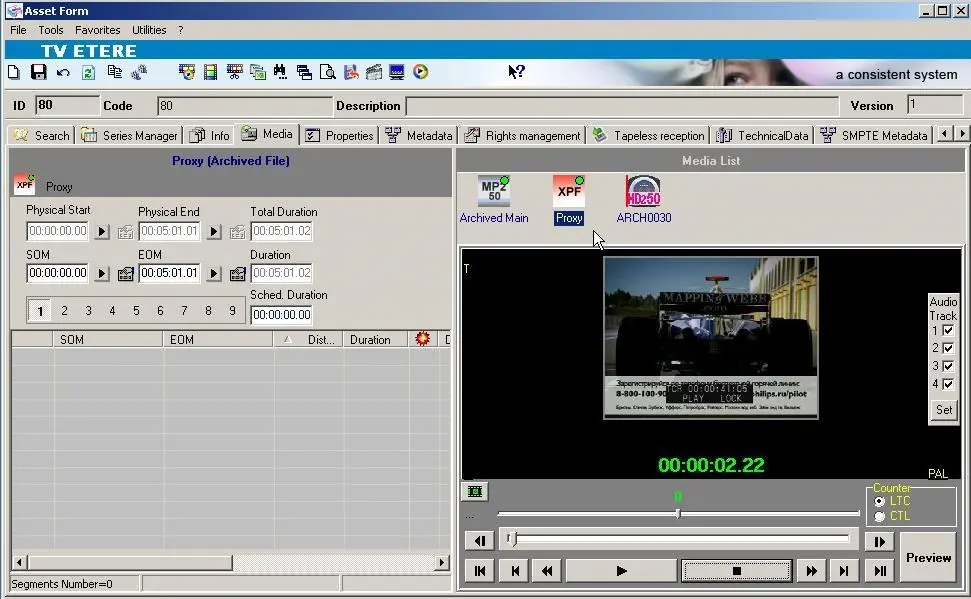 Asset_form
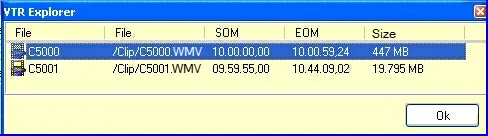 VTR_explorer