51.1.3.1 File Sequence Assets
File Sequence assets represent a sequence of image files, such as DPX (digital picture exchange) files. Follow the steps described below to import file sequence assets with ActiveSync into Etere system.
1.Prior to import, codec with content type “Image Sequence” must be defined in Configuration > Settings > Devices Settings > Codecs settings.
configuration settings codec
2.In “Cloud-device path”, add the subfolder path which contain the file sequence assets to be managed during synchronization, e.g.
add path
"C:\LowRes1\", and edit the cloud-device path settings.
3.Edit cloud-device path as following:
edit path
•In Codec parameter, select “IMGS” as Image Sequence codec defined in step # 1.
•Enable “Create New Assets” option to move image sequence files from root folder and rename files to “Metafile ID + _ + * + file extension”, e.g. “\11826_*.dpx", to include all DPX files with the same metafile ID in subfolder.
•Enable “Bundle Assets Mode” option to import bundle assets into Etere through watch folder.
Upon configured, exit from Edit Path and return to “Sync Files stored in Cloud-device” mode.
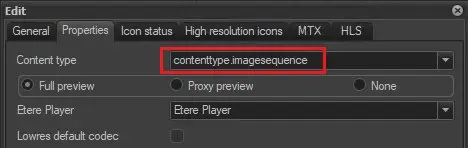 configuration settings codec
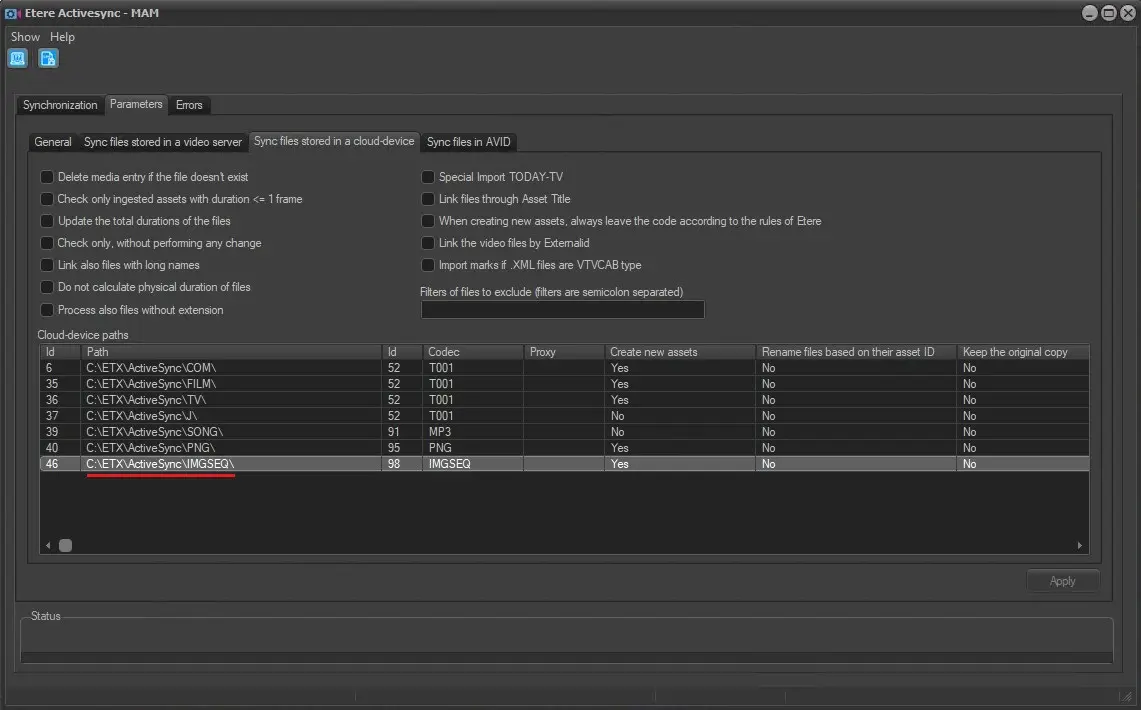 add path
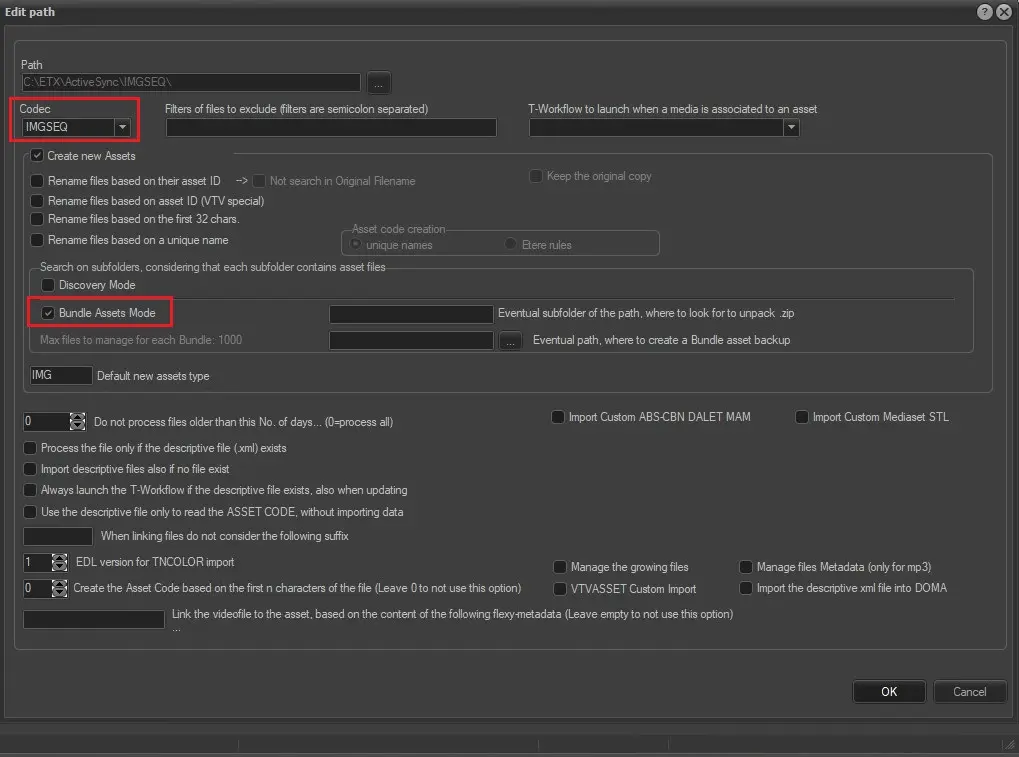 edit path