69.2.1.3 CLASSX ASRUN
Import Scope
The F90 Import Standard ClassX AsRun import all CLASSX files containing one day scheduled events into database table for the certification. The process would import the following CLASSX emission status into the database ad-hoc table ”MEDIASET_ASRUN”:
• EMX_OK: Event transmitted
• KO: Event not transmitted / To be verified
• KO_INPUT: Data input received from client, but not transmitted
• KO_NO_INPUT: Data input not received from client, thus not transmitted
The import would be performed based on criteria listed below:
• The CLASSX files would be generated constantly throughout the day, only the most recent file would be processed, the rest of files would be renamed to “.skip”
• If the import is successful, the imported file is renamed to “.done”.
• If the import fails, the file is renamed to “.err”.
Import Parameters
You need to provide the following parameters to fulfil the import process.
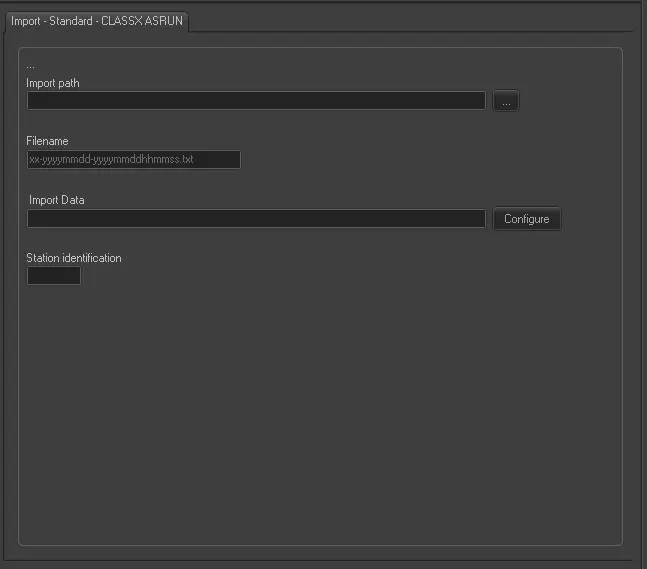
Import - Standard - CLASSX ASRUN
Import path: Specify the path location of the CLASSX file. You can use the browse button to locate the path in the network drive.
Filename: Specify the file name to import. The file name format is “xx-yyyymmdd-yyyymmddhhmmss.txt”, where:
• xx – The prefix to indicate the issuer, e.g. KC, K1, K2, etc
• yyyymmdd – The date of the import process.
• yyyymmddhhmmss – The date and time when the file is created.
Import data: Opens the Configure Import window to specify the days and the frequency for the file to be imported.
Station identification: Enter the station identification code where the import is performed.
Scheduling related import
This import doesn't require to configure any parameter in Etere Scheduling > Import/Export.
 Import_-_Standard_-_CLASSX_ASRUN