Manual Emergency Broadcasting
84.2.6.8 Video Assist - Set up the View
Activate the Video Assist View
In order to use the Video Assist server just select under the show menu of the Executive Editor the' Show Video Assist' option:
5029_Executive_Editor
Set up the Video Assist Channels
Once the Video Assist View is enabled, the [Edit] button permits to select up to four different Video Assist channels (i.e. enabled MTX channels), allowing also to name them according to their specific functions, for instance:
5030_Live_Assist
NB: Please note that Video Assist channels will be named using numbers (1,2,3,4) and, on some special licenses, they will be named using letters (A, B, C, D).
Once channels are selected, the Video Assist panel is displayed, allowing operators to manage the playback of the playlist.
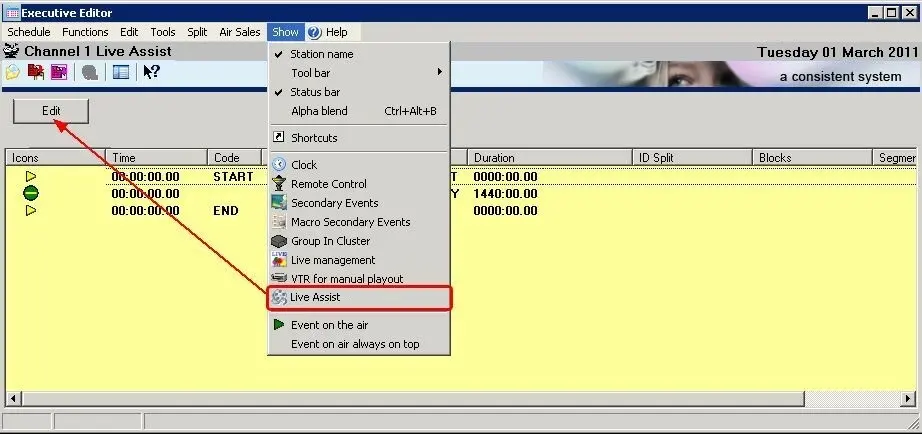 5029_Executive_Editor
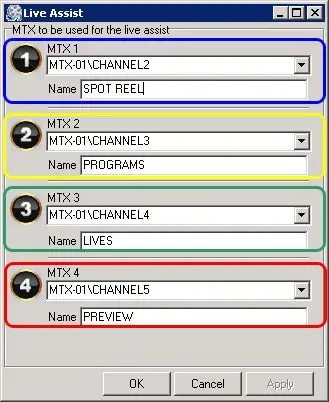 5030_Live_Assist