201.5.1 Choose the Season
The Season Scheduler module is the dedicated tool for programming season over short-term and long-term periods with few clicks away. Season Scheduler allows the operator to define a pool of season episodes and schedule it over a certain timeframe, and possible to repeat this sequence (in rotating basis) for the entire period.
Few things to note before start scheduling seasons:
A. Season subject to broadcasting rights
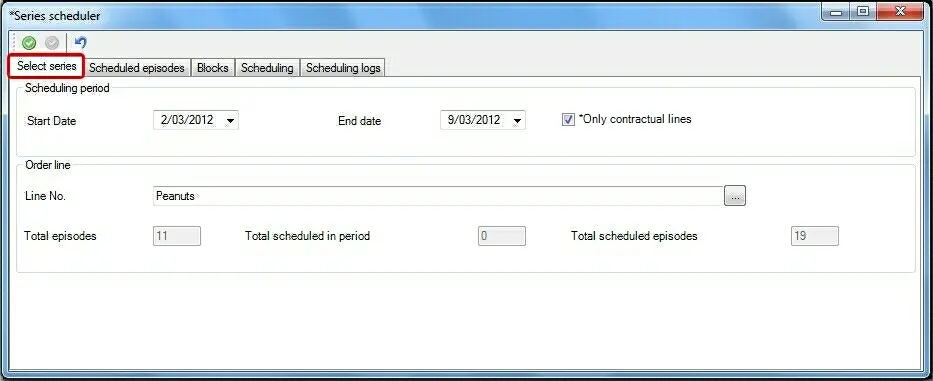
In case the station has an Etere BMS license (i.e. seasons are loaded into the Purchase Orders to manage their broadcast rights), the Season Scheduler will allow to search (and select) the order line related to the season to be scheduled taking into account their broadcasting rights:
Airsales_seriesscheduler_01_z
Scheduling period - Specify the dates interval on which the season will be scheduled (and for which they must be valid in case the "validity check" is enabled).
By default, the proposed timeframe start from the day after the current one.
NB: Please note that each time the start/date is modified, a check is performed to avoid humans errors (e.g. insert an end date prior to the start one).
Only contractual lines - If enabled (default), it would search ONLY season loaded on contractual lines (i.e. purchase orders). If disabled, it search ONLY those seasons not loaded on a purchase order.
Order line - Search and select the order line related to the season intended to be scheduled.
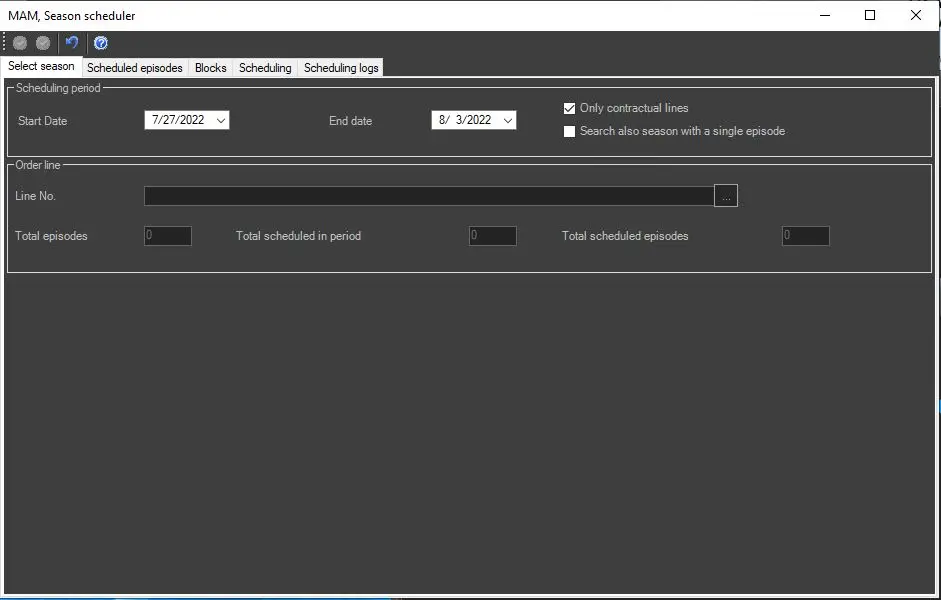
Search also season with a single episode - allows the opertors to filter the given search to find out all the seasons which only have a single episode.
season_sch_single_season
NB: Please note that only orders lines which are valid for the selected timeframe will be displayed.
Episodes info - Once selected, the "total episodes", "total scheduled in period" and "total scheduled episodes" information of the selected season would be displayed.
B. Season without broadcasting rights
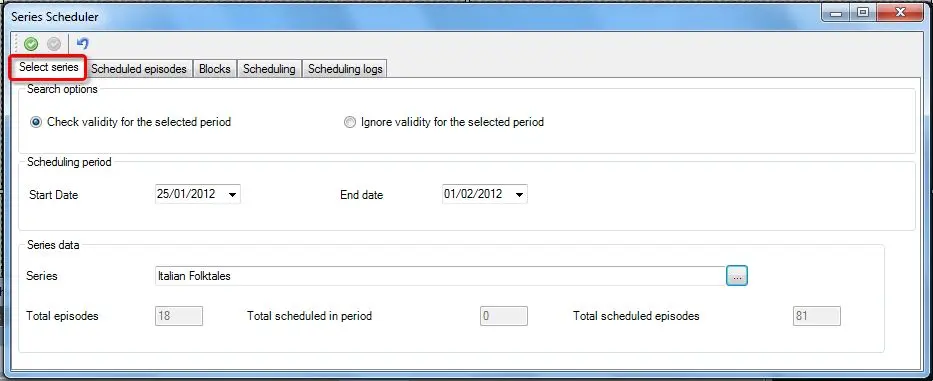
If the station doesn't have an Etere BMS license, the Season Scheduler will allow to search and select the season to be scheduled:
Airsales_seriesscheduler_01
Search options - Indicate the scheduling behaviour concerning the season validity:
•Check validity: Only those seasons which are valid for the selected timeframe are available for scheduling (i.e. displayed during the search) .
•Ignore validity: All seasons are available for scheduling. In this case, once scheduled, a warning message will be displayed for all episodes which are not valid for the scheduled dates.
NB: Season' validity is based on the expiry date set either under the Asset Form > Rights Management or season Manager > General Assets Data > Right Management.
Scheduling period - Specify the dates interval where the seasons will be scheduled (and for which they must be valid in case the "validity check" is enabled).
Season Data - Search and select the season intended to be scheduled.
NB: If validity check is enabled, only season which are valid for the selected scheduling timeframe are displayed.
Episodes info - Once selected, the "total episodes", "total scheduled in period" and "total scheduled episodes" information of the selected season would be displayed.
 Airsales_seriesscheduler_01_z
 Airsales_seriesscheduler_01
 season_sch_single_season