How to
59.3.14.17 Replacing an asset
To replace an asset (e.g. its linked media has been changed or has been wrongly linked), follow the procedure:
1. Open the Media Library module and rename the code and title (e.g. 3627) of the asset with a new value (e.g. 3627_old) by double-clicking on the related field:
rename_the_code_and_title
2. Still in the Media Library, create a new asset (CTRL+N) and copy all metadata from the old asset to the new one:
create_a_new_asset
3. Replace the old asset with the new one across all the scheduled tasks. This operation can be automatically performed using a T-workflow containing a Replace scheduled event action.
Replace_scheduled_event
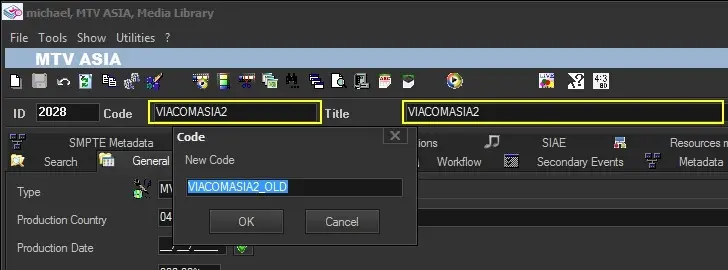 rename_the_code_and_title
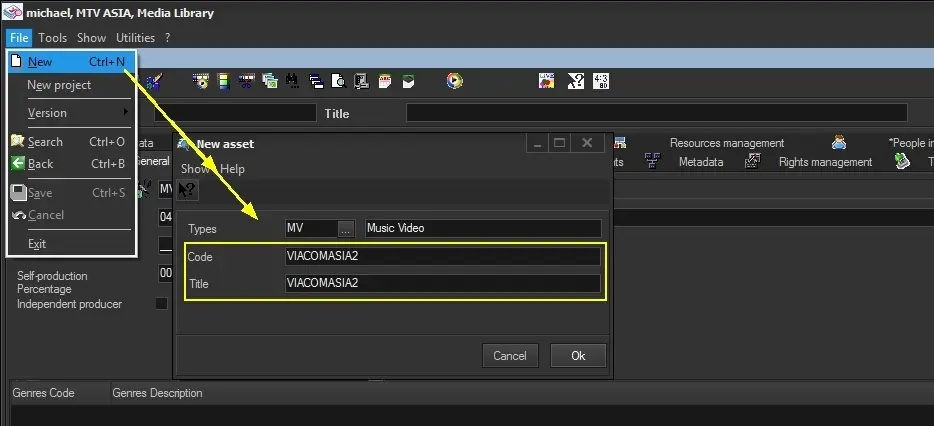 create_a_new_asset
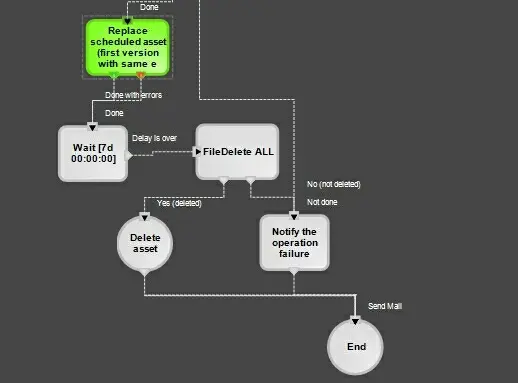 Replace_scheduled_event