59.2.48.1 Groups
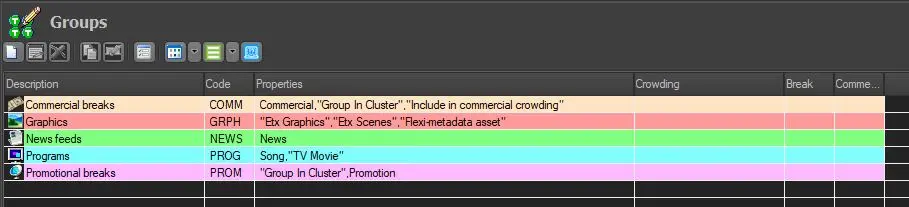
The Groups section allows to view and modifies the properties of a group (i.e., a collection of types); changes performed to the properties of a certain group will be automatically inherited by the types linked to it.
Groups
Setting common properties
Press the Properties Panel button to display the group's properties. You can also display it by directly modifying the group (double-click on a group and go to its properties tab). Properties can have three statuses:
•Unchecked: the property is not enabled for any type belonging to this group.
•Checked: the property is enabled for all types belonging to this group.
•Gray Checked: the property is enabled only for some types belonging to this group.
NB: Changes performed to the properties of a group will be saved only if it counts with at least one type currently associated with it. Otherwise, changes will be lost (since there isn't any type to apply changes).
 Groups