59.2.43.25 MAM Parameters
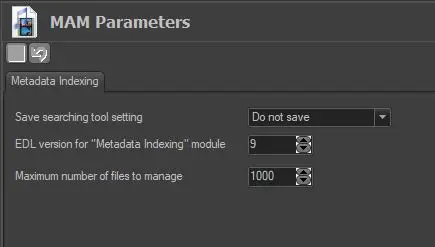
The MAM Parameters section allows to define the Editing Decision List (EDL) to be used for holding media segments marked for inserting metadata information by setting the following parameters:
MAM_Parameters
Save searching tool settings: Specify how the searching tool settings should be saved:
•Do not save: The searching tool settings would not be saved.
•Save for all users: The searching tool settings would be saved to include all settings defined by all users.
•Save by user: Save the searching tool settings as per user request.
EDL version for "Metadata Indexing" module: Dictate where the EDL version is used for marking segments when inserting metadata from the "Metadata Indexing" module. By default, the version used for this purpose is EDL No. 9.
Maximum number of files to manage: Set the maximum number of items in the bundle file to be managed during uploading; if the number of items exceeds the value set in this parameter user will be prompted with a warning message, and the uploading function will be disabled. This parameter is useful when synchronising files between servers.
When performing Project Folder Import, this parameter is checked to maximise the total number of files to be imported.
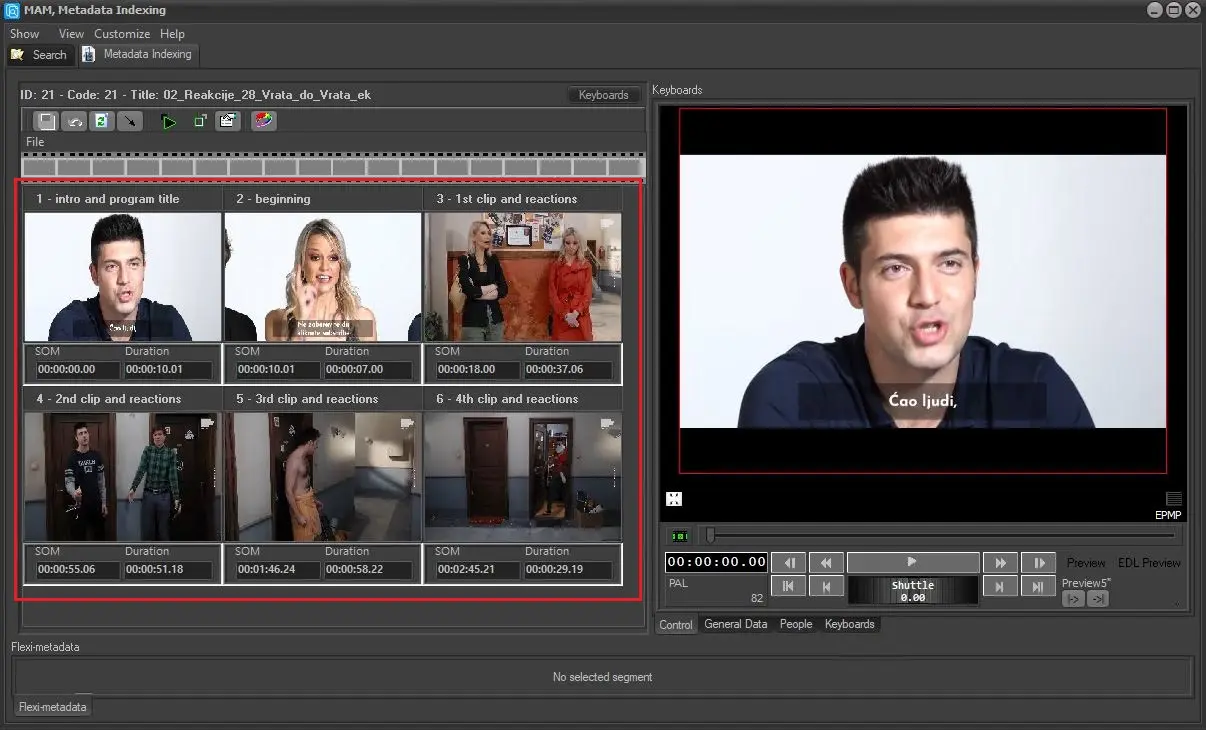
As mentioned before, the selected EDL version is used by the Metadata Indexing module for inserting metadata at specific time points, just as shown in the following figure:
Metadata_Indexing
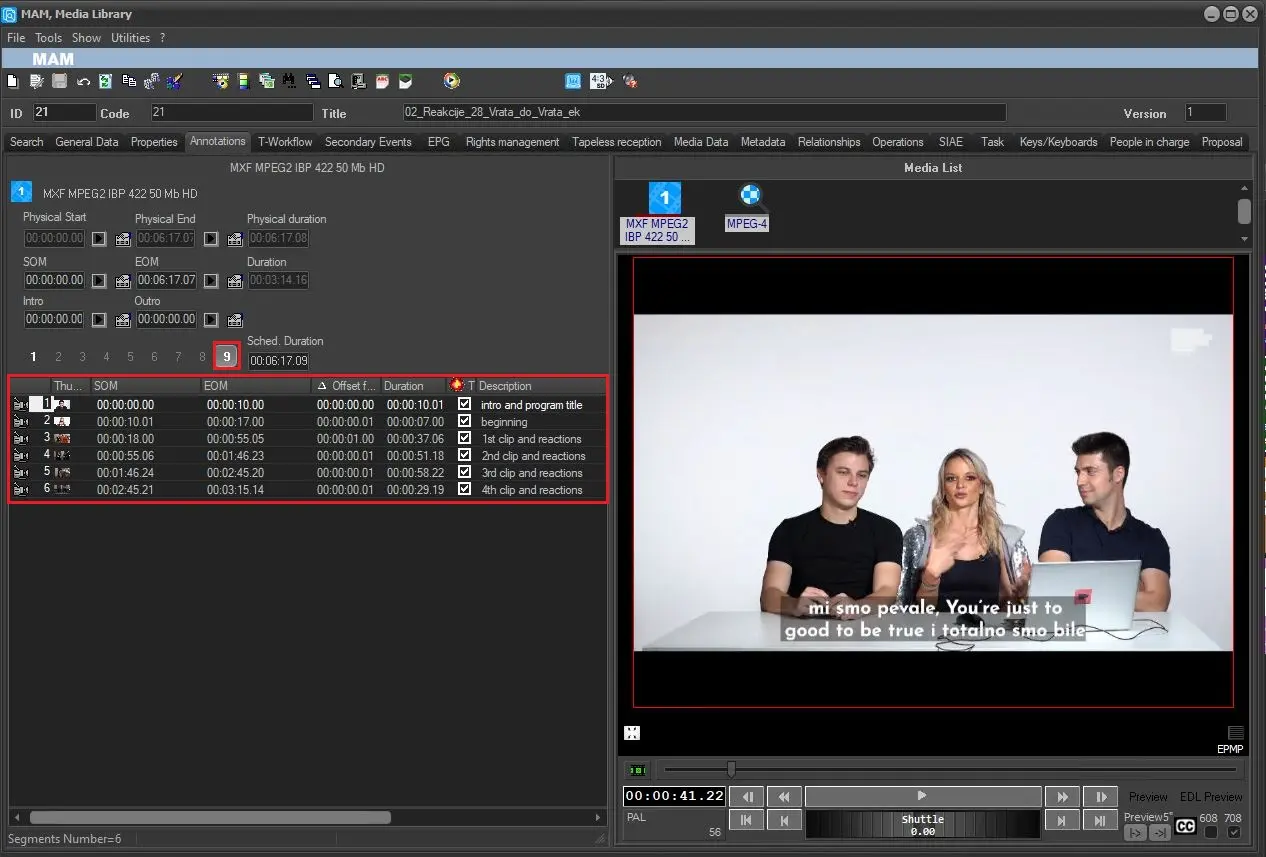
Please note that the selected EDL can always be managed also from the Media Library through its Media section:
Media_Library_-_Media_section
 MAM_Parameters
 Metadata_Indexing
 Media_Library_-_Media_section