Using Etere NCRS OCX
74.4.2.3 Segments
With this function, on the tree on the left you can find all asset accomplishing the following characteristics:
•They are not expired,
•They have a hi-res media,
•They have at least one visible segment.
The description and asset code are displayed, and if it is exploded, you will see the different EDL versions and the description, SOM and duration for each segment:
Mosgate_segments
If you select the asset on the top right window, the EDL and all the Picons for the available segment will be displayed. If the video is not available it will display a Red Cross. Right Click on the Picons to insert the segment on the Entire EDL in the Rundown, preview the low-res Files or open the asset form.
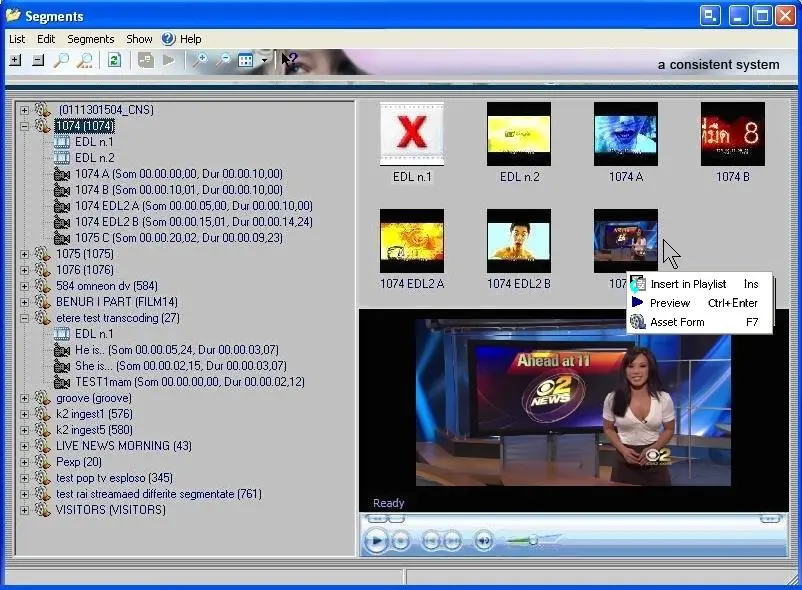 Mosgate_segments