84.4.5.80 CUSTOM > TIMB CASSETTE POSITION TXT
Import Scope
The "TIMB Cassette Position TXT" import allows reading a TXT file to retrieve data related to the position of cassettes managed by TIMB customer.
File structure
The filename can be any.
One line for each cassette
Each line must contain 4 fields compiled and separated by colon (,). For instance:
BCAJ7,RACK3,10,1
Supported fields are:
No. - 1
Field : Barcode
Notes : (max 32 char.)
No. - 2
Field : Code/Name Rack
Notes : (max 50 char.)
No. - 3
Field : Riga
Notes : (row)
No. - 4
Field : Colonna
Notes : (column)
Import process
Check if the file structure is valid
Empty lines are ignored
The barcode must exist in Etere, otherwise the line is skipped and the issue is pointed in the Errors tab
In case the rack doesn't exist in Etere, it's automatically created with the related row and number
In case the rack exists, but either the indicated column or row does not (e.g. out of range), the rack is automatically "extended" until that column/row.
Import parameters
This import allows the following parameters to be set and then [saved]:
Import_custom_timb_cassette_position_txt
•File to import: Specify the file to be imported.
Launch the import
Once all parameters have been correctly set, just press the <File Import> button to launch the import operation.
Sample file to import
The file to be imported using this method will have to the following structure in order to be correctly imported:
BARCODE1,RACK1,10,1
BARCODE2,RACK1,10,2
BARCODE2,RACK1,10,3
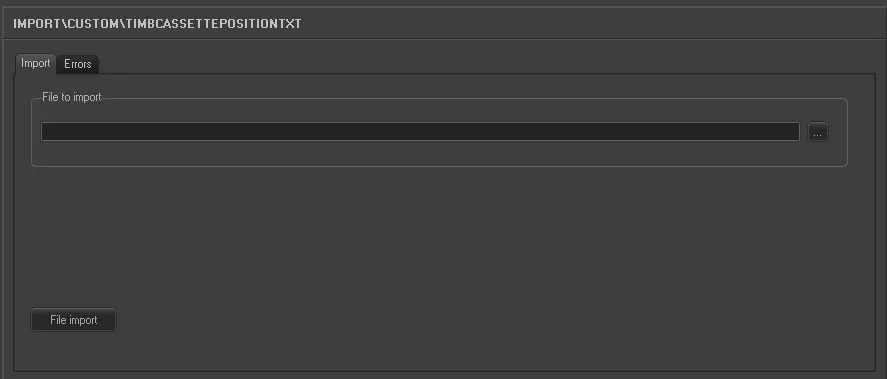 5294_Import_custom_timb_cassette_position_txt