59.5.4.100 Sales Weekly Growth Revenues by Cluster
Report Description:
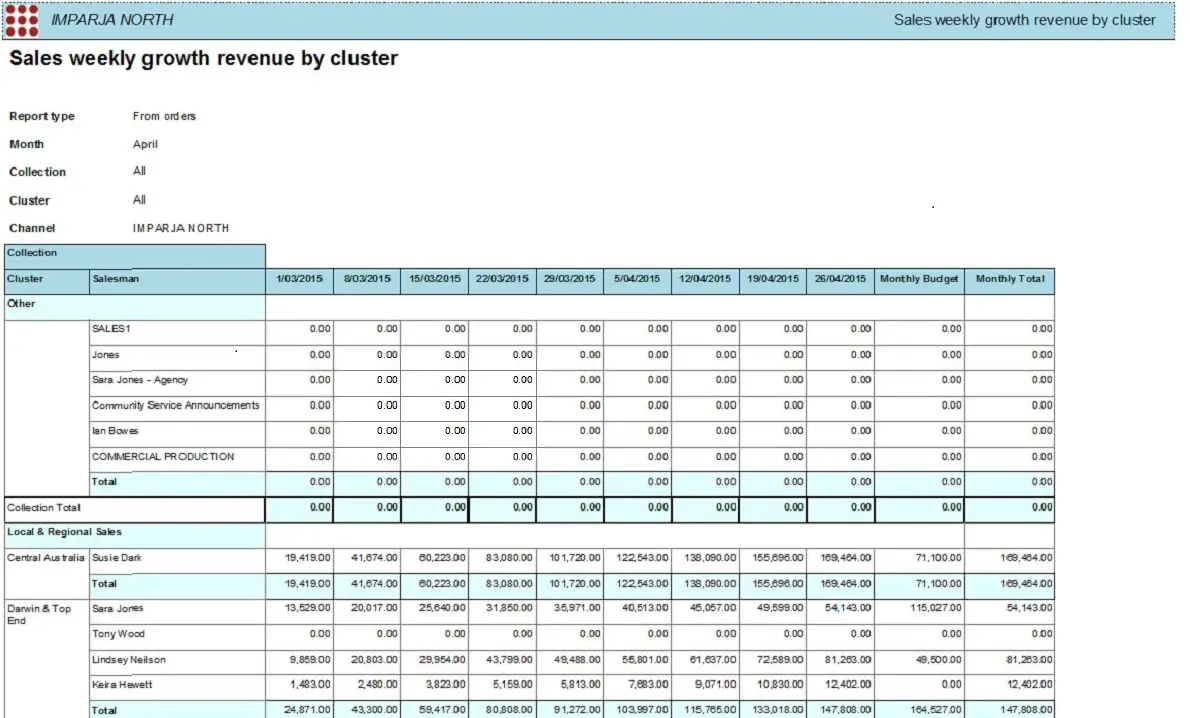
This report captured the weekly sales growth for the current month, with an option to include the weekly sales data booked by the account executive of the previous month for comparison. The weekly total revenues of the last month and the weekly total of the current month in this report should tallied with the monthly totals of the previous month and current month captured in the report "Account Executive Revenues by Cluster". This report can be triggered from one station and multiple combined stations.
Report Filters
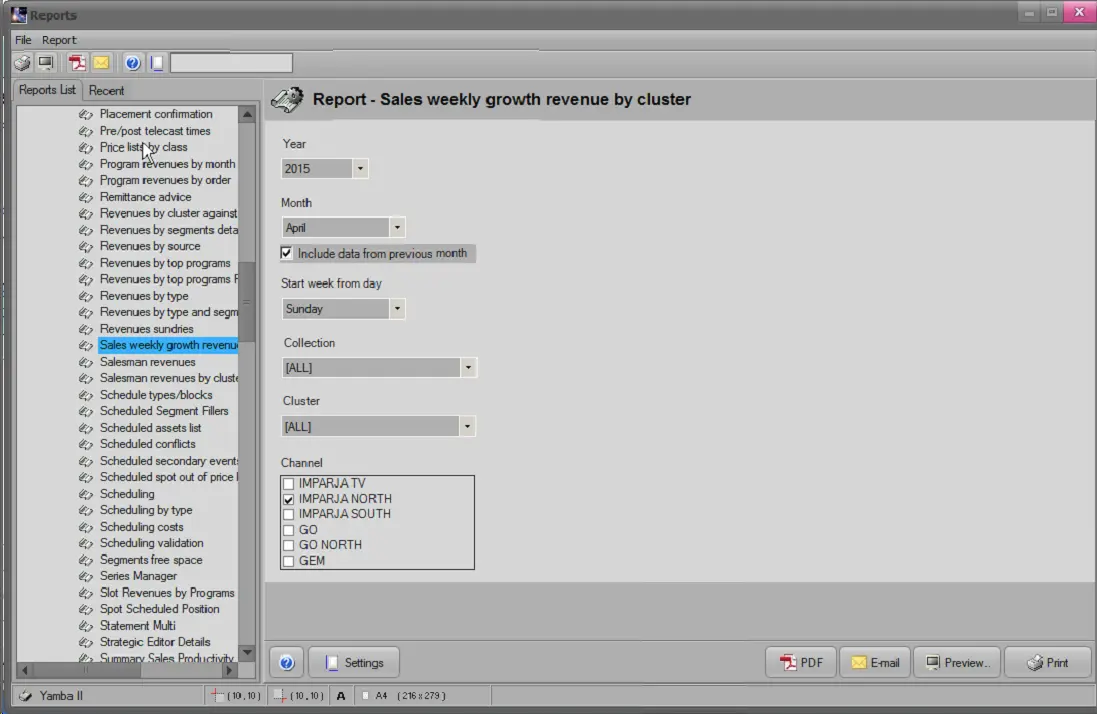
All the parameters were configured to generate a detailed report to suit customer needs. By default, all filters are disabled (i.e., either blank or unselected); to enable parameters, you must configure at least one parameter. Available filters include:
Sales_Weekly_Growth_Revenues_by_Cluster
•Year: Specify the year to retrieve records from the database.
•Month: Specify the month within the specific year to extract the monthly records.
oInclude data from the previous month: enable this option to include data from the last month's report for comparison.
•Start week from the day: Specify which day in the week to start the records collection (Monday, Tuesday, etc.)
•Collection: Specify the type of collection. The default is all collections.
•Cluster: Specify each cluster to collect the data from; it can be local, regional, or both.
•Channel: Select the channel used to collect the records, e.g. IMPARJA North, Channel 1, Channel 2, etc.
Report Preview
The [Settings] enabled to configure the page layout of the report; once the above filters have been set, you can select preview using the [Preview] button or print the report using the [Report] button. Please note that some reports permit the export of the generated document into the most common formats (PDF, CSV, doc, xls, XML, etc) by using the [Export] button.
Sales_Weekly_Growth_Revenues_by_Cluster_preview
 Sales_Weekly_Growth_Revenues_by_Cluster
 Sales_Weekly_Growth_Revenues_by_Cluster_preview