59.9.3.3 Lock Monitor
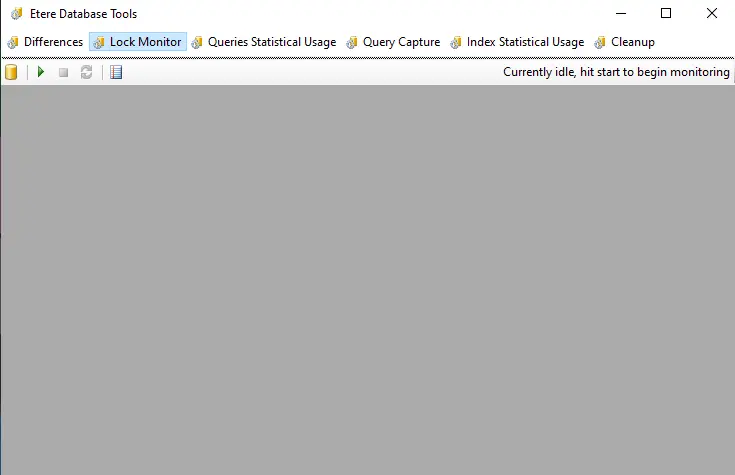
The "Lock Monitor" allows one to monitor a database's lock status in real time through a simple and intuitive interface and provides detailed information on the locked objects.
Etere_database_tools.
The functions provided by this tool are the following:
Set database: Allows setting the database (and server) to be monitored. By default, the tool is connected to the production database.
Start: Starts monitoring the database, displaying all "active locks" and colouring them according to their activity time:
Yellow - The "lock" is active since the last update.
Orange - The "lock" is active for at least 30 seconds.
Red - The "lock" is active for at least 5 minutes.
Black - The "lock" is active for at least 30 minutes.
Pink - The "lock" is exclusive.
NB: Only one monitor can be used to monitor a database; multiple monitoring is not supported.
Stop Stops monitoring the database.
Refresh: Consult the database to update the list of locks.
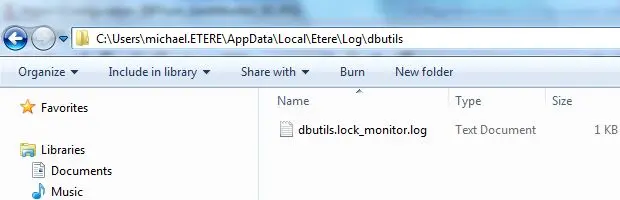
View log: All operations performed by the "Lock Monitor" tool are logged in Etere's local application data folder.
Lock_Monitor
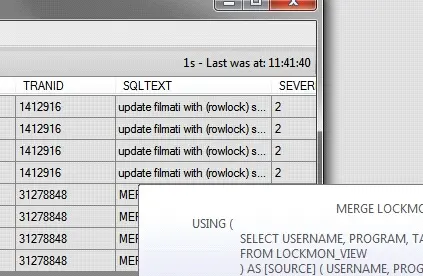
The list of locks permits sorting and resizing locks and moving their columns. Moreover, The list of locks provides information on active locks, including their "SPID / Transaction ID" and the text of the last executed query.
List_of_locks
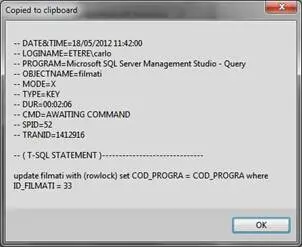
Making double-click on a specific "lock" allows showing a dialogue form containing a summary of the lock (displayed data is automatically copied to the clipboard).
Copied_to_clipboard
 list_of_locks
 Etere_database_tools
 Copied_to_clipboard
 Lock_Monitor