Adobe Premiere Extension
72.18.2.14 Media status
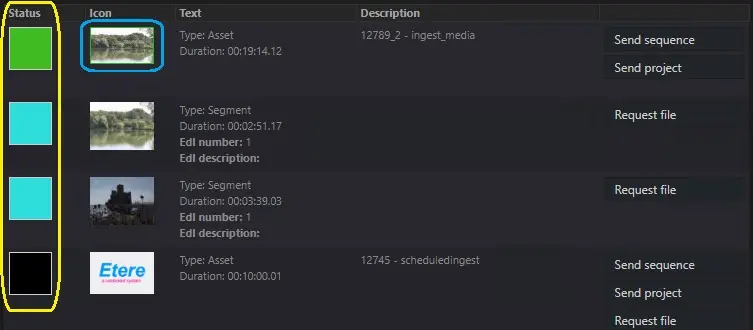
Assets are displayed specifying their media status:
Status colour: GREEN = Online
The media is available in the "source adobe path", it can be imported into Adobe timeline;
Status colour: CYAN = Segment available
The segment can be retrieved by running the related function "REQUEST FILE";
Status colour: BLACK = Offline
The media is not available on any of the "source adobe path" locations configured;
If the asset has also a lowres version of the media, the thumbnail will be countered in green.
Media status list
 media_status_list