81.1.1.7 Promo to receive
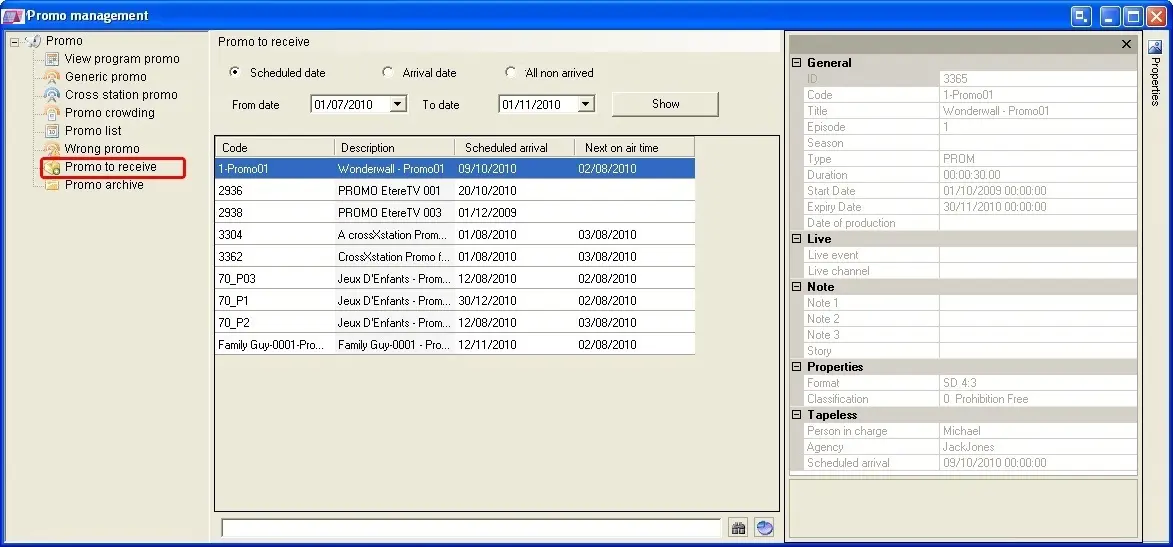
The Promo to Receive section is a simple form that allows to track the scheduled arrival of trailers by providing differentiated views for each arrival state, that is:
4829_Promo_to_receive
•Scheduled date: The trailers which have been scheduled within the selected period,
•Arrival date: The trailers which arrival is scheduled within the selected dates range,
•All non arrived: All trailers scheduled to arrive via tapeless but have not yet arrived.
Inserting trailers in the schedule
It is possible to schedule trailers listed in this section, just make right-click on them and click the 'Insert' option or drag and drop them into the schedule. See the Placing Promos chapter for detailed information on this function.
When inserting trailer to schedule, there are 3 options for insertion:
-Insert: insert the trailer into the current opened schedule.
-Insert top: insert trailer to the top of the schedule.
-Insert bottom: insert trailer at the end of the schedule.
 Promo_to_receive