84.4.5.86 CUSTOM > WON > ASSET XML
Import Scope
The "WON - Asset XML" import allows importing into the Etere database all WON assets contained within a .XML file.
Required configuration
The following elements must exist in Etere's flexi-metadata structure (in "Configuration > Settings > MAM > Flexi-metadata"):
Element name - ABC
Element type : string
Element name - LBC
Element type : string
Element name - SBC
Element type : string
Element name - TX Ext
Element type : string
Import process
The <MatId> tag is imported depending on its first three characters:
If the <MatId> starts with ABC, its value stored in the "ABC" flexi-metadata
If the <MatId> starts with LBC, its value stored in the "LBC" flexi-metadata
If the <MatId> starts with SBC, its value stored in the "SBC" flexi-metadata
If the <MatId> starts with other string, its value stored in the "TX External" flexi-metadata
The existence of assets is determined by the <MatID> tag, comparing it against the asset code.
If the asset doesn't exist in the Etere database a new asset is created, otherwise it's skipped (ignored).
If the parameter "in case of new assets, set the asset code to <MatID>" is checked, the asset code is taken from the <MatID>
Otherwise, the code is generated according to the rules configured in Etere ("Configuration > Settings > Basic > Code")
Fields are mapped according to the following table:
XML file
ETERE database
No. - 1
WON Field : <Title>
Table.field : filmati.descrizio
Type : string
No. - 2
WON Field : <Duration>
Table.field : filmati.duration
Type : hh:mm:ss
No. - 3
WON Field : <MaterialType>
Table.field : filmati.newtype¹
Type : string
¹ : The type is assigned only if its exists in "Configuration > Settings > Types" (either as a type or in a "standard export" property), otherwise a "0000" type (unknown) is assigned.
Once the file is imported, it is automatically renamed appending the ".done" suffix (e.g. won4534.xml.done).
Import parameters
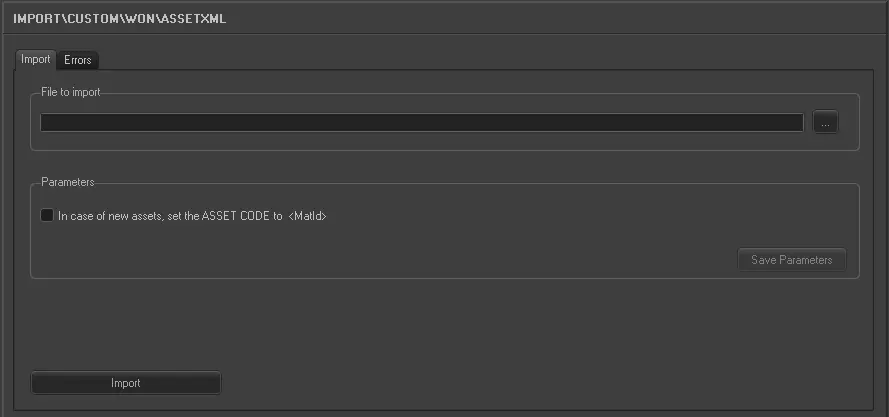
Once all parameters have been correctly set, just press the <Import> button to launch the import operation.
Import_custom_won_asset_xml
•File to import: Specify the directory from where CSV files will be retrieved for the import.
•In case of new asset, set the ASSET CODE to <MatID>: If an asset doesn't exist in Etere, its code will be taken from the <MatID> tag.
Sample file to import
The file to be imported using this method will have to the following structure in order to be correctly imported:
<?xml version="1.0" encoding="utf-8"?>
<Pharos>
<Material>
<MatId>LBC026226</MatId>
<Title>TAX LOSS</Title>
<Duration>00:04:36:12</Duration > <MaterialType>Videoclip</MaterialType>
<Owner>
<Name>MTV</Name>
</Owner>
<TrackTypeLink>
<TrackTypeName>Video</TrackTypeName>
</TrackTypeLink>
<TrackTypeLink>
<TrackTypeName>Audio Universal</TrackTypeName>
<StateName>Not available</StateName>
</TrackTypeLink>
<MetaDataGroup>
</MetaDataGroup>
</Material>
</Pharos>
 5303_Import_custom_won_asset_xml