87.1.3.7 Units Configuration
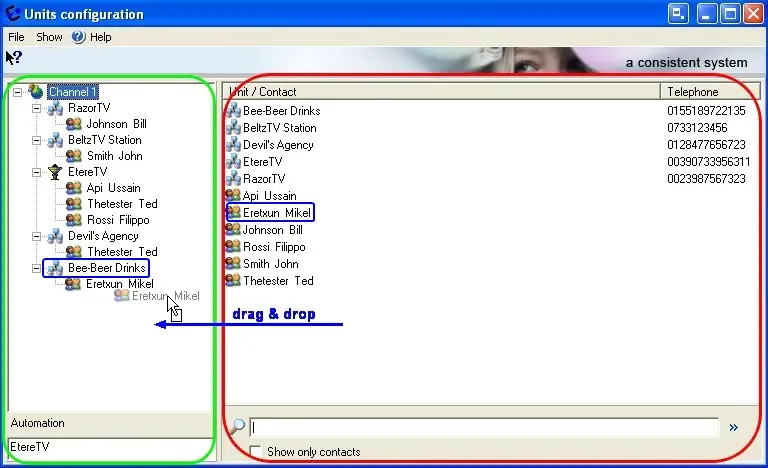
The Units Configuration section allows to create relationships between companies and contacts, thus permitting to specify during a loan the company and the exact person to which the tape has been delivered. To add companies just drag and drop them from the right panel to the left one, and to link contacts to companies just drag them inside already-added companies:
Loan_23
Making-right click on a company, the following options will be available:
•Set as automation: By setting a company as 'automation' it will be possible to make the automation tapes list and thus perform the loan of scheduled tapes,
•Set accepted media: It allows to define the tape type managed by each company. All companies must have at least one tape type defined on them, otherwise, the message 'Media not present in some departments' will warn the operator when the form is closed.
•Delete: Removes a company/contact from the Units List.
 Loan_23