61.2 Simplified Do.Ma.
The simplified version of Etere Do.Ma. allows to quickly associate digital documents to a resource, a workflow or a proposal (e.g. the PDF version of the user manual, the sales receipt and guarantee, etc).
Where is it available?
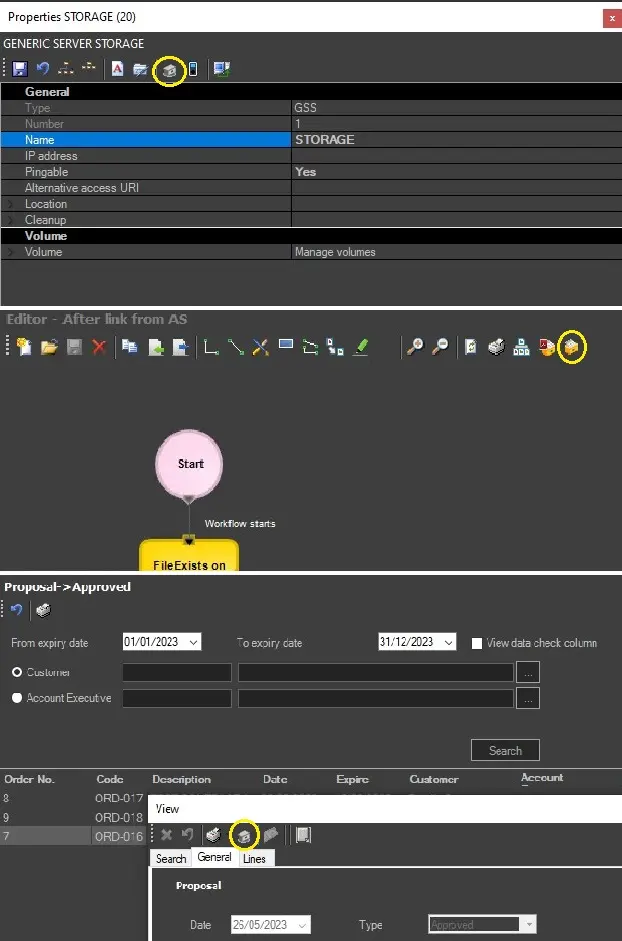
The "Simplified Do.Ma." module is available in following modules: Sales proposals, Resource Viewer, T-Workflow Designer.
doma_available
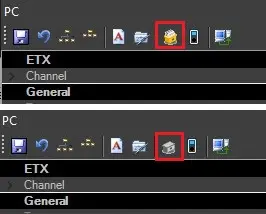
The icon for the simplified Do.Ma. utility changes when it contains documents from when Do.Ma. for that resource/workflow/proposal is empty.
doma_icon
Toolbar functions
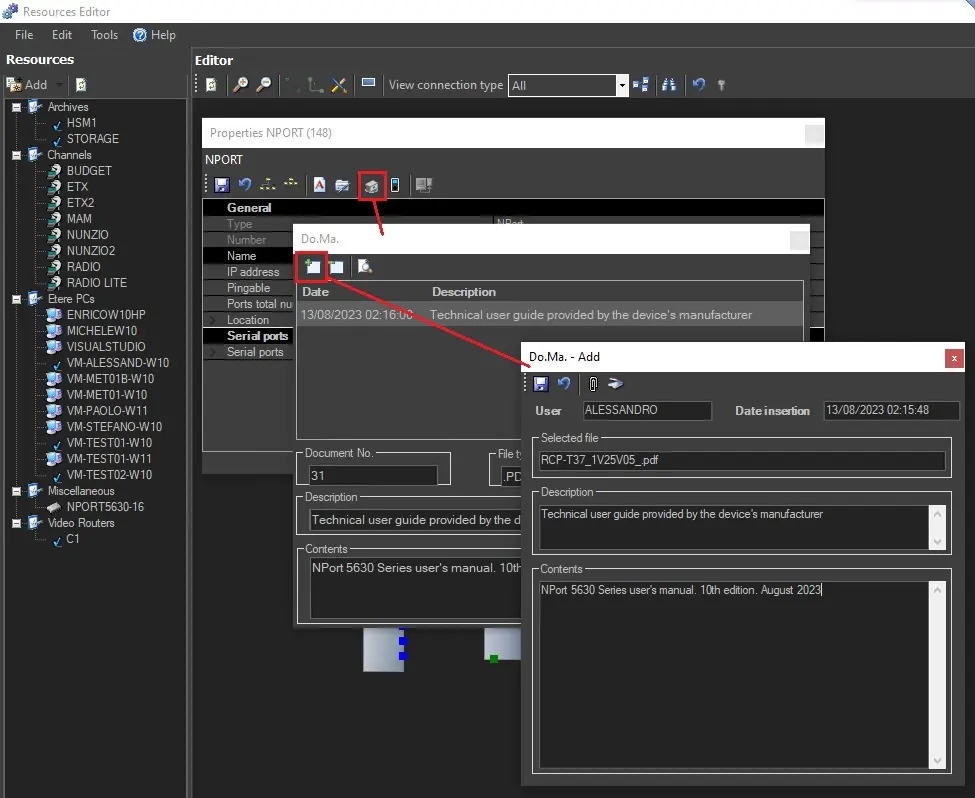
Add - Associate a digital document by using one of the following buttons:
▪ Paper clip: Attach a document by browsing and selecting the related file.
▪ Scanner: Acquire a document from a scanner.
Edit document's description and/or content (if no description is provided before the file selection, the system will automatically insert the name of the attached file in this field), then confirm.
Save the file details (insertion date and time, description, document number, file type, logged user, further description and content details) by closing the Do.Ma. window.
add_a_file
Remove - Removes the selected file from the database.
View a file - Opens the file attached to the selected document with the windows default app for the selected file extension.
Managing attached documents
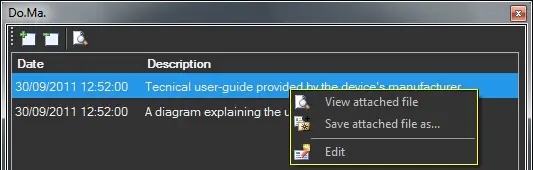
Once attached, digital documents can be managed by right-click on document and select one of the following options:
View attached file - Opens the file attached to the selected document with the windows default app for the selected file extension.
Save attached file as - Save the file attached to the virtual document into a local drive.
Edit - Modify the content of the selected document (e.g. attached files, description, etc.).
 DoMa
DoMa
 doma_available
 doma_icon
 add_a_file