19.4.7.2 Via Browser
By using a web browser, you can access the Web Services Server, where through a simple and user-friendly interface, you will be able to view and carry out all the operations implemented within Web Services to view the details of a specific function and execute it as well, follow the next procedure:
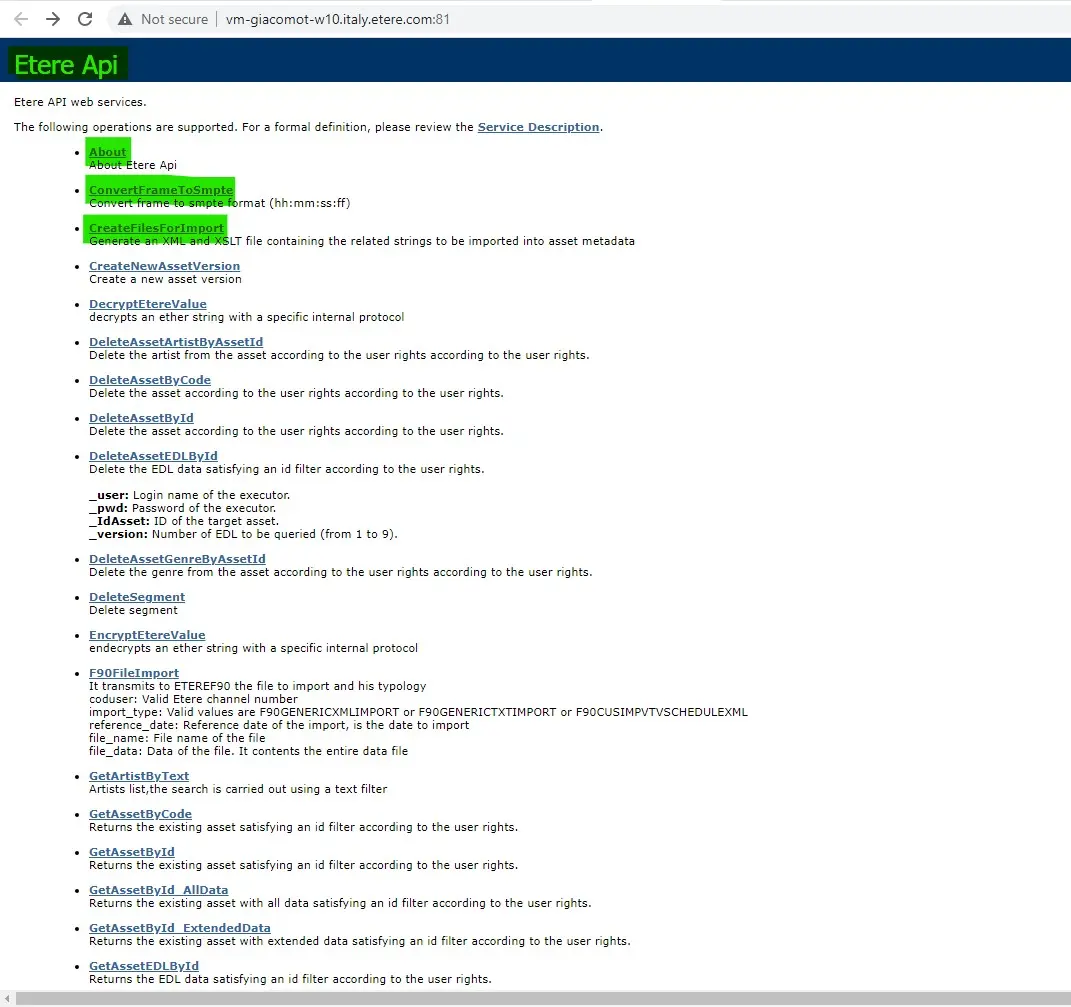
- Enter the path to the server where Web Services API is installed; this path should be like http://server/EtereWSApi/EtereAPI.asmx (where 'server' must be replaced with the IP of the server where Web Services is installed).
You will see a list of all the available functions; by clicking on its title, you will be allowed to carry out the referred actions:
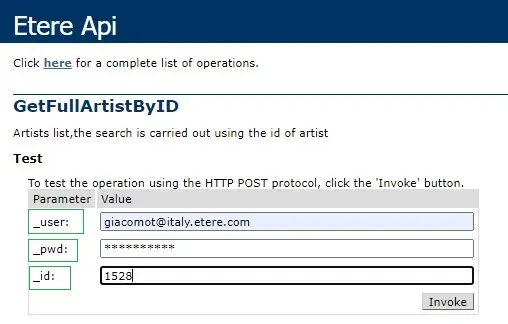
- You will be directed to the Web Services website, where through a simple interface, you will be able to perform the currently selected operation; enter your login data (see Configure User and Rights) and the operation-specific parameters (see Supported operations) in the top of the page:
web_service_invoke
(example of a 'GetAssetByID' request, the user 'Web Services Login' requested to see the details of the asset whose ID is '13')
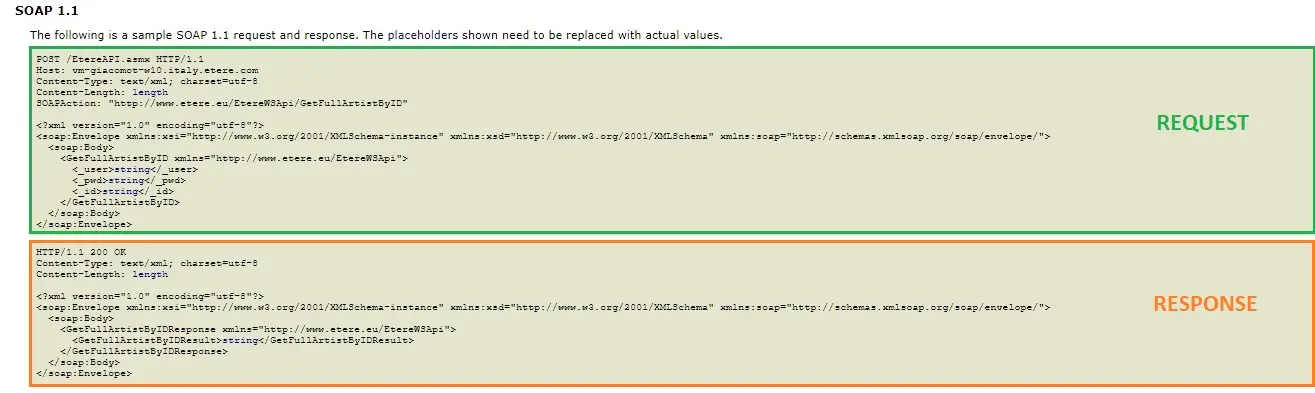
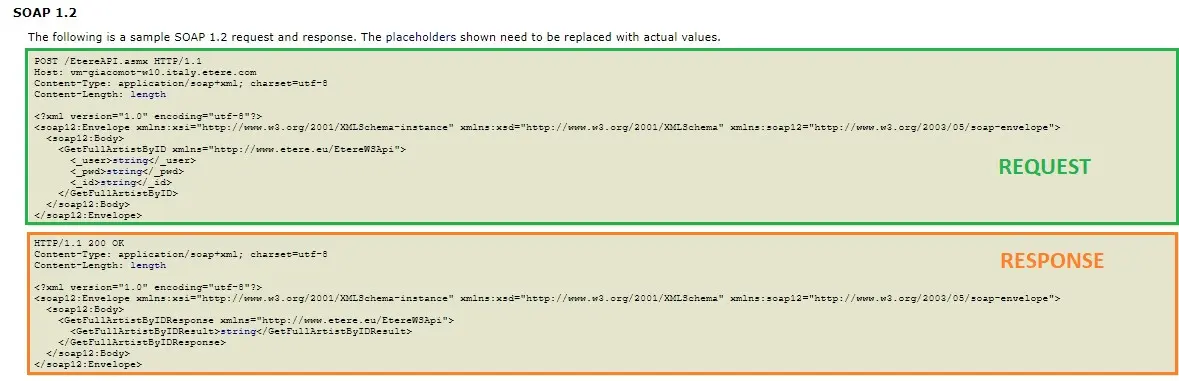
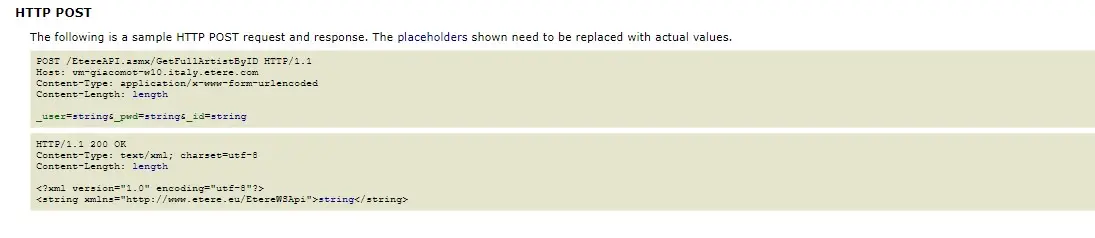
At the bottom of the page is detailed the exact syntax to be used in XML Requests and Responses for the current operation (currently supported protocols are SOAP 1.1, SOAP 1.2 and HTTP POST); the parameters you must edit when sending requests are marked with blue:soap_1.1
soap_1.2
(the image above is described the syntax to be used when sending a
'DeleteAssetById' request through SOAP version 1.1) - Once the operation has been performed on the Etere Server, you will see an XML file containing the response to your request; depending on the operation type, it should look as follows:
getfullartistbyid
etere_api_functions_list
(example of an XML response for a 'GetAssetByID' request)
 soap_1.1
 web_service_invoke
 soap_1.2
 http_post
 etere_api_functions_list