79.6.1 Prepare Etere Nunzio to work with Nunzio App
In order to start configuring Etere Nunzio App we need to perform some specific steps.
1. configure the FTP Media Folder in order to allows the app to perform the UPLOAD of the Video Files directly into the Etere Ecosystem;
nunzio_upload_media_folder
2. link the given Media Folder to a proper Etere Cloud Device;
nunzio_upload_cloud_device
3. associate the previous created Media Folder/Cloud Device in Etere Nunzio GUI in:
Etere Nunzio > Stories > Settings > Upload FTP Server
nunzio_upload_settings
4. install the Etere Nunzio Web Service:
in order to start using Nunzio Android App, we need to install the related Web Service on which Nunzio would connect in order to retrieve the system data.
a) on the Server which will host the Web Service, run Etere Update Module;
b) once the module has been started, select the Nunzio Service button;
nunzio_web_service_install
c) a new form would eventually pop-up;
nunzio_web_service_check_updates
d) press the Check for Updates button;
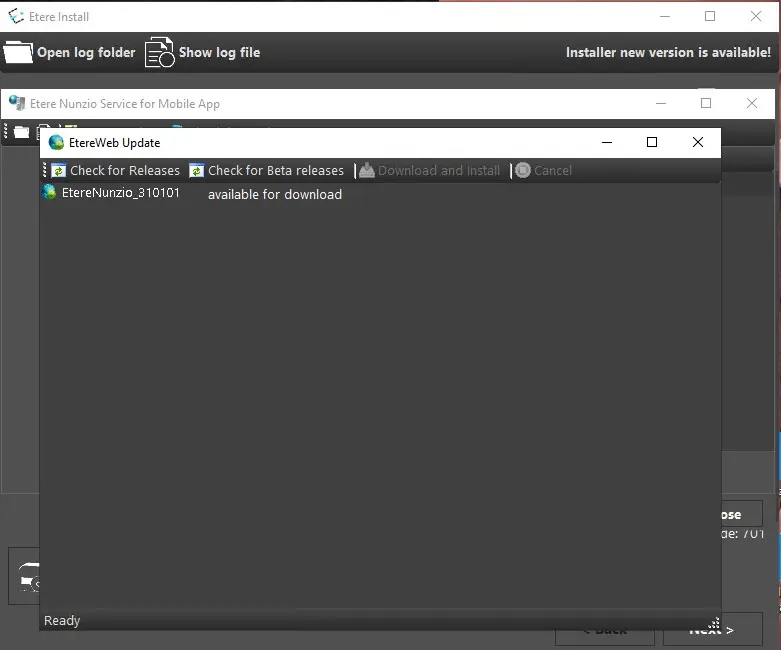
e) a brand new form would eventually appear;
nunzio_web_service_updates
f) from there, select the wanted update and press the Download and Install button;
nunzio_web_service_download_install
g) confirm the installation start, then insert the database and web instance details in order to complete the configuration;
web_service_install_details
h) on pressing the NEXT button,the installation of the Nunzio Web Service would eventually starts and if everything has been correctly configured, would end without issues.
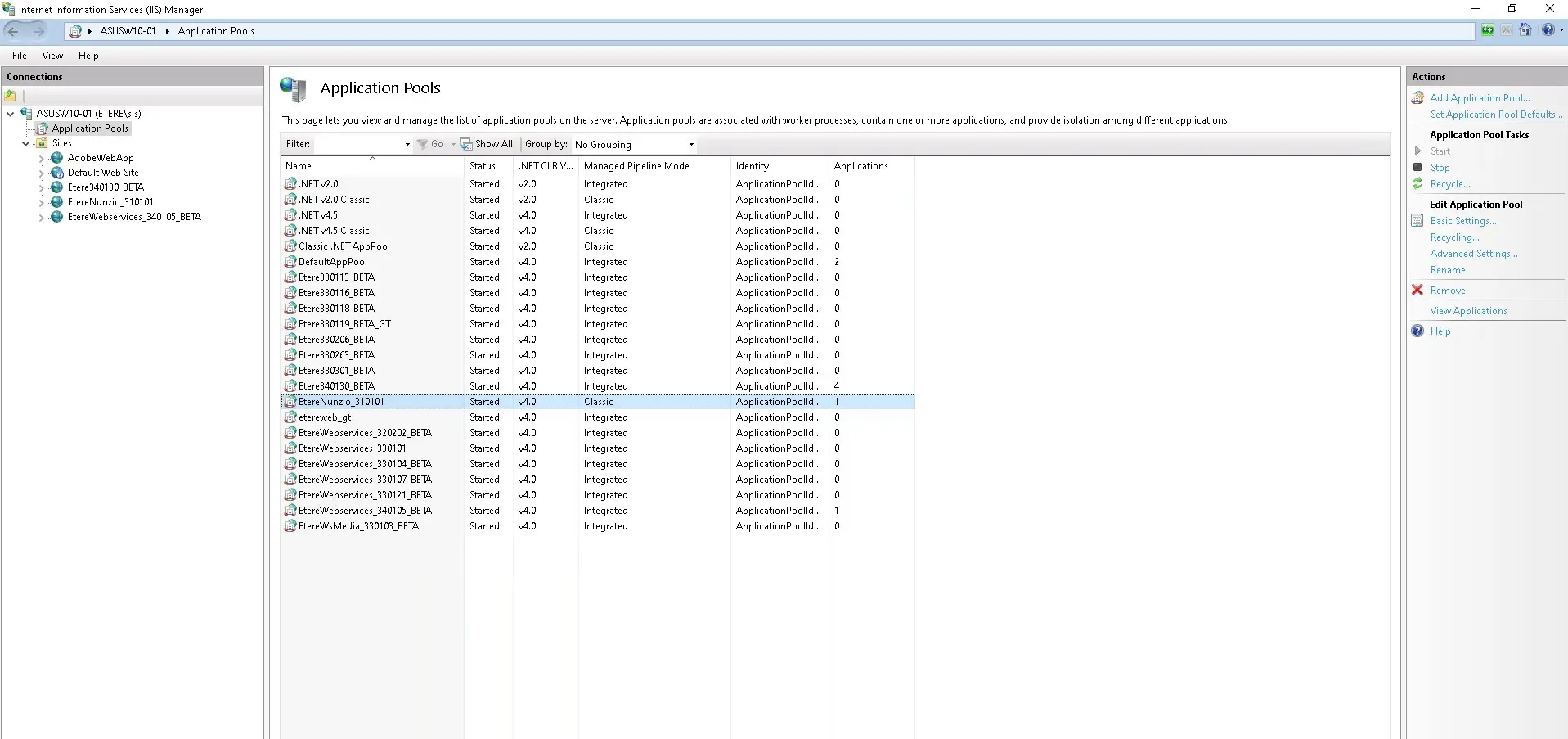
i) an other step is mandatory in order to let Nunzio App to work as expected. Once the Web Service has been installed, we must switch its Managed pipeline Mode to Classic;
managed_pipeline
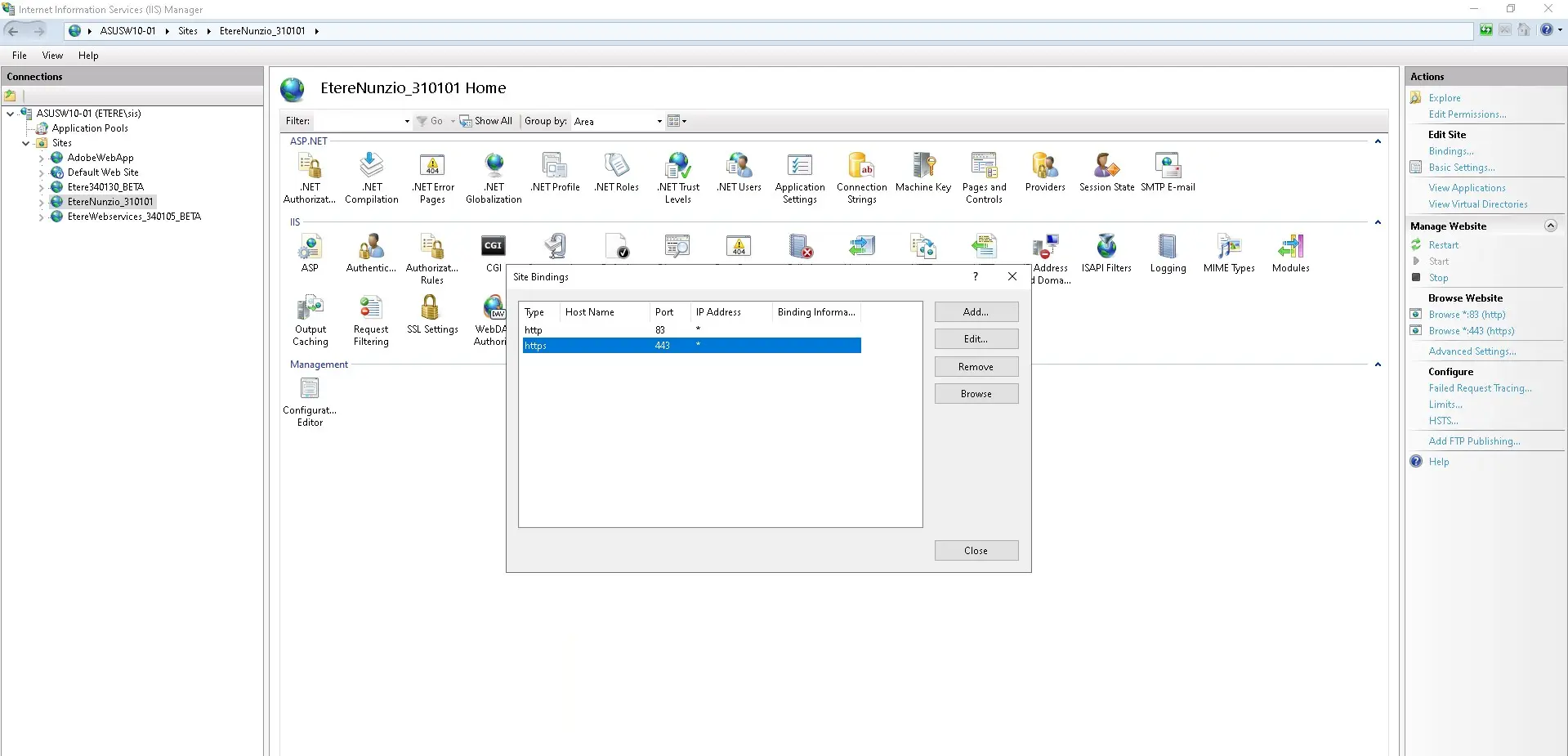
l) the last steps of the configuration is to configure the alternative HTTPS BINDING on Internet Information Service otherwise the user would not be able to login within the Web Service.
iis_binding
Once this easy and straightforward operation has been done, we can start using Etere Nunzio App in our Ecosystem.
On the next chapters, we are gpoing to have a look on how to interact with it.
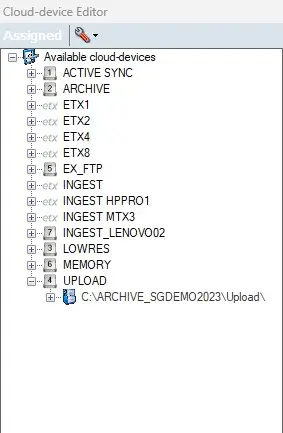 nunzio_upload_cloud_device
 nunzio_upload_media_folder
 nunzio_upload_settings
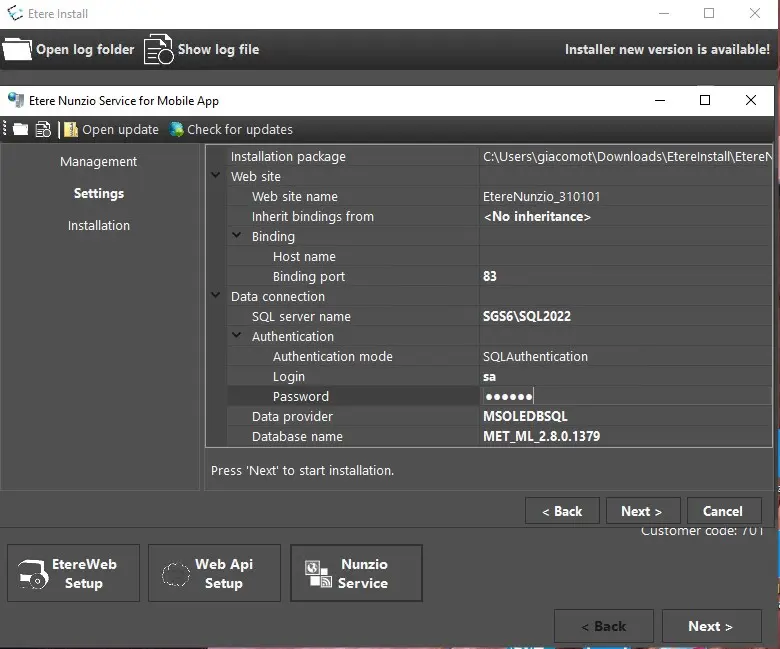 web_service_install_details
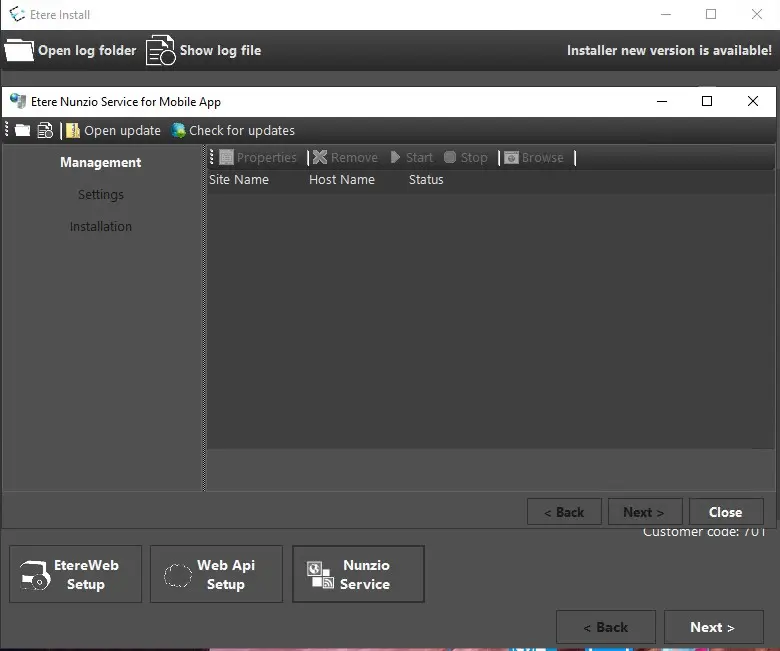 nunzio_web_service_check_updates
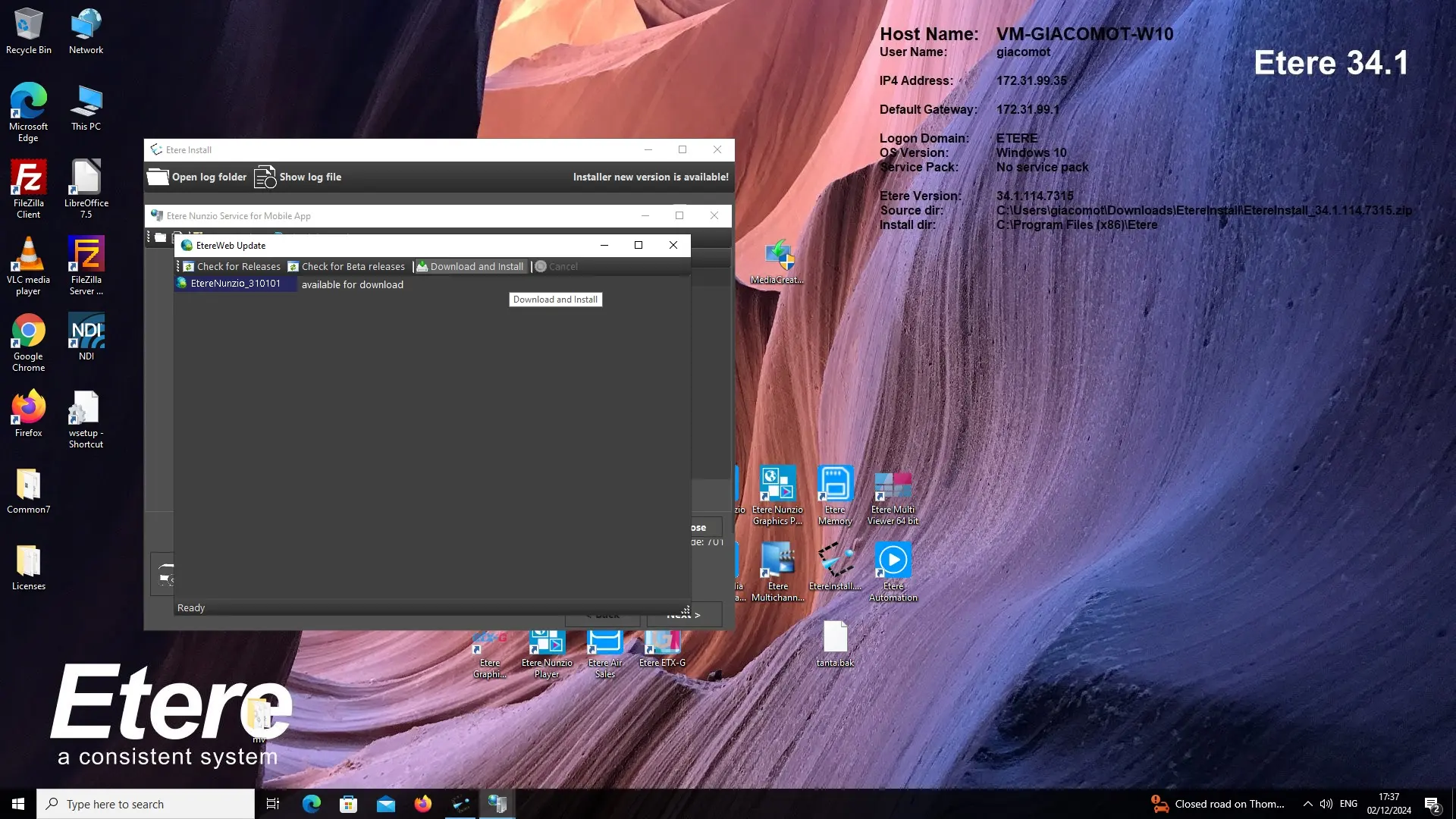 nunzio_web_service_download_install
 nunzio_web_service_install
 nunzio_web_service_updates
 managed_pipeline
 iis_binding