201.2.1.5 Main
The "Main data" tab allows to define the most relevant parameters related to the purchase of the single/season program rights:
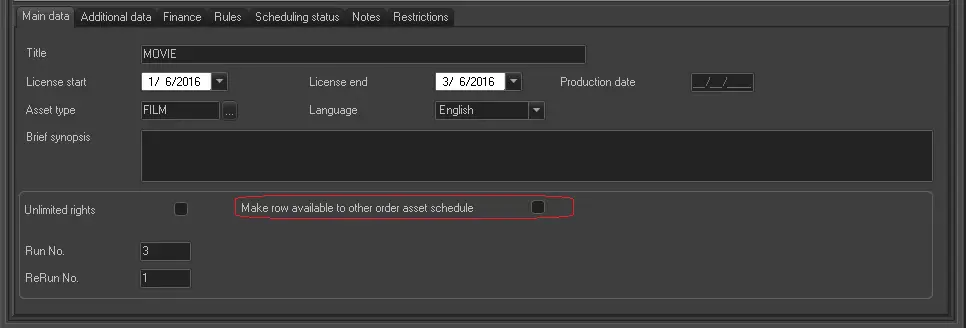
Po_made_available
Parameter - Title
Description : Enter the description of the purchasing order.
Parameter - License start & end
Description : Specify the licensing period covered by the purchasing order.
Parameter - Production year
Description : Enter the year the program was produced.
Parameter - Asset type
Description : Select the asset type. A list of default asset types would be displayed if the "Right > Object" section in the Right Management is set to “Allowed”.
Parameter - Language
Description : Select the language to be linked to the licensing rights. It's usually the spoken/subtitled language of the single/season program.
Parameter - Brief synopsis
Description : Enter a brief description of the purchased program. Please note that the this information can be automatically retrieved when the single/season program asset is linked to the order.
Parameter - Unlimited rights
Description : If enabled, the purchased single/season program would not have Run limitations (i.e. Runs and ReRuns will be set to 0), it can be broadcasted unlimited number of times by paying a global price.
Parameter - Make row available for other order asset schedule
Description : In some instances one asset can be presented in multiple orders, the Scheduler is able to take the available rights on multiple orders. This parameter provide the order line to Program Scheduler and Season Scheduler when there is unavailable BMS’s rights in the scheduled used order.
Parameter - Run. No.
Description : Indicate the number of Runs contemplated by the purchase order.
Parameter - Run price
Description : Specify the unit price for broadcasting each Run.
Parameter - ReRun No.
Description : Indicate the number of ReRuns contemplated by the purchase order. Please note that the temporal distance between Runs and ReRuns must be set under the "Consider as ReRun if scheduled within next" parameter.
Create and Assign a new program (Single/Season)
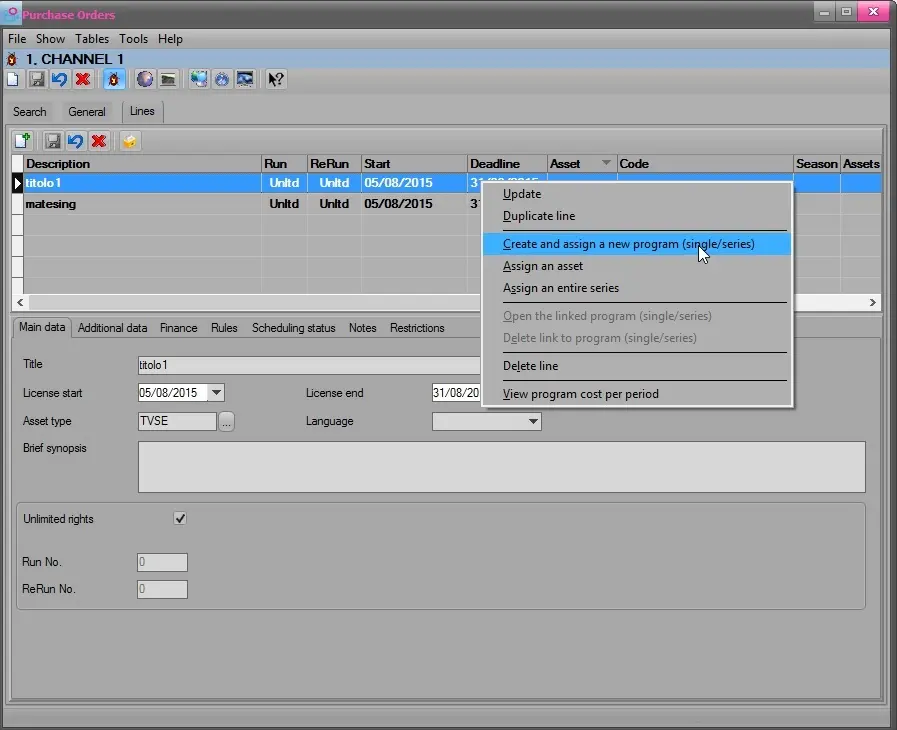
To create and assign a new program (Single/season), right click on the item and select the following option:
Create_assign_new_pgm_1
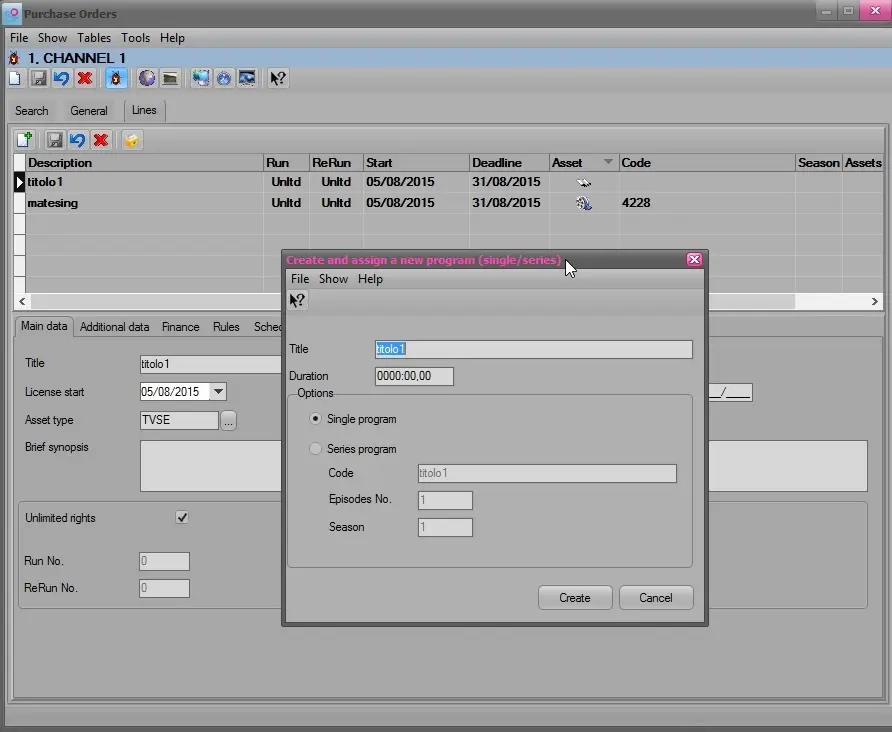
Create_assign_new_pgm_2
Parameter - Title
Description : Enter the description of the new program.
Parameter - Duration
Description : Enter the duration of the new program.
Parameter - Single program
Description : Select this option for single program.
Parameter - Season program
Description : Select this option for season program.
Parameter - Code
Description : Indicate the program code. This option is only applicable for season program selection.
Parameter - Episode No.
Description : Define the episode no. This option is only applicable for season program selection.
Parameter - Season
Description : Define the season no. This option is only applicable for season program selection.
 Create_assign_new_pgm_1
 Po_made_available
 Create_assign_new_pgm_2