73.4.2.4 Insert Comment in Video File
This chapter described the steps to insert comments, modify comment on video file using Etere Memory Browser.
Launch the Memory module
Start the Etere Memory module from workstation, it would launch the Etere Memory Browser application in workstation. These 2 applications work hand-in-hand to enable playing of video file recorded by Etere Memory.
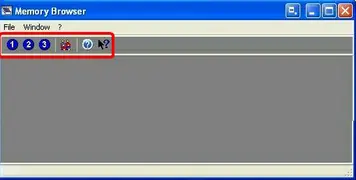
The Etere Memory Browser provide a work area for playing video as shown below:
Memory Browser 1
The stations icon enable you to play video file recorded by Memory from this workstation. It also allows video files recorded from other stations to be played simultaneously on the same workstation by click on the station number created the recorded file.
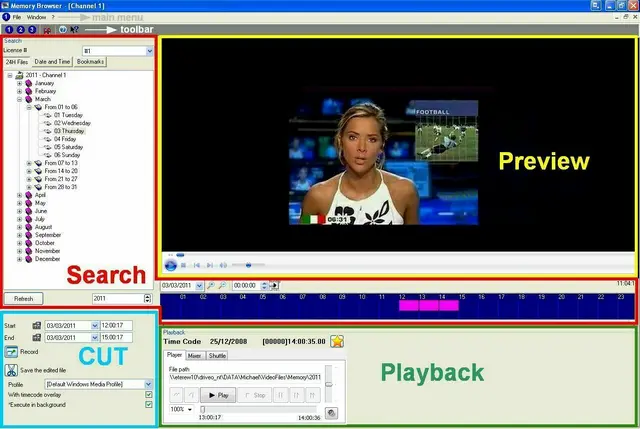
Select any station to start the Memory Browser in the main windows. The Memory Browser is mainly divided into 4 areas, namely the Search area, Preview area, Cut area and Playback area.
Memory Browser 2
Insert Comment in Video File
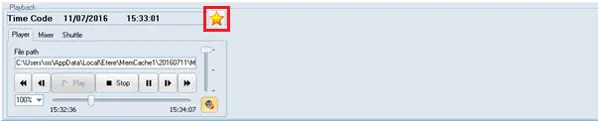
From the "Playback" area you can insert comments into video file recorded by Memory. Click on the Bookmark icon to start input the comments to video file.
Bookmark
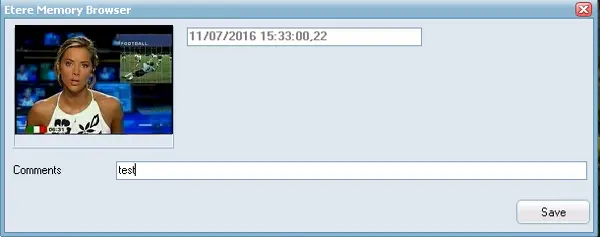
When the Memory Browser is launched, enter the text comment in the parameter field to the video file currently in play. In this instance, enter <test> as comments. Click the <Save> button to save the comments as <test>.
Etere Memory Browser 1
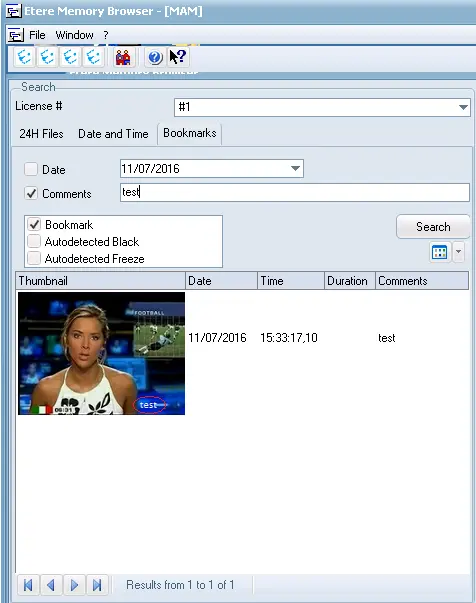
Back to main windows, now you can search the comment added in the video file in the search area, enter <test> as the key word in search field and check the <Bookmark> checkbox to search for comment created using the Bookmark icon. The search result returned the video file with comments <test> added in the video file.
Etere Memory Browser 2
Modify Comments in Video File
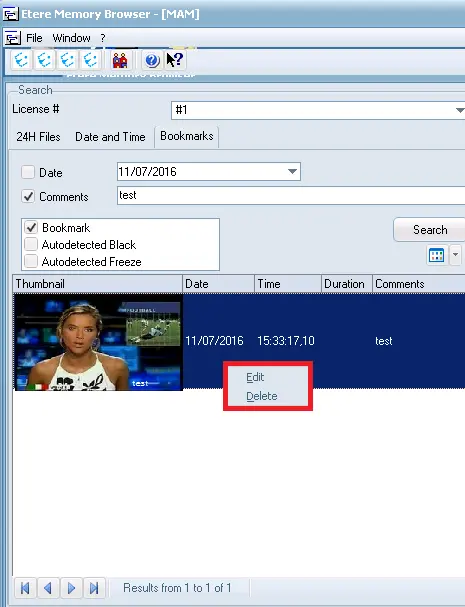
New comment can be added to the same video file or create a new comment file as described above. To modify the existing comment you can right click on the video file and select <Edit> to modify the content or select <Delete> to remove the comments in video file.
Edit or Delete
 Memory_Browser_1
 Memory_Browser_2
 Bookmark
 Etere_Memory_Browser_1
 Edit_or_Delete
 Etere_Memory_Browser_2