72.2.2.21 Annotations - Image Multi-import
The Image Multi-import function allows you to import multiple image files into a single metafile for each file.
From asset’s Media tab, right-click on Media List and select “Image multi-import” to launch the import function.
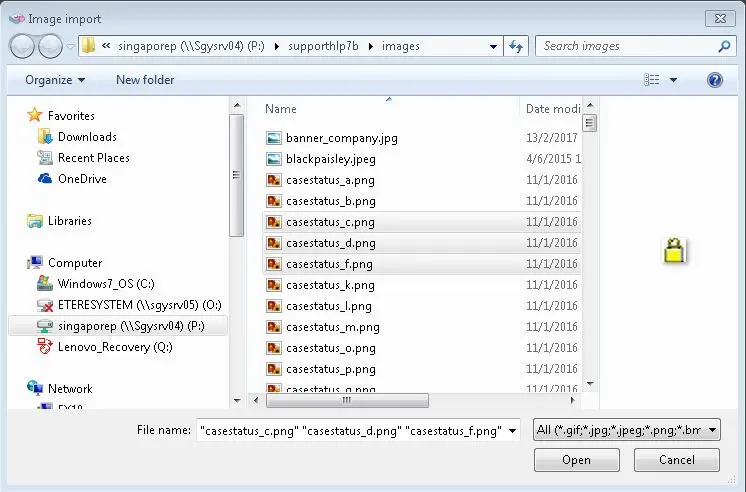
1. The File Explorer would be opened, select the image files to be imported and click <Open> to confirm the selection,
Image import
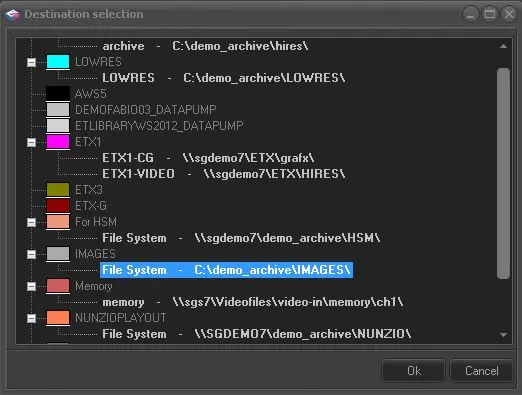
2. Next, from the list of available cloud-devices, select a destination metadevice to archive the imported files. Click <OK> to proceed to next step.
Destination selection
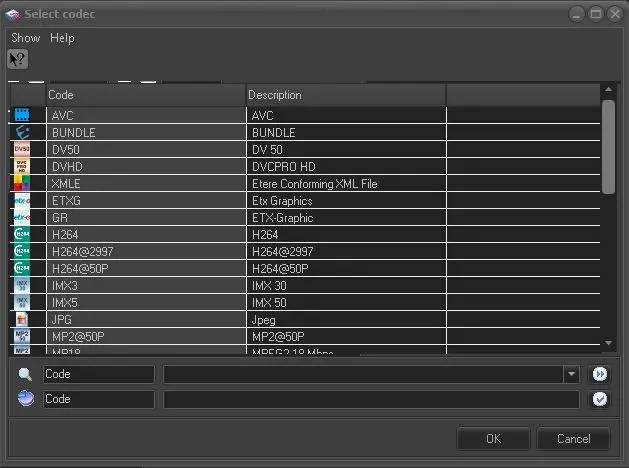
3. From the Select Codec dialogue, select the codec to be assigned to the imported files. Click <OK> to continue.
Select Codec
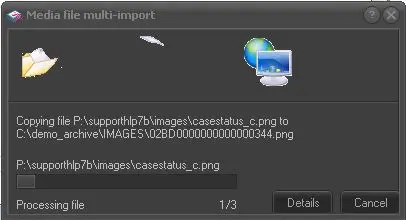
4. The selected files would be copied to the destination metadevice.
Media file multiple import
5. Upon copied, all new assets would be displayed in Media list in Media Library.
 Select_Codec
 Media_file_multiple_import
 Image_import
 Destination_selection