72.7.4.13 Storing subtitles
In case the station manages media assets with subtitles embedded into the video stream, Etere suggest the following methods for storing subtitled media in your system:
Method #1: Use one metadevice and multiple codecs (one-per-language)
The first method allows storing all media files into a single cloud-device, this, by implementing the following structure:
Storage system structure
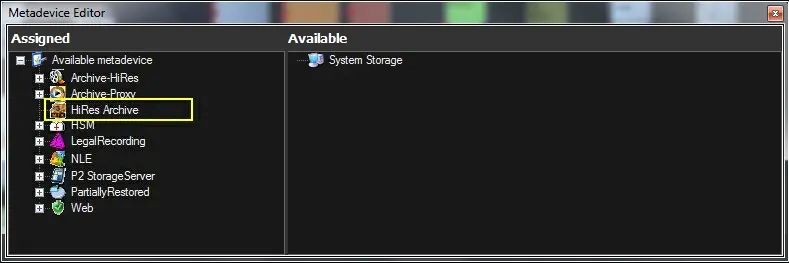
cloud-device - One metadevice will be managed for all subtitling languages, for instance:
Etere Configuration > Resources Editor > Metadevices:
Metadevice Editor 1
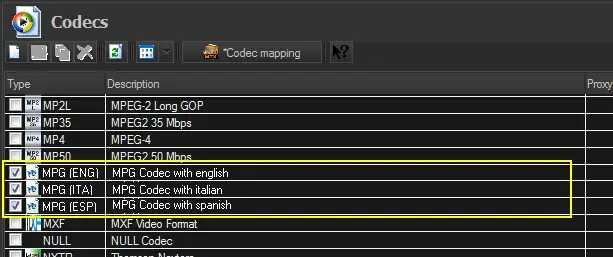
Codec - One codec will be created for each language (e.g. IMX 50 - Sub-ENG, IMX 50 - Sub-ITA, etc).
Etere Configuration > Settings > Devices > Codecs:
Codecs 1
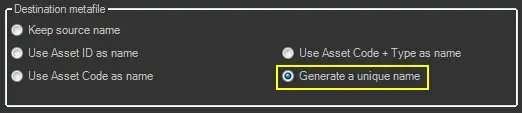
Filename - Filenames should be given using exclusively a generated unique name (e.g. 02BD000000000000014B), this, to allow storing into a metadevice multiple files related to a single asset:
Etere Configuration > Configuration Editor > Data Mover > Rhozet RZCP Transcoding:
Generate a unique name 1
Using this method, it will be required to differentiate assets (e.g. when implementing subtitling T-workflow actions) according to their their cloud-device.
Method #2: : Use multiple metadevices (one-per-language) and one codec
The second method requires storing media files across multiple cloud-devices depending on their language, this, by implementing the following structure:
Storage system structure
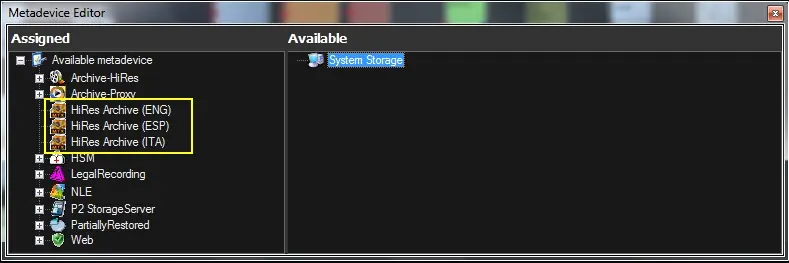
cloud-device - One metadevice will be managed for each subtitling language, for instance:
Etere Configuration > Resources Editor > Metadevices:
Metadevice Editor 2
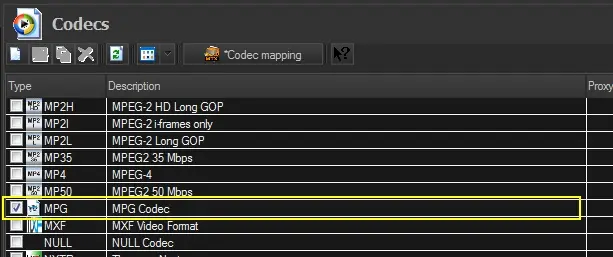
Codec - One codec will be used for all subtitles.
Etere Configuration > Settings > Devices > Codecs:
Codecs 2
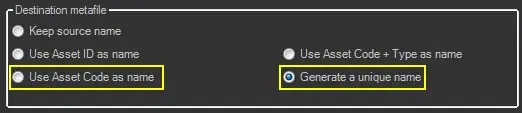
Filename - Filenames should be given using either the asset code (e.g. blinddates5-ep12) or a generated unique name (e.g. 02BD000000000000014B):
Etere Configuration > Configuration Editor > Data Mover > Rhozet RZCP Transcoding:
Generate a unique name 2
Using this method, it will be required to differentiate assets (e.g. when implementing subtitling T-workflow actions) according to their their codec.
 Codecs_1
 Codecs_2
 Metadevice_Editor_2
 Metadevice_Editor_1
 Generate_a_unique_name_2
 Generate_a_unique_name_1_