59.2.30.1 Cities
The "Cities" table contains a list of all the cities within the country currently selected in the "basic > system" settings. For each city, it indicate the State the city is located and its zip code and city code.
Cities
This section allows managing the "Cities" table through the following functions:
New - Insert a new record into the table.
Delete - Removes the selected record from the table.
Update - Updates the table by reading data from the database.
Restore defaults - Deletes ALL records and load the records related to the selected country.
NB: Only the cities of some countries are available to be retrieved from the database, so according to the country selected, the list could be empty even after launching this function.
Go to... - Locates the record matching a certain string.
Confirm - Stores all changes performed to the table into the database.
Cancel - Cancel the last performed change.
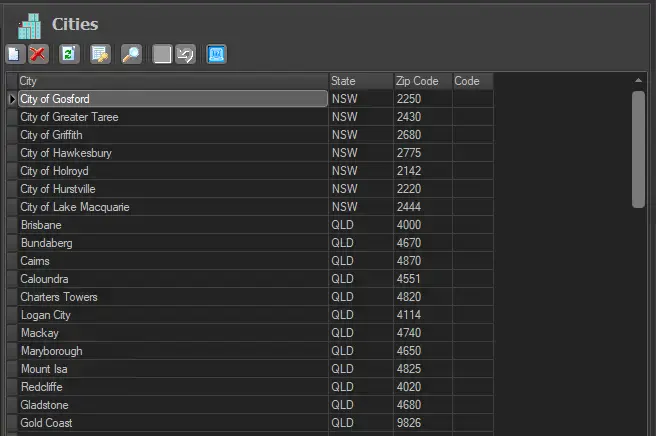 Cities