65.5 ETX Graphics CTM
In Etere ETX, you can execute graphic/text objects through script string (.ctm files, also called CTM). The protocol to communicate over the network (i.e. through an IP address) is based on the Chyron Intelligent Interface (CII).
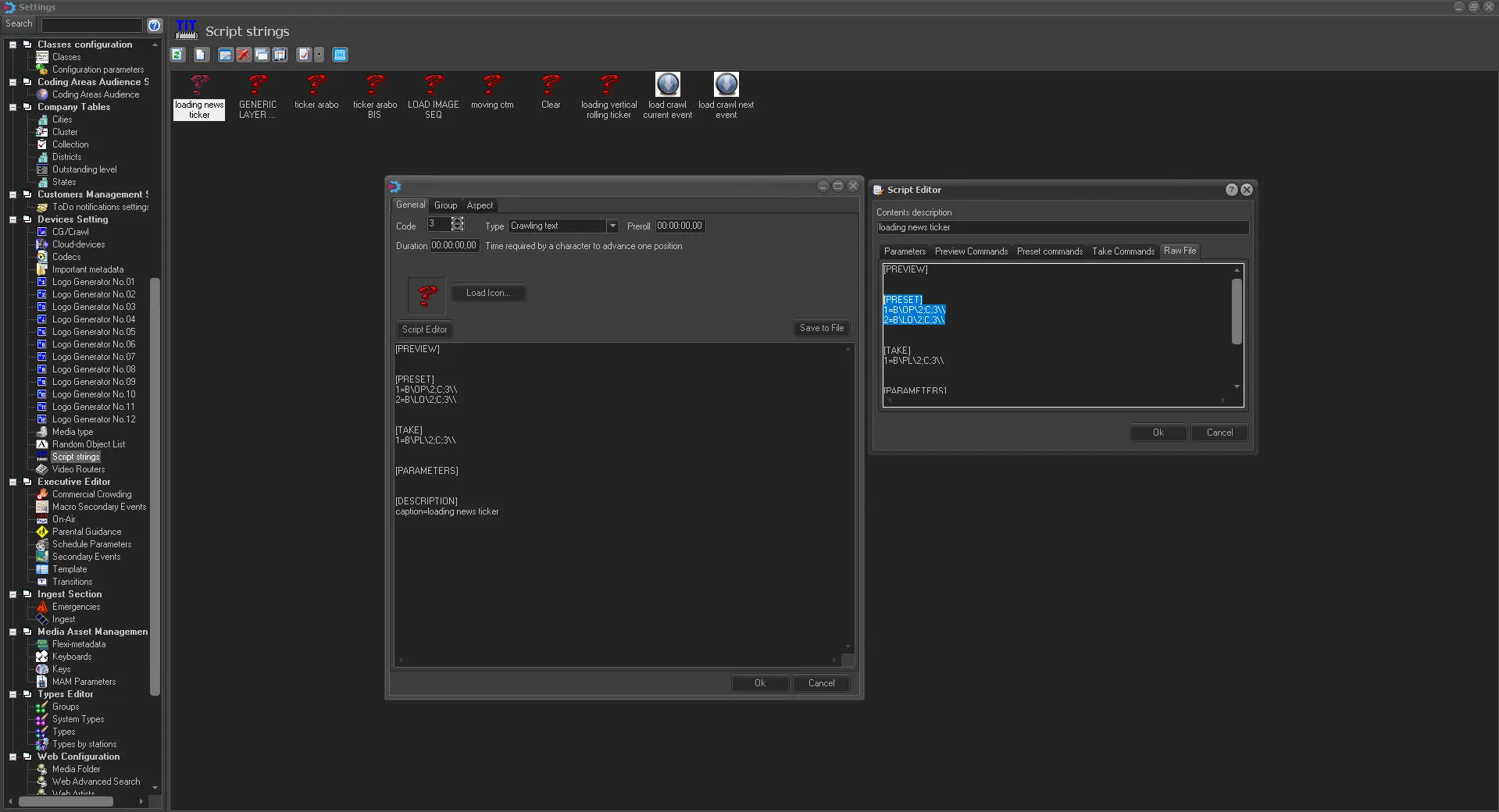
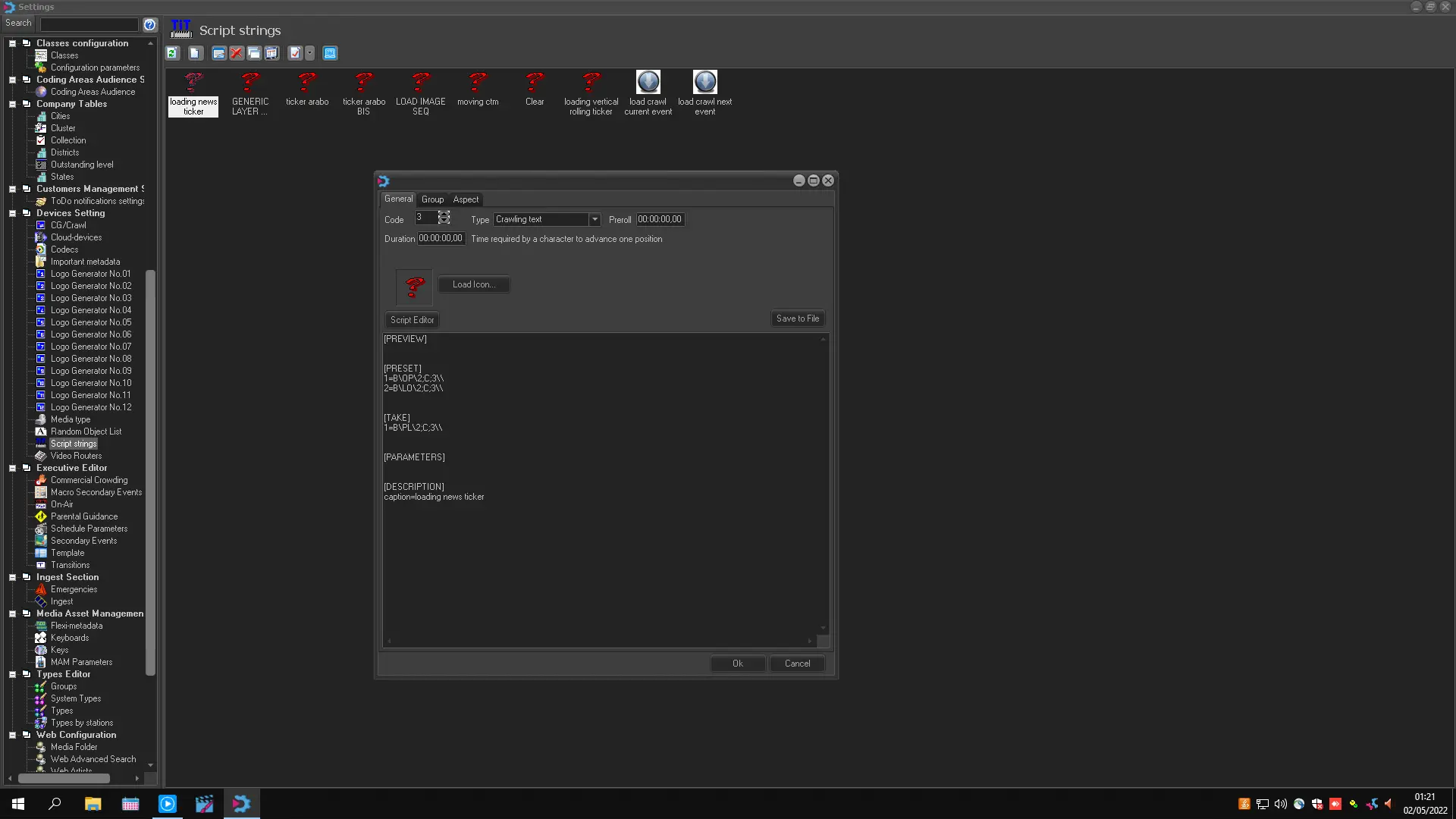
CTM Scripts can be generated by Relying on Etere Configuration Module > Settings > Script String
ctm_script_configuration
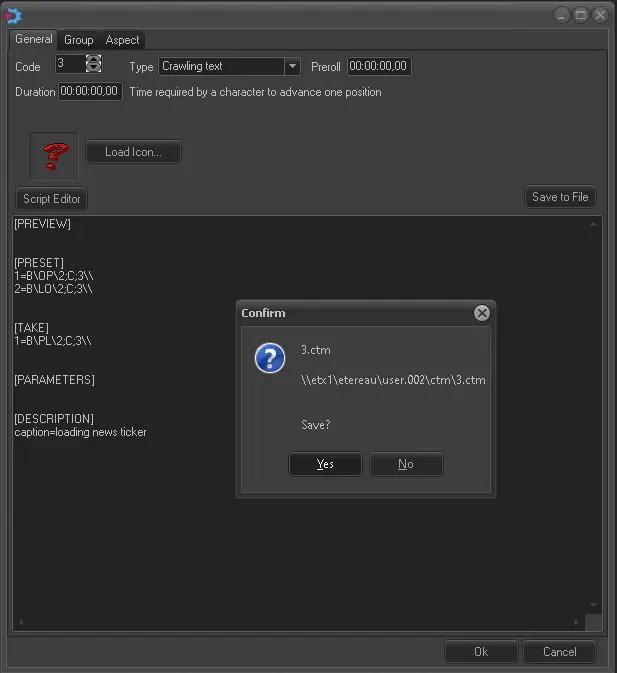
It is possible to generate as many scripts as you want to manage all the given graphics and their behaviours. After the given scripts have been generated, we need to save them on file to be managed by Etere ETX.
ctm_script_editor
ctm_script_editor_save2file
Supported commands are formatted as follows:
B \ command-code \ layer ; type ; id \ command-data \\
Parameter - Command code
- Command code: Here below is provided a list of all commands supported by the ETX Graphics engine, including a brief description and possible responses:
- OP: Open logo file (e.g. cue a scene)
reply: x02A\x0D\x0A - OK
reply: x021\x0D\x0A - NOT OK
- LO: Load logo file (e.g. prepare an opened scene for playout)
reply: x02A\x0D\x0A - OK
reply: x021\x0D\x0A - NOT OK
- PL: Play logo file (e.g. put a scene on-air)
reply: x02A\x0D\x0A - OK
reply: x021\x0D\x0A - NOT OK
- ST Stop logo file (e.g. remove a scene from the output)
reply: x02A\x0D\x0A - OK
reply: x021\x0D\x0A - NOT OK
- CL Close logo file (e.g. unload a scene)
reply: x02A\x0D\x0A - OK
reply: x021\x0D\x0A - NOT OK
- CA: Clear all graphic layers currently in play, leaving all other layers loaded in preset unchanged.
reply: x02A\x0D\x0A - OK
NB: Please note that x02A, x021, x0D, and x0A are the hexadecimal representations of the * (asterisk)! (exclamation mark), CR (carriage return) and LF (line feed) ascii values respectively.
- Layer: Number of the logo layer (specified in base 10).
- Type:
- C: Identifies a crawl command
- G: Identifies a graphic command (fixed or animated)
- O: Identifies a logo-off command
- V: Identifies a logo command with variable text.
- ID Identification number of the logo.
- Command data Used only with C (crawl) and V (logo with variable text) command types, it's formatted as follows:
\V0§aaa\V1§bbb\...\Vn§xxx
0,1...n - The number after the V is the variable to update in the graphic (0 for the 1st one).
aaa, bbb...xxx - The value after the § symbol corresponds to the text to be assigned to the variable.
The following examples illustrate the use of ETX graphic commands, in this case, from CTM script strings:
- Example # 1
Display the fixed logo #240 over the layer #2:
TX command
[PRESET]
B\OP\2;G;240\\
B\LO\2;G;240\\
[TAKE]
B\PL\2;G;240\\
RX reply:
x02A\x0D\x0A
x02A\x0D\x0A
x02A\x0D\x0A
Note: The layer and logo can be parameterised as follows: B\PL\%001;G;%002\\ - Example # 2 Clear (set off) the logo #240 over the layer #2:
TX command
[PRESET]
B\OP\2;O\\
B\LO\2;O\\
[TAKE]
B\ST\2;O;240\\
B\CL\2;O;240\\
RX reply:
x02A\x0D\x0A
x02A\x0D\x0A
x02A\x0D\x0A
x02A\x0D\x0A
Note: The layer and logo can be parameterised as follows: B\ST\%001;O;%002\\ and B\CL\%001;O;%002\\ - Example # 3
Display the variable logo #240 over layer #2, assigning the "aaa" string to the 1st text variable and the "bbb" string to the 2nd one:
TX command
[PRESET]
B\OP\2;V;240\V0§aaa\V1§bbb\\
B\LO\2;V;240\V0§aaa\V1§bbb\\
[TAKE]
B\PL\2;V;240\V0§aaa\V1§bbb\\
RX reply
x02A\x0D\x0A
x02A\x0D\x0A
x02A\x0D\x0A - Example # 4
Display the crawl #240 over the layer #2, assigning the "aaa" string to the 1st text variable and the "bbb" string to the 2nd one:
TX command
[PRESET]
B\OP\2;C;240\V0§aaa\V1§bbb\\
B\LO\2;C;240\V0§aaa\V1§bbb\\
[TAKE]
B\PL\2;C;240\V0§aaa\V1§bbb\\
RX reply
x02A\x0D\x0A
x02A\x0D\x0A
x02A\x0D\x0A - Example # 5
Clear (set off) all currently playing graphics, but leave the preset ones:
TX command
[TAKE]
B\CA\\
RX reply
x02A\x0D\x0A - Example # 6
Return a list of graphics stored in the disk storage:
TX command
[TAKE]
B\QL\D\\
RX reply
x02A\B\QL\1\10\101\103\105\122\123\124\2\3\4\5\666\777\900\\x0D\x0A - Example # 7
Return a list of graphics currently loaded in the preset:
TX command
[TAKE]
B\QL\L\\
RX reply:
x02A\B\QL\2;101\2;103\2;122\\x0D\x0A - Example # 8
Return a list of graphics currently being played:
TX command
[TAKE]
B\QL\P\\
RX reply
x02A\B\QL\2;1\2;105\2;124\\x0D\x0A
Communication
Although the protocol is based on the Chyron Intelligent Interface (CII), ETX communicates over the network via Ethernet. Commands must be sent to the ETX server using the following connection parameters:
IP Address: The IP address of the ETX Server (e.g. 172.41.31.154)
ETX port: The ETX port of the channel. The port number depends on the base port set in the ETX Service App for listening to remote connections; by default, this port is 18000.
According to the Base port, ETX ports are assigned for each channel as follows:
ETX port=<BasePort> + <ChannelNumber>*10 + 2
For instance:
ETX port for channel1=18000 + 1*10 + 2=18012
ETX port for channel2=18000 + 2*10 + 2=18022
 ctm_script_editor
 ctm_script_editor_save2file
 ctm_script_configuration