59.5.4.52 Scheduling / Assets
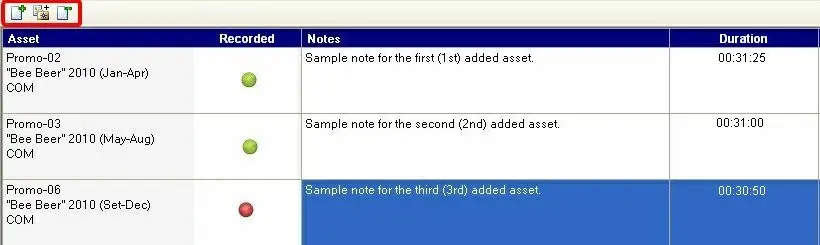
The Asset area allows one to associate one or more assets to an order line, thus permitting one to either schedule only one or schedule all of them on a rotating basis. Additionally, by making a double-click on an insertion, the account executive can enter a note; it is helpful to, for example, indicate the scheduling operator in which cases an asset will be preferred against the others.
Asset_area
To manage assets linked to the order, press the [...] button and use the functions present in the toolbar:
Function - Add
Description: Search for an asset across the Etere database and select one to be linked to the current order line; the operator will be allowed to:
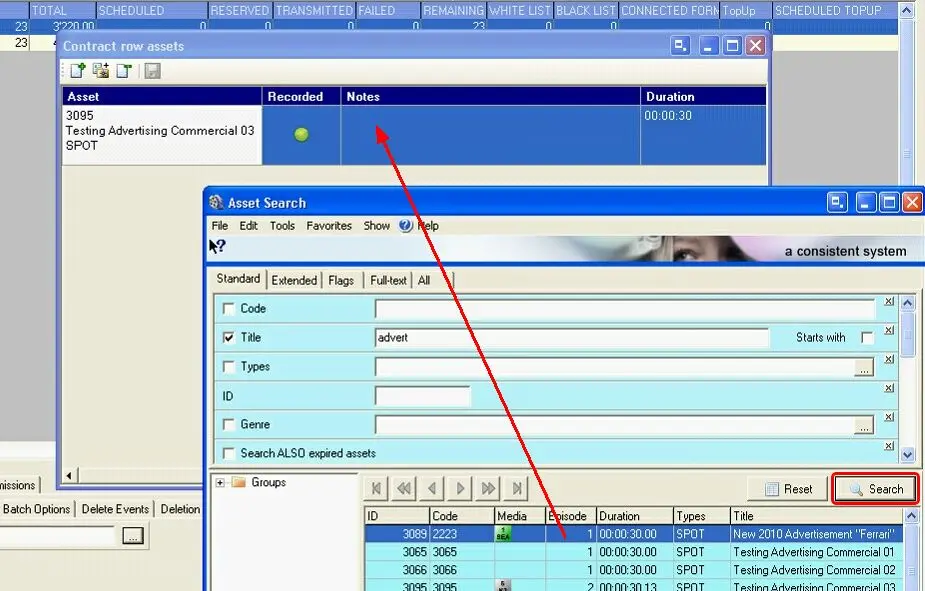
•Search for an existing asset: Search for the asset to be associated through a form provided with a wide range of filters, then double-click on the asset to insert it in the list:
Search_for_an_existing_asset
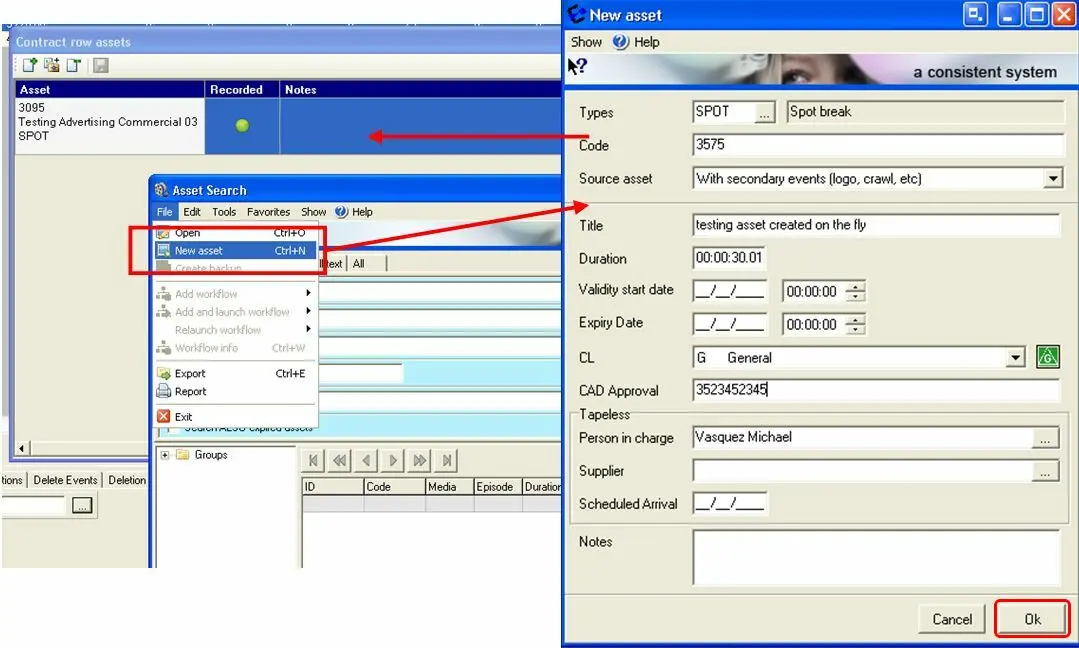
•Create a new asset: Go to the Navigate >> New Asset menu option or press the CTRL+N keys combination, compile the main information of the new asset and press [Ok] to save it, after which double-click on the asset to insert it into the list:
3702_Create_a_new_asset
Function - Add from customer-used assets
Description: Link to the current order line, an asset already used in other orders of the same customer,
Function - Delete
Description: Use it to remove the selected asset from the asset list.
Furthermore, please note that it is possible to assign assets to orders after their compilation, as explained in the chapter on how to assign assets to orders.
Note
The Air Sales Scheduler will process (i.e. automatically schedule) only those order lines linked to a single asset; order lines linked to more than one asset will be skipped since they are intended to be scheduled using the Multichannel Asset Change module.
Note
Please note that users need the "Sales Proposal\Assign_asset" right to use this function to assign assets to orders/proposals.
 Asset_area
 Search_for_an_existing_asset
 Create_a_new_asset