4.3 Lightbox
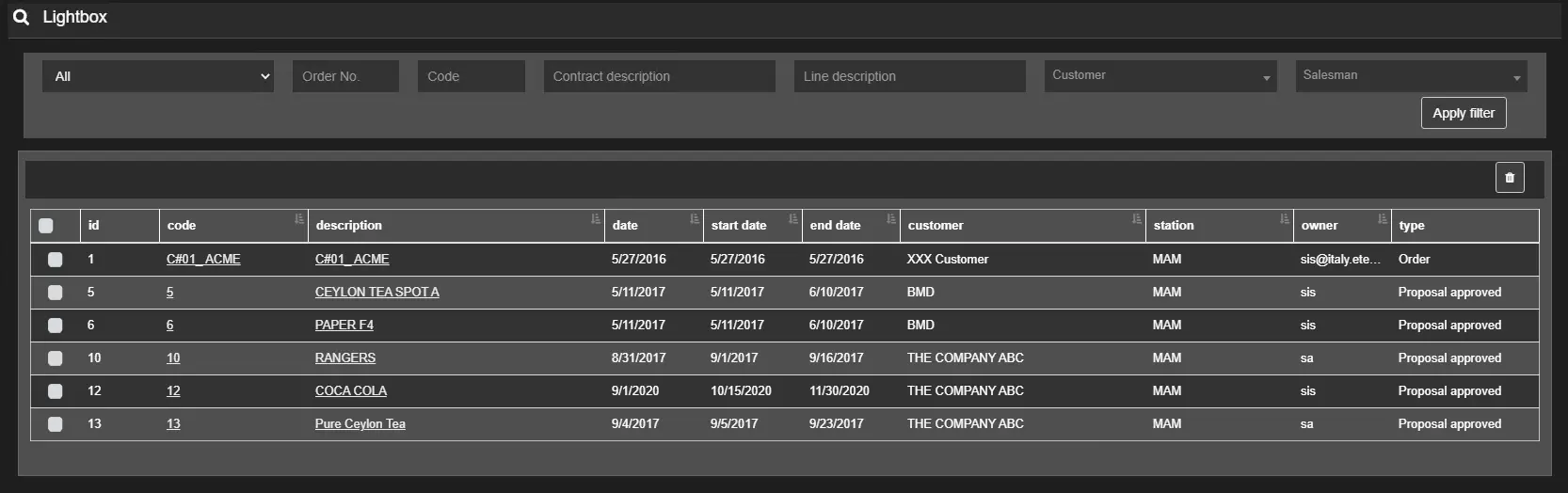
You can obtain a list of commonly accessed contracts in the Lightbox section of Air Sales web.
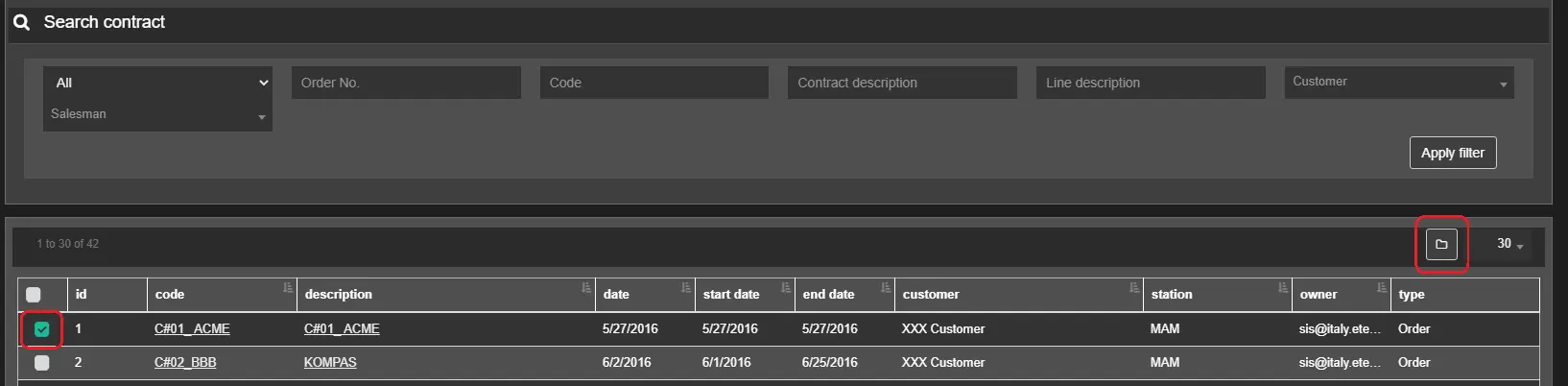
The contracts can be added to Lightbox by selecting them from the search results in Sales contracts > Search and pressing the button on the right, as shown in the picture below.
airsales_lightbox
add_asset_in_lightbox
Once added, contracts can be remove from lightbox in the same way: Select them from the list and click the Remove from Lightbox button.
Beside the remove button, a droplist allows to choose how many results to show per page: 10, 30, 60, 150 or all.
Filters
Type of contract: Filter the lightbox search by the following types:
• All• Order
• Proposal running
• Proposal approved
• Proposal refused
• Proposal to evaluate
• Proposal archived
• Proposal to revaluate
• Expired
• Proposal to schedule
• Proposal to customer
• Proposal to customer rejected
Order No.: Specify the number assigned automatically to the contract.
Code: Specify the code assigned to the contract.
Contract description: Filter contracts that match the short description entered in this field.
Line description: Filter contracts which lines' descriptions match the text in this field.
Customer: Select or search a customer name or email address in the list.
Account Executive: You can enter, or select from the list, the name of the account executive linked to the contract to find.
 airsales_lightbox
 add_asset_in_lightbox