59.3.10.39 System Actions
The actions listed in this section are all those which will query the database about certain media properties or execute some specific tasks; these actions are shown below:
Chain - Ok
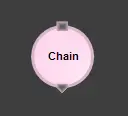
Chain
Description: Continues the execution in another T-workflow, which chains and executes a second T-workflow.
NB: The "chain" action is deprecated; it must NOT be used within T-workflows. Instead, executing other T-workflows from within a T-workflow is possible using the "T-workflow action".
Results: Ok: Start chained T-workflow
Hanging
Hanging
Description: Indicates that a T-workflow is active but "suspended", that is, that needs a manual intervention to move forward.
NB: The "hanging" action must be used only if the errors encountered are not automatically resolved.
Results: None
Notes
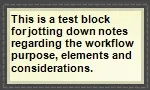
Notes
Description: This action consists of a "floating block" (i.e. intended not to be connected to any other block); this block allows the insertion of a brief text to, for example, facilitate the understanding of the T-workflow, jot down useful notes, etc.
Results: None
Other categories:
Delay
File System
Cloud Balancing
Messaging
Retry
Runtime properties
 Chain
Chain
 Hanging
 Notes
Notes