51.1.2.2 Descriptive files
What is a descriptive file?
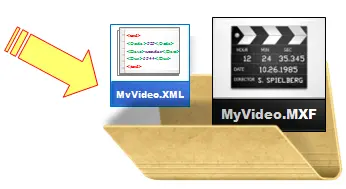
A descriptive file (also known as a sidecar file) is a text document containing information on a specific video file; these files complement video files by providing technical data and instructions on how they should be managed.
descriptive files
Enable the use of descriptive files
The use of descriptive files in Etere ActiveSync can be enabled and configured through the following parameters under the "ActiveSync > Parameters > Sync Cloud-devices > Paths" section:
Process the file only if the descriptive file (.xml) exists: If enabled, the synchronization of video files will be tied to the existence of a related descriptive file, so when a video file is detected, it will be imported into the system only if it's accompanied by a valid descriptive file (named as the video file but with an XML extension).
NB: This option is helpful to avoid synchronizing incomplete files (e.g. partially uploaded) when a .xml file is created (and expected) at the end of a file reception (e.g. upload).
Use the descriptive file only to read the ASSET CODE without importing data: If enabled, the synchronization of video files will be untied from the existence of a related descriptive file, which will be used only to retrieve the code to be assigned to the Asset created in the Etere database for the video file.
NB: If the "COD_PROGRA" tag in the XML file contains a null value, the Asset would be imported and assumed as the Asset's "COD_PROGRA".
How are descriptive files processed?
An overview of the processing sequence carried out by Etere ActiveSync for descriptive files are:
1. ActiveSync detects a new video file (e.g. as125.mov) on the monitored directory and searches for a related descriptive file (e.g. as125.xml)
2. ActiveSync finds the descriptive file and analyzes its structure to determine the import function to be used. Here are the supported imports and the expected tag structure for each of them:
Apple FCP
Expected structure: the first tag is < FinalCutServer >, and the tag follows it
Expected structure:
The supported import includes "Discovery Asset XML" and "Discovery Asset XML 3rd-party Vendors".
Expected structure: The first tag is <Tecnet>, which contains a <servidor> tag that has multiple tags such as <arquivo>, <tipomaterial>, <data>, <duracao>, <descricao> and <mam_id>.
Expected structure: The first tag is <egtaMETA:egtaMETA>, followed by the <egtaMETA: spot > tag.
Snaps
Expected structure: The first tag is <ArchiveList>, and the <MessageID> tag exists.
VIZRTVME
Expected structure: The first tag is <atom: entry>, followed by the <atom: Title> tag.
VTV Asset XML
Expected structure: The first tag is <Titles>, followed by the <row> tag.
NB: This import requires enabling the "VTV Asset XML (custom import)" parameter.
VTVCab
Expected structure: The first tag is <VTVcab Type = "Asset">, and it's followed by the <Editing> and <Broadcast> tags.
XDChange
Expected structure: The first tag is < Asset>, and the <Clip> tag exists.Etere's <br><br><br>
 desciptivefiles