59.4.10.8 Use SQL queries within scripts
This chapter explains how to use a UDF (user-defined function) in PowerTools actions; the proposed example will illustrate how to set the value of a Flexi-metadata from a query result:
1. Create a "Power Tools" action and give it a self-explanatory name (e.g. Check if the asset has files)
2. Under the Basic Settings set the following parameter:
Name: Never update DB files
Value: Enabled
Description: Do not create nor link files
3. Under the Process Settings set the following fields:
3.1. The job variables, for instance:
Name: AssetID
Value: %1:s
Description: ID of source asset
3.2. The output variables, for instance:
Name: Result
Value: <param type="filmati">NOTE_A</param>
Description: Output variable linked to asset "note_a" field
3.3. The PowerShell script, for instance:
#Return the number of files linked to an asset
$conn = New-Object System.Data.SqlClient.SqlConnection
$conn.ConnectionString = "Server=ServerName;Database=DatabaseName;Uid=UserName;Pwd=Password;"
$conn.Open()
$sql = "select count(*) as N from FS_XFILEFILM where id_filmati=$AssetID"
$cmd = New-Object System.Data.SqlClient.SqlCommand($sql,$conn)
$rdr = $cmd.ExecuteReader()
while($rdr.Read())
{[int]$FilesNumber = $rdr["N"].ToString()}
#Return "yes" or "no" depending on the retrieved number
if ($FilesNumber -gt 0) {
$Result = "YES"
Write-Output "The asset has $FilesNumber file(s)"
return
}
else {
$Result = "NO"
$ErrorToThrow = New-Object System.FormatException "The asset doesnt have any files"
Throw $ErrorToThrow
}
Note: The SQL connection parameters (i.e. server, Database, Uid and Pwd) must be replaced with your system data.
3.4. Optionally, enable the option "As final step execute the following T-SQL Statement" and enter a query to be launched after the script (see samples).
3.5. Press the [Save] button to apply all changes.
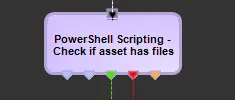
4. Under "T-Workflow > Designer", add the just created action to a T-workflow:
T-Workflow - Designer
Depending on the script output (e.g. check if an asset has linked files), the following status will be available:
OK - (i.e. the help have at least one file)
ERROR - (i.e. the asset doesn't have files)
5. Detailed logs on the T-workflow execution can be consulted as explained in the chapter "Viewing execution logs".
 T-Workflow_-_Designer